Support our educational content for free when you purchase through links on our site. Learn more
🎧 Wireless vs. Wired Headphones: Which Sounds Better?

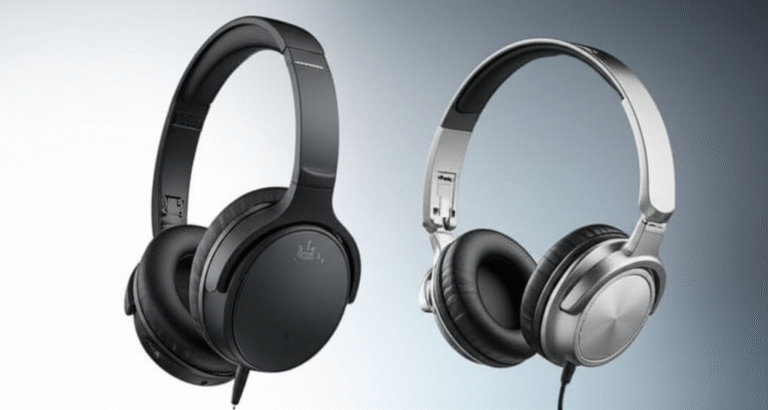
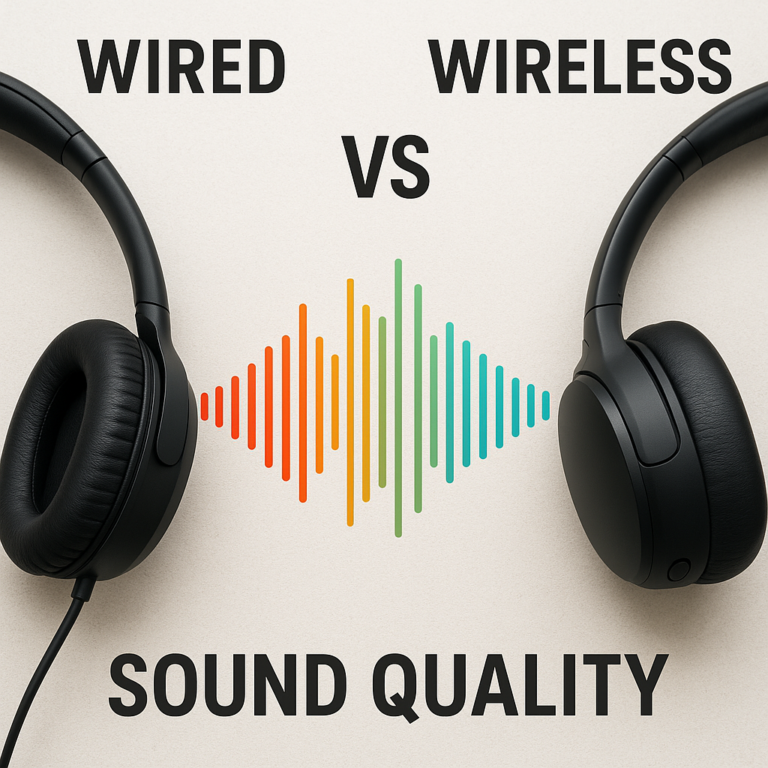
Wireless headphones are more convenient, while wired headphones often deliver better sound quality for the money. So, are wireless headphones better than wired headphones in terms of sound quality and convenience? It depends on what you value most: freedom from cables, or a simple connection with no battery to charge.
We’ve seen listeners obsess over Bluetooth codecs, then discover that a comfortable fit or better noise isolation made a much bigger difference on their commute. The cable matters—but so do the headphones themselves, your music source, and where you listen.
Key Takeaways
- For everyday convenience, wireless usually wins: no cable to snag, plus features such as ANC, transparency mode, and multipoint.
- For sound quality per dollar, wired often has the edge: there’s no Bluetooth transmission to consider, and you don’t have to pay for wireless electronics.
- Wired doesn’t always sound better: tuning, fit, source quality, and listening conditions can matter more than the connection.
- For gaming and real-time audio, wired is the safer bet: Bluetooth latency can be distracting, though dedicated 2.4GHz gaming headsets can offer a low-latency wireless option.
- Hybrid headphones can offer both connection types: check whether wired playback works without battery power.
- Choose for your routine: wireless suits commuting and movement; wired suits desk listening, gaming, and charging-free simplicity.
Table of Contents
- ⚡ Quick Tips and Facts: Wired vs. Wireless Headphones
- 🎧 How Headphone Connections Evolved: From Cables to Bluetooth
- 🔌 Wired vs. Wireless Headphones: How Each Connection Works
- Bluetooth, Wi-Fi, and wireless audio explained
- Headphone jacks, USB-C, and digital-to-analog converters
- 🎵 Sound Quality Compared: Do Wired Headphones Sound Better?
- Codecs, bit rate, lossless audio, and streaming quality
- Can you hear the difference between wired and wireless audio?
- Noise cancellation, transparency mode, and sound processing
- Why headphone design and tuning matter more than the connection
- 📶 Wireless Headphone Latency: Bluetooth Delay for Music, Video, and Calls
- Bluetooth codecs and latency: What to know
- How to reduce wireless audio lag
- 🔋 Battery Life, Charging, and Long-Term Convenience
- What happens when wireless headphones run out of battery?
- Battery aging and replacement options
- 🧳 Comfort, Portability, and Everyday Convenience
- Travel and commuting
- Working out and moving around
- Desk use, home listening, and shared spaces
- 🎮 Gaming, Movies, and Video Calls: Which Connection Works Best?
- Competitive gaming and low-latency audio
- Watching videos and syncing dialogue
- Microphone quality for calls, meetings, and streaming
- 💪 Durability and Reliability: Do Wireless Headphones Break More Often?
- Cable wear, connector damage, and repairability
- Battery, Bluetooth, and electronic failures
- Water resistance and care tips
- 💰 Headphone Cost and Value: Are Wired Headphones Cheaper?
- What affects the cost of wired and wireless headphones?
- Long-term ownership, repairs, and replacement
- 🔄 Can Wireless Headphones Be Used Wired?
- What a wired connection can and cannot do
- USB-C, 3.5 mm, and adapter compatibility
- 📱 Device Compatibility and Connection Options
- Phones without a headphone jack
- Laptops, tablets, consoles, and airplane entertainment systems
- Multipoint pairing, switching devices, and Bluetooth range
- 🩺 Hearing Health, Listening Volume, and Safety
- 🌱 Environmental Impact and Product Lifespan
- ⚖️ Wired vs. Wireless Headphones: Pros and Cons at a Glance
- 🛒 Wired or Wireless: Which Headphones Should You Buy?
- Choose wired headphones if…
- Choose wireless headphones if…
- Consider hybrid headphones for the best of both
- What to check before buying
- ✅ Conclusion
- 🔗 Recommended Links
- ❓ FAQ: Wired vs. Wireless Headphones
- Are wireless headphones better than wired headphones for sound quality?
- Do wired headphones always sound better?
- Do Bluetooth headphones reduce audio quality?
- Are wired headphones better for gaming?
- Can wireless headphones work without Bluetooth?
- Are wireless headphones worth it for commuting?
- Which type lasts longer?
- 📚 Reference Links
⚡ Quick Tips and Facts: Wired vs. Wireless Headphones
The short version: wireless headphones usually win on convenience; wired headphones often win on simplicity, low latency, and sound quality per dollar. But “wired sounds better” isn’t a universal law. Headphone tuning, fit, listening environment, and the audio source all matter.
If you’re choosing a pair for everyday listening, start with our guide to the best headphones and match the connection to how you actually listen.
| What matters most? | Usually the better fit | Why |
|---|---|---|
| Freedom from cables | Wireless | No cord to snag, tangle, or tug |
| Sound quality per dollar | Wired | More of the budget can go toward drivers and tuning |
| Noise cancelling for travel | Wireless | ANC is common in Bluetooth headphones |
| Reliable, uninterrupted listening | Wired | No battery, pairing, or radio connection to manage |
| Competitive gaming and music production | Wired | Avoids Bluetooth’s extra audio processing delay |
| Exercise and commuting | Wireless | Easier movement and fewer cable hassles |
| Long listening sessions without charging | Wired | A standard wired pair needs no battery |
| One pair for work, travel, and home | Wireless or hybrid | Features, multipoint, and wired fallback can cover more situations |
Quick facts worth remembering
- Wired headphones don’t automatically sound better. A well-tuned wireless pair can sound more enjoyable than a poorly tuned wired one.
- Bluetooth audio uses codecs to transmit sound. Codec support differs between the headphones and source device; the connection uses a compatible shared option.
- ANC can improve practical listening in noisy places by reducing background noise, even if the wireless signal itself isn’t lossless.
- Standard Bluetooth can introduce latency. A dedicated 2.4GHz gaming dongle is a different wireless approach and can be much faster than ordinary Bluetooth.
- Wireless headphones need charging, and rechargeable batteries age. Wired models avoid that issue, but their cables and connectors can still wear out.
- Hybrid headphones may support Bluetooth plus a cable, but wired mode does not always work with a dead battery. Check the manufacturer’s specifications before relying on it.
- A phone without a headphone jack can still use wired headphones with a compatible USB-C or Lightning adapter. The adapter may contain the digital-to-analog converter (DAC).
For everyday convenience, a quality pair of Bluetooth headphones is hard to beat. For maximum value and a direct connection, browse audiophile headphones or budget headphones.
🎧 How Headphone Connections Evolved: From Cables to Bluetooth
Headphones have always had one job: get sound from a source to your ears. What changed is the route the sound takes.
Wired headphones receive an electrical audio signal through a cable. Wireless headphones receive digitally encoded audio over a radio connection, usually Bluetooth, then convert it back into a signal their drivers can reproduce. That extra transmission step creates some practical trade-offs, but it also makes features such as active noise cancellation, app control, and multipoint pairing possible.
Today’s choice isn’t just “sound quality or convenience.” It’s more like choosing between a direct road and a well-equipped shuttle: one is simple and predictable; the other carries more features and lets you move freely.
Bluetooth, Wi-Fi, and wireless audio explained
Most consumer wireless headphones use Bluetooth, a short-range radio standard designed for connecting devices. A phone or computer sends audio to the headphones; their electronics decode and process it before playback. The Bluetooth Special Interest Group explains the technology and its evolving audio capabilities.
“Wireless” can also mean other things:
- Bluetooth: The standard for most earbuds and headphones used with phones, tablets, and laptops.
- 2.4GHz wireless: Often used by gaming headsets with a USB dongle. It can offer lower latency than typical Bluetooth, but requires a compatible transmitter.
- Wi-Fi-based audio: Found in some home audio products and multiroom systems. It is less common in portable headphones.
- Proprietary wireless links: Some products use their own transmitter or base station, usually for a specific use such as television listening.
So, a wireless gaming headset with a USB dongle isn’t necessarily using the same connection method as your everyday Bluetooth earbuds. That distinction becomes crucial when timing matters.
Headphone jacks, USB-C, and digital-to-analog converters
A traditional 3.5 mm headphone jack carries analog signal. A phone or computer converts digital audio into that signal using a DAC, and the headphones turn it into sound.
USB-C is different: it can carry digital audio, but it can also work with an adapter that converts digital audio to analog. Depending on the device and adapter, the DAC may be inside the phone, the adapter, or the headphones.
| Connection | What travels through it | What you may need |
|---|---|---|
| 3.5 mm analog | Analog audio | A headphone jack or adapter |
| USB-C digital audio | Digital audio | USB-C headphones or a compatible DAC adapter |
| Bluetooth | Digitally encoded audio over radio | Bluetooth support and a compatible codec |
| 2.4GHz dongle | Wireless audio over a dedicated radio link | A compatible USB transmitter |
If you already own wired headphones, don’t assume every adapter will work with every phone. Check the device maker’s compatibility information, and consider a suitable headphone adapter or DAC if your phone lacks a headphone jack.
🎵 Sound Quality Compared: Do Wired Headphones Sound Better?
Wired headphones can deliver an uncompressed signal and often offer stronger sound quality for the money. But connection type alone doesn’t determine what you hear.
The sound reaching your ears also depends on the headphone’s tuning, driver design, seal, fit, playback volume, source quality, and surroundings. A wired headphone with a harsh tuning can sound less natural than a wireless model with a careful, balanced one. The cable doesn’t sprinkle audiophile fairy dust on the drivers. 🧚
Codecs, bit rate, lossless audio, and streaming quality
Bluetooth headphones use a codec to encode and decode audio. Common codecs include SBC and AAC; some devices and headphones also support options such as LDAC or aptX variants. The exact experience depends on the codec supported by both ends of the connection, plus device settings and radio conditions.
Higher bit rates can carry more audio data, but a higher number alone doesn’t guarantee better sound. Implementation, signal stability, and the headphone’s own sound design matter too. The Bluetooth SIG’s LE Audio overview describes newer Bluetooth audio features, while Sony documents LDAC technology and Qualcomm explains its aptX technologies.
A few useful distinctions:
- Lossless source file: Audio data is preserved in the file or stream.
- Lossless Bluetooth transmission: The wireless link preserves the original audio data. Support depends on the devices and operating conditions.
- High-resolution audio: A format label referring to audio beyond standard CD specifications; it doesn’t guarantee an audible improvement for every listener.
- Streaming quality: Your music service’s setting can affect the source before the audio even reaches the headphones.
For a noisy bus, the street outside, and a compressed stream, spending hours comparing codec charts may produce less real-world benefit than choosing headphones that fit well and block noise effectively. In a quiet room with high-quality recordings, the differences may be easier to explore.
Can you hear the difference between wired and wireless audio?
Sometimes. Not always. And not merely because one pair has a cable.
Headphone reviewers at SoundGuys make the practical point that many casual listeners won’t notice a meaningful difference between good wireless and similarly priced wired headphones in everyday use. Meanwhile, What Hi-Fi? argues that wired models still tend to offer better sound at comparable prices, while acknowledging that premium wireless headphones can be highly capable.
Those views can both be true. They emphasize different comparisons:
- Sound quality per dollar: Wired models often have an advantage because they don’t need batteries, radios, and wireless processing.
- Convenience in a noisy setting: ANC-equipped wireless headphones may make music easier to hear, even if the connection isn’t technically lossless.
- Absolute fidelity with a high-quality source: A wired headphone can avoid Bluetooth encoding and let an external DAC or amplifier drive it.
- Real-world enjoyment: Fit, tuning, and the environment can outweigh format differences.
In our listening checks, the most obvious improvement is often not “wired versus wireless.” It’s moving from a poor seal to a good one, or from a noisy street to headphones with effective ANC.
Noise cancellation, transparency mode, and sound processing
Wireless headphones commonly include features that alter how you hear the world:
- Active noise cancellation (ANC) uses microphones and signal processing to reduce some external sounds.
- Transparency mode uses microphones to let ambient sound through, so you can hear announcements or talk without removing your headphones.
- Equalization (EQ) adjusts tonal balance through an app or onboard processing.
- Spatial audio and head tracking can change how sound is presented, depending on the device and content.
These features can make wireless listening more useful, but they may also change the sound. For example, ANC can affect frequency response, and an EQ preset may emphasize bass or treble. The result may be more enjoyable to you, even if it isn’t the most neutral reproduction.
The National Institute for Occupational Safety and Health explains how sound exposure and volume affect hearing. Noise cancellation may help you listen more comfortably in some settings, but it is not a reason to raise the volume excessively.
Why headphone design and tuning matter more than the connection
If a headphone doesn’t fit your ears, the bass can weaken and outside noise can leak in. If its tuning doesn’t suit your taste, no codec will rescue it.
When comparing headphones, consider:
- Frequency response and tuning: Does the headphone sound balanced, bass-forward, bright, or warm?
- Fit and seal: Especially important for in-ear headphones and closed-back over-ears.
- Driver quality and implementation: Driver type is only one part of the design; a driver label alone doesn’t predict sound.
- Amplification needs: Some wired models need more power than a phone adapter can provide.
- Listening environment: A quiet room and a crowded train are very different test benches.
- Your music: Acoustic recordings, bass-heavy pop, podcasts, and games place different demands on a headphone.
One perspective worth hearing comes from the featured video: when a wireless headphone receives audio from an audiophile player, its own internal DAC, amplifier, and digital processing generally handle playback after the Bluetooth transmission. The video’s presenter says the player’s high-end DAC and amplifier “have no effect whatsoever” on the wireless headphone’s internal signal path. That’s a useful reminder: a premium source can’t bypass the electronics inside a wireless headphone over Bluetooth. With a compatible wired connection, the source’s DAC and amplifier may instead drive the headphones directly.
📶 Wireless Headphone Latency: Bluetooth Delay for Music, Video, and Calls
Latency is the delay between an event and the sound reaching your ears. It matters most when you need sound to line up precisely with what you see or do.
For music listening, a small delay usually goes unnoticed. For an instrument, competitive game, or live monitoring, it can feel like playing tennis with the ball arriving after the swing.
Bluetooth codecs and latency: What to know
Bluetooth audio has to be encoded, transmitted, decoded, and often processed. Each step can add delay. The result varies by headphone, source device, codec, software, and connection conditions.
Phones and video apps can compensate for delay during playback by adjusting video timing. This is why dialogue may stay synchronized when streaming a film, even if the wireless path has more latency than a cable.
For gaming, a dedicated 2.4GHz headset connection may be a better wireless option. SoundGuys reports typical latency around 15–20 ms for some 2.4GHz gaming systems and cites the Razer BlackShark V3 Pro as a model with a claimed 10 ms HyperSpeed Wireless Gen-2 figure. Treat brand figures as model- and mode-specific, not as a guarantee for every setup.
| Use case | Typical recommendation | Why |
|---|---|---|
| Music streaming | Bluetooth or wired | Timing is rarely critical |
| Video streaming | Bluetooth is usually fine | Apps can often compensate for delay |
| Rhythm or competitive gaming | Wired or a low-latency 2.4GHz headset | Precise timing can affect play |
| Recording and live monitoring | Wired | More predictable monitoring path |
| Calls | Bluetooth or wired | Comfort and microphone performance may matter more than tiny timing differences |
How to reduce wireless audio lag
Try these steps before blaming the headphones:
- Use the manufacturer’s gaming or low-latency mode if available.
- Use the included USB dongle for gaming headsets instead of pairing over Bluetooth.
- Keep the source close and reduce obstacles between it and the headphones.
- Update the headphone firmware and device software.
- Check the app or console’s audio-sync settings if dialogue or effects feel delayed.
- Avoid Bluetooth for real-time instrument monitoring unless your setup is designed for low-latency monitoring.
For professional or competitive use, a cable remains the dependable answer. For casual gaming, wireless comfort may matter more than the difference—especially if you’re not chasing tournament-level timing.
🔋 Battery Life, Charging, and Long-Term Convenience
Wireless headphones trade the freedom of a cable for the responsibility of keeping a battery charged. That’s simple enough until you’re on a long flight, the case is empty, and your earbuds are quietly becoming very expensive earplugs. 😅
What happens when wireless headphones run out of battery?
It depends on the model:
- Some over-ear headphones can play passively through a 3.5 mm cable.
- Some support wired playback only while powered on.
- Some can play over USB-C, but USB-C functionality varies by product.
- Many true wireless earbuds stop working when their batteries are depleted.
- A few hybrid products continue to work in a wired mode, but may lose ANC, EQ, microphones, or other digital features.
Check the manual before buying based on wired fallback. “Has a cable port” does not automatically mean “works when dead.”
If you want to extend your setup, a sturdy spare cable, adapter, or protective case can help; browse headphone accessories for compatible options.
Battery aging and replacement options
Rechargeable batteries lose capacity over time. How quickly depends on use, temperature, charging habits, and the battery design. In practical terms, an older wireless headphone may play for less time per charge than it did when new.
Before purchasing, check:
- Whether the manufacturer sells replacement batteries or offers repair service.
- Whether earbud batteries are replaceable in practice.
- Whether a wired fallback is available.
- What warranty and service options apply in your region.
- Whether the product’s software support and app are maintained.
A wired pair avoids battery aging altogether, but it isn’t immortal. Cables, jacks, hinges, and ear pads can wear. Replaceable cables and parts can extend product life more effectively than relying on connection type alone.
🧳 Comfort, Portability, and Everyday Convenience
Wireless headphones remove the cable from your routine, which can be a bigger quality-of-life upgrade than a spec sheet suggests. No cord catching on a coat zipper. No phone tuged off the table when you stand up. No untangling a pocket-sized knot that appears to have studied topology.
But wired headphones have their own convenience advantage: they don’t need pairing, charging, or a radio connection.
Travel and commuting
For commuting and air travel, wireless over-ears with ANC are often the easiest all-round choice. Models such as the Sony WH-100XM5 and Bose QuietComfort Ultra Headphones combine Bluetooth with noise-cancelling features and mobile controls.
Wired headphones still make sense if you want uninterrupted playback without a battery, or if your seatback system has a standard headphone jack. Some aircraft systems use a two-prong adapter, so check what’s available or bring a compatible one.
| Travel concern | Wireless advantage | Wired advantage |
|---|---|---|
| Cable tangles | No cable to snag | No pairing to manage |
| Cabin or train noise | ANC can reduce distracting sound | No battery required |
| Seatback entertainment | Bluetooth support may vary | Plug in if the aircraft offers a compatible jack |
| Long journey | Convenient controls and portability | Continuous use without recharging |
| Carry-on space | Earbuds and compact cases travel easily | No charging case to keep track of |
Working out and moving around
For exercise, lightweight wireless earbuds are generally more comfortable and practical than over-ear headphones. Look for a secure fit, sweat or water resistance, and controls you can use safely. The Jabra Elite 8 Active and Beats Fit Pro are examples of wireless sport-oriented earbuds.
For outdoor running, keep awareness of traffic and surroundings in mind. Transparency mode can help, but it doesn’t replace paying attention.
A wired pair can still be useful for exercise if you like the sound and don’t mind managing the cord. Make sure the cable won’t snag, and don’t assume a product is sweat-resistant unless the manufacturer specifies a rating.
Desk use, home listening, and shared spaces
At a desk, the “best” choice depends on what you do:
- Office calls: Wireless makes it easy to move around; check microphone quality and device switching.
- Long work sessions: Wired avoids battery reminders; comfort and clamp force may matter more.
- Focused listening: Wired can simplify the source chain, especially with a dedicated DAC or amplifier.
- Shared rooms: Wireless headphones can help you listen without disturbing others, while ANC may reduce household noise.
For home listening, it’s common to keep both: wired headphones for the desk, wireless earbuds for errands, and perhaps a noise-cancelling over-ear pair for travel. That sounds indulgent until you realize each solves a different problem.
🎮 Gaming, Movies, and Video Calls: Which Connection Works Best?
The right connection changes with the task. A Bluetooth delay that’s invisible during a podcast can become irritating in a rhythm game. A wired microphone that’s reliable at a desk may be awkward on a crowded train.
Competitive gaming and low-latency audio
For competitive gaming, wired headphones are the safest default. They avoid Bluetooth’s variable delay and don’t depend on battery life or radio conditions.
Wireless can still be an excellent choice if you select the right system:
- A gaming headset with a dedicated 2.4GHz USB dongle is often a better fit than a standard Bluetooth headphone.
- Check whether your console or computer supports the dongle.
- Compare latency and battery claims for the exact connection mode you’ll use.
- Confirm whether the microphone works over Bluetooth, USB, and the included dongle; functionality can differ.
A headset with a comfortable fit and clear positional audio can improve your experience more than a fashionable codec badge. Still, for audio that must track your actions precisely, a cable is wonderfully boring—and boring is good.
Watching videos and syncing dialogue
For films and online video, Bluetooth is usually convenient and can work well because devices and apps often compensate for playback delay. If lips and dialogue don’t line up:
- Restart the video app and headphones.
- Check for a firmware update.
- Try another app or source device.
- Look for an audio-sync setting on your TV or streaming device.
- Switch to wired playback if you need a quick, dependable fix.
On a TV, check Bluetooth compatibility and supported headphone profiles before choosing headphones. A dedicated TV transmitter may be preferable if the television’s Bluetooth connection is unreliable.
Microphone quality for calls, meetings, and streaming
Connection type alone doesn’t predict call quality. A wireless headset may offer beamforming microphones and noise reduction; a wired gaming headset may provide a boom mic close to your mouth. Even premium Bluetooth headphones can sound different in calls because some devices change operating modes when the microphone is active.
For meetings, check independent mic tests, not just “built-in microphone” on the box. For streaming or recording, a separate USB or XLR microphone often gives you more control than headphone microphones.
Useful checks before buying:
- Does the microphone sound clear in a noisy room?
- Can you mute it quickly?
- Does it work while using your preferred connection?
- Can you use the headphone mic while charging?
- Does a phone or computer switch to a lower-quality audio mode during calls?
💪 Durability and Reliability: Do Wireless Headphones Break More Often?
Wireless headphones have more electronic components and usually include rechargeable batteries. Wired headphones have fewer electronics, but their cables and connectors can be vulnerable. Neither type wins every durability contest.
Cable wear, connector damage, and repairability
Wired headphones commonly fail at stress points: the plug, cable entry, or ear cup connection. A detachable cable can make a repair straightforward; a permanently attached cable may be harder to replace.
To reduce wear:
- Unplug by gripping the connector, not pulling the wire.
- Avoid wrapping the cable tightly around the headphones.
- Use a case when carrying them in a bag.
- Look for replaceable cables and ear pads.
- Keep headphone plugs and ports clean and dry.
If you’re choosing wired audiophile headphones, check cable availability and replacement-part support before buying.
Battery, Bluetooth, and electronic failures
Wireless models can develop battery degradation, charging issues, pairing bugs, or problems with onboard controls. Software support matters, especially for products that rely on an app for EQ, firmware updates, or advanced features.
That doesn’t mean wireless headphones are inherently fragile. A well-built wireless model may outlast a poorly made wired one. What changes is the number of possible failure points and the options available when something goes wrong.
The repair-focused Fairphone Fairbuds XL is an example of a wireless design that emphasizes replaceable components. Its approach is a useful reminder: repairability is a product feature, not a perk reserved for wired models.
Water resistance and care tips
For workouts and outdoor use, check the manufacturer’s stated water- and dust-resistance rating. A rating applies under specified test conditions; it doesn’t mean every headphone can be submerged or safely used in salt water.
General care tips:
- Wipe sweat off after exercise.
- Let earbuds dry before returning them to the charging case.
- Keep ports and charging contacts clean.
- Avoid extreme heat, including leaving headphones in a hot car.
- Store headphones in their case when not in use.
For extra cases, replacement pads, or compatible cables, see headphone accessories.
💰 Headphone Cost and Value: Are Wired Headphones Cheaper?
Wired headphones often offer better performance per dollar, particularly when your priorities are sound quality, comfort, and a dependable connection. A wireless pair has additional components—battery, radio, controls, microphones, and often ANC—that also need to be designed and supported.
But buying the cheapest wired model isn’t automatically the best value. Fit, build quality, tuning, and replacement-part access matter over the product’s whole life.
What affects the cost of wired and wireless headphones?
Wireless features can include:
- Bluetooth radios and codec support
- Rechargeable batteries and charging circuitry
- ANC and transparency processing
- Multiple microphones
- Companion apps and firmware support
- Touch or voice controls
- Multipoint device connections
A wired model can put more of its design budget toward drivers, materials, cable quality, and comfort. That’s one reason a wired pair may sound better than a similarly positioned wireless model, while a premium wireless pair can justify its role through features and convenience.
Long-term ownership, repairs, and replacement
Think beyond the purchase decision:
| Ownership factor | Wired headphones | Wireless headphones |
|---|---|---|
| Battery replacement | Usually not relevant | May be difficult or unavailable |
| Common wear point | Cable, plug, hinges, pads | Battery, charging parts, controls, hinges |
| Easy repairs | Detachable cable and replaceable pads help | Replaceable batteries and modular parts help |
| Connectivity lifespan | Basic analog can remain useful for years | Features may depend on software and app support |
| Upgrade path | Cable, DAC, amplifier, pads | Usually replacement or software updates |
For lower-cost options, explore budget headphones. For long-term value, prioritize repairable parts, detachable cables, battery support, and a manufacturer that publishes service information.
🔄 Can Wireless Headphones Be Used Wired?
Sometimes. Many over-ear Bluetooth headphones include a cable input, but the details vary by model. A wired cable may carry analog audio, USB digital audio, or both. Some headphones still need their battery for ANC or even basic playback.
What a wired connection can and cannot do
Wired playback may:
- Avoid Bluetooth’s compression and radio connection.
- Reduce latency.
- Let you connect to an airplane or audio interface.
- Continue listening when Bluetooth is unavailable.
But it may not:
- Work when the battery is empty.
- Preserve ANC, EQ, or touch controls.
- Use your source device’s DAC if the connection is USB digital.
- Deliver the same sound as Bluetooth mode; some products process each signal path differently.
The Nothing Headphone (1) is an example of a hybrid-style product offering wireless and wired connection options. Check its current documentation for which modes and features apply to your devices.
USB-C, 3.5 mm, and adapter compatibility
Before connecting, identify what the port supports:
- 3.5 mm cable: Usually analog, but the headphone may still require power.
- USB-C cable: May carry digital audio, charge the headphone, or do both; implementation varies.
- USB-C-to-3.5 mm adapter: Often includes a DAC; confirm compatibility with your phone or laptop.
- Lightning adapter: For compatible Apple devices, use a supported adapter and check connector requirements.
If sound plays from one device but not another, the issue may be the adapter’s DAC or the device’s USB audio support, not the headphones.
📱 Device Compatibility and Connection Options
A headphone can have excellent sound and still be inconvenient if it won’t connect the way you need. Check your devices before settling on a model.
Phones without a headphone jack
Many modern phones omit the 3.5 mm jack. Your options are:
- Bluetooth headphones or earbuds.
- USB-C headphones.
- A compatible USB-C-to-3.5 mm adapter.
- A wireless model that also includes a supported wired connection.
For wired earbuds and compact listening, browse earphones. If you use an adapter, remember that it may contain the DAC; a passive adapter and an active DAC adapter are not always interchangeable.
Laptops, tablets, consoles, and airplane entertainment systems
Check these details for each device:
| Device | What to verify |
|---|---|
| Laptop | Bluetooth version, microphone support, USB audio, headphone jack |
| Tablet | Whether it supports multipoint or USB-C audio |
| Console | Bluetooth audio restrictions, USB dongle support, chat-mic compatibility |
| TV | Bluetooth audio support, audio delay controls, transmitter compatibility |
| Airplane seatback | Headphone jack type and whether Bluetooth pairing is available |
Some consoles limit standard Bluetooth headphone support. A USB gaming dongle or wired connection may be more reliable; confirm compatibility with the exact console and headset model.
Multipoint pairing, switching devices, and Bluetooth range
Multipoint lets compatible headphones connect to more than one device, such as a laptop and phone. It can be convenient when you move between work calls and music, but device switching can be inconsistent across brands and operating systems.
Bluetooth range also depends on the source, headphone, walls, interference, and the Bluetooth implementation. A manufacturer’s range figure is a best-case reference, not a promise that audio will remain perfect through several walls.
Before purchasing, test whether your preferred devices connect automatically and whether multipoint actually works with your setup. If switching is unreliable, manually disconnecting from one device may be quicker than trying to outsmart your own headphones.
🩺 Hearing Health, Listening Volume, and Safety
Both wired and wireless headphones can be used at unsafe volumes. The connection type does not protect your hearing; volume and exposure time do.
The World Health Organization’s safe listening guidance recommends keeping listening habits in check and using device features that monitor sound exposure where available. In a noisy environment, ANC can help you hear at a lower volume by reducing the need to turn music up to compete with surrounding noise.
Practical habits:
- Lower the volume when listening for long periods.
- Take listening breaks.
- Use ANC or passive isolation rather than turning music up to overpower noise.
- Keep one ear available when you need environmental awareness.
- Follow your device’s headphone-level notifications and hearing-health tools.
For outdoor use, choose settings that let you remain aware of traffic, cyclists, and announcements. Immersive audio is fun; unexpectedly meeting a bicycle is less so.
🌱 Environmental Impact and Product Lifespan
Neither wired nor wireless is automatically the more sustainable choice. Wired headphones avoid rechargeable batteries, while wireless headphones may reduce the need for separate accessories and can serve multiple roles. The biggest practical factor is often how long you keep the product working.
Consider:
- Whether batteries, cables, ear pads, and cushions are replaceable.
- Whether the manufacturer offers repairs or spare parts.
- How long the product receives firmware and app support.
- Whether a broken component means repairing the headphones or discarding the whole pair.
- Whether the case and packaging are built to last.
The European Commission’s battery policy information discusses battery sustainability and lifecycle considerations. For a product-level comparison, prioritize repair access and lifespan over broad claims that one connection type is inherently greener.
⚖️ Wired vs. Wireless Headphones: Pros and Cons at a Glance
| Category | Wired headphones | Wireless headphones |
|---|---|---|
| Sound quality | Often stronger sound quality per dollar; no Bluetooth transmission | Can sound excellent; performance depends on codec, processing, tuning, and mode |
| Convenience | No pairing or charging; cable can snag | No cable to manage; requires charging and pairing |
| Latency | Very low and predictable | Bluetooth delay varies; 2.4GHz dongles can be much faster |
| Noise cancellation | Less common | Common in premium over-ears and many earbuds |
| Battery | No battery for standard analog models | Battery life and aging matter |
| Durability | Cable or jack can wear | Battery and electronics add failure points |
| Compatibility | May need an adapter for newer phones | Broad Bluetooth support, but consoles and some devices have limits |
| Cost | Often better value for sound | More features, typically more electronics |
| Best fit | Desk listening, gaming, production, budget hi-fi | Travel, commuting, exercise, calls, and everyday movement |
The winning connection is the one that makes you listen more and fuss less. For many people, that means wireless outside the house and wired at a desk. For others, the charging ritual is a dealbreaker and a simple cable is blissfully uncomplicated.
🛒 Wired or Wireless: Which Headphones Should You Buy?
Start with your listening habits, not the codec logo on the box. Ask yourself where you listen, how often you need a microphone, whether charging bothers you, and whether low latency matters.
Choose wired headphones if…
- You want strong sound quality per dollar.
- You play competitive games or monitor audio in real time.
- You listen at a desk and don’t mind a cable.
- You want uninterrupted listening without battery management.
- You already own a DAC, amplifier, or audio interface.
- You prefer a simple connection with no pairing or wireless dropouts.
Consider wired models from brands such as Sennheiser, Beyerdynamic, Grado, and Audio-Technica, and check cable and ear-pad availability before you buy.
Choose wireless headphones if…
- You commute, travel, walk, or exercise regularly.
- You want ANC, transparency mode, or multipoint pairing.
- Your phone lacks a headphone jack.
- You take calls while moving around.
- You value an uncluttered setup more than a cable-based upgrade path.
- You’re happy to charge the headphones and manage occasional device switching.
Explore options from Sony, Bose, Apple, Sennheiser, and Jabra. Our Bluetooth headphones category can help narrow the form factor and feature set.
Consider hybrid headphones for the best of both
A hybrid pair supports Bluetooth plus one or more wired connections. It can offer wireless freedom on the move and a cable connection at a desk or on a plane.
Before choosing one, verify:
- Whether wired playback works with the battery depleted.
- Whether ANC and EQ remain available in wired mode.
- Whether the cable is included and replaceable.
- Whether USB-C carries audio or only charges the battery.
- Whether the microphone works in each connection mode.
Hybrid sounds like the perfect compromise. It can be—but only if the wired mode does what you expect.
What to check before buying
Use this short checklist:
- Fit: Can you wear the headphones comfortably for your usual listening session?
- Sound: Does the tuning suit your music and preferences?
- Connection: Does it work with every phone, laptop, console, or TV you use?
- Latency: Is Bluetooth acceptable, or do you need wired or 2.4GHz?
- Battery: Is the claimed runtime enough, and can the battery be serviced?
- Features: Do you need ANC, transparency, multipoint, or a good microphone?
- Durability: Are cables, cushions, batteries, or other parts replaceable?
- Return policy: Can you test fit and sound in your normal environment?
That first question we teased—whether wired or wireless is “better”—doesn’t have a single answer. But the practical one is clear: wireless is usually better for everyday freedom; wired is usually better for simplicity, latency, and value-focused listening. The details of your routine decide which advantage matters more.