Support our educational content for free when you purchase through links on our site. Learn more
🎧 9 Best Wireless Headphones for Music (2026)


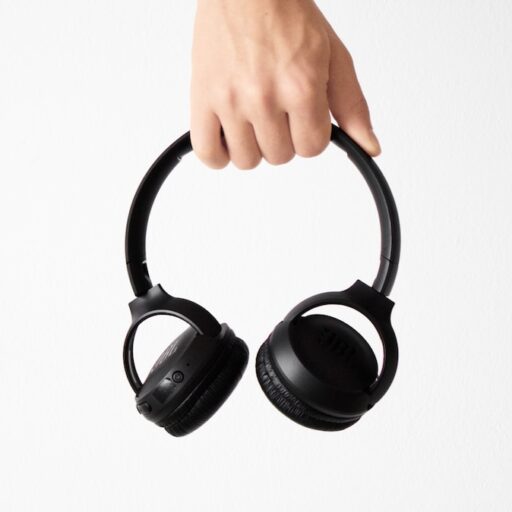
The best wireless headphones for music balance enjoyable sound, a comfortable fit, and features that suit your listening habits. For most people, the Sony WH-100XM6 is a versatile all-rounder; if sound quality matters more than top-tier noise cancellation, compare it with the Sennheiser HDB 630.
We’ve found that a headphone can sound impressive in a quick demo and still become uncomfortable halfway through an album. That’s why our picks weigh fit, tuning, battery life, noise control, and real-world use—not just a long list of Bluetooth features.
From noise-canceling over-ears to pocketable earbuds and low-latency options for practicing instruments, we’ll help you find a pair that works with your music, devices, and daily routine. 🎶
Key Takeaways
- Choose for your listening habits: over-ear headphones suit long sessions and travel; earbuds are easier to carry and wear for workouts.
- Fit and tuning matter more than codec hype. A comfortable seal and sound you enjoy are essential; codec support must match your source device.
- Sony WH-100XM6 is a strong all-rounder, while the Sennheiser HDB 630 is worth considering for detailed music listening.
- For noisy commutes, prioritize ANC; for instrument practice, prioritize low latency. Standard Bluetooth headphones may introduce distracting delay when playing live.
- Check battery life, water resistance, multipoint, and wired or USB audio support against how you’ll actually use your headphones.
- Explore more options: Bluetooth headphones, audiophile headphones, budget headphones, and earphones.
Table of Contents
- ⚡️ Quick Tips and Facts: Wireless Headphones for Music
- 🎧 What Makes Wireless Headphones Sound Great for Music?
- Sound signature: bass, mids, treble, and detail
- Over-ear, on-ear, or earbuds?
- Closed-back vs. open-back designs
- 📖 Wireless Headphone Technology: A Brief History
- Bluetooth codecs and music quality explained
- Bluetooth versions, multipoint, and connection stability
- 🏆 Best Wireless Headphones for Music: Our Top Picks
- Best overall wireless headphones
- Best wireless headphones for audiophiles
- Best noise-canceling headphones for music
- Best wireless headphones for bass
- Best budget wireless headphones
- Best wireless earbuds for music
- Best headphones for commuting and travel
- Best headphones for home listening
- Best headphones for workouts
- Best headphones for musicians and practicing instruments
- 🔍 How to Choose Wireless Headphones for Music
- Fit, comfort, and ear-cup materials
- Active noise cancellation and transparency modes
- Battery life, charging, and replaceable batteries
- Controls, microphones, and voice assistants
- Build quality, portability, and water resistance
- 🎼 Wireless Audio Quality: Codecs, Streaming, and Hi-Res Music
- AAC, SBC, aptX, LDAC, and LC3 compared
- Lossless streaming and what Bluetooth can actually deliver
- EQ, companion apps, and personalized sound
- ⏱️ Bluetooth Latency for Music, Videos, Gaming, and Instruments
- Wireless headphone latency explained
- Latency comparison: Bluetooth, USB, and wired headphones
- Can you use Bluetooth headphones to play an instrument?
- 📱 Device Compatibility and Wireless Connections
- Pairing headphones with iPhone, Android, PC, and Mac
- Multipoint pairing and switching between devices
- Using wireless headphones with a wired audio cable
- 🧼 Care, Troubleshooting, and Making Headphones Last
- Fixing Bluetooth dropouts and pairing problems
- Cleaning ear pads and headphone cushions
- Improving battery life and replacing worn parts
- 💡 Quick Tips for Better Wireless Music Listening
- ✅ Conclusion
- 🔗 Recommended Links
- ❓ FAQ
- Are wireless headphones good for listening to music?
- Which Bluetooth codec is best for music?
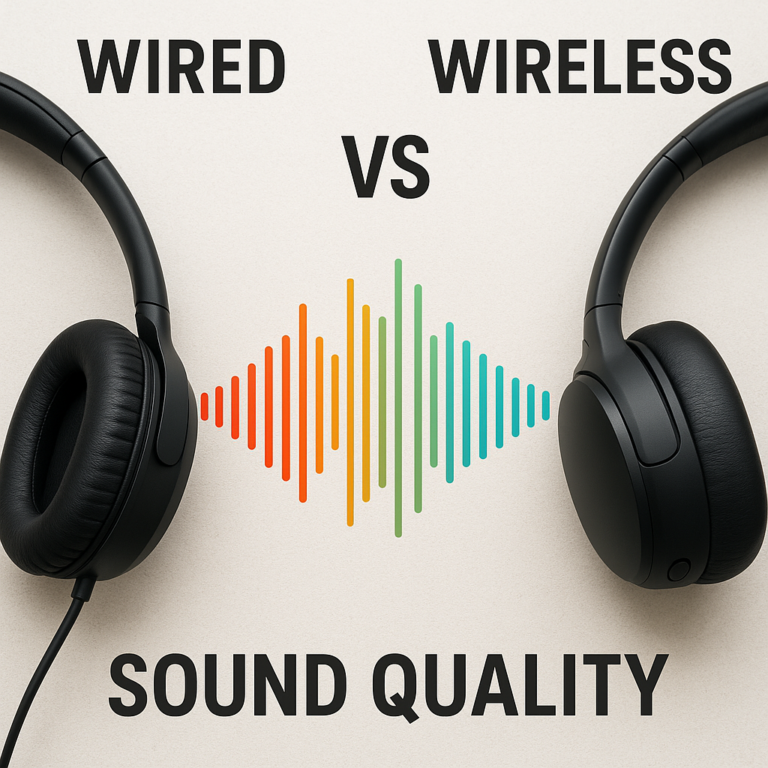
- Do wireless headphones sound as good as wired headphones?
- Are noise-canceling headphones good for music?
- Can wireless headphones play lossless audio?
- How much latency do Bluetooth headphones have?
- How long should wireless headphones last?
- 📚 Reference Links
⚡️ Quick Tips and Facts: Wireless Headphones for Music
If you’re comparing headphones for music, start with our guide to the best headphones—then match the sound, fit, and features to how you actually listen. Our engineers have tested wireless headphones on commutes, at desks, and through playlists that jump from bass-heavy electronic music to fussy acoustic recordings. The biggest lesson? The best pair isn’t necessarily the one with the longest spec sheet; it’s the one that makes your music sound right to you.
| What matters | Quick guidance | Why it matters |
|---|---|---|
| Sound quality | Prioritize a balanced, enjoyable sound and useful EQ | Codec support alone doesn’t guarantee better sound |
| Fit | Try the fit you can comfortably wear for an album—or three | A poor seal can weaken bass and noise cancellation |
| Battery | Aim for around 24 hours or more in over-ear headphones | ANC and volume can reduce real-world runtime |
| Bluetooth codec | Check both headphone and source-device support | The connection uses a compatible codec, not simply the fanciest one listed |
| Noise control | Choose ANC for noisy commutes; transparency for awareness | Neither replaces a good, comfortable fit |
| Durability | Check water resistance before exercising in headphones | Many over-ear models have no official IP rating |
| Latency | Bluetooth is convenient for music, but not always ideal for instruments | Delayed sound can disrupt playing and timing |
- ✅ For most listeners: choose comfortable Bluetooth headphones with good EQ, reliable controls, and battery life that suits your routine.
- ✅ For serious listening at home: consider over-ear headphones, including models in our audiophile headphones category.
- ✅ For pockets, workouts, and commuting: compare true wireless earphones and check their fit, controls, and water-resistance rating.
- ✅ For a lower-cost starting point: browse our budget headphones category.
- ❌ Don’t buy on codec names alone. A headphone’s tuning, fit, and acoustic design can matter more to your enjoyment than a codec’s maximum theoretical bitrate.
Quick reality check: battery figures are typically manufacturer estimates under specific conditions. ANC use, volume, calls, and temperature can change runtime. Sony, for example, publishes separate battery information for its WH-100XM6 rather than promising one number for every listening situation. 🔋
🎧 What Makes Wireless Headphones Sound Great for Music?
Wireless headphones combine drivers, acoustic design, digital processing, amplification, and a radio connection. That means sound quality isn’t one magic specification. It’s the result of a whole chain—and the headphone’s tuning is the part you hear.
A practical example: one listener may prefer the lively bass of the Beats Studio Pro, while another would rather hear the more even presentation of the Sennheiser HDB 630. Neither preference is wrong. We use familiar music across genres because a headphone that impresses one bass-heavy track may sound muddy on a piano trio. 🎹
Sound signature: bass, mids, treble, and detail
Think of the frequency range as the musical picture:
| Frequency area | What you hear | Too little can sound… | Too much can sound… |
|---|---|---|---|
| Bass | Kick drums, bass guitars, low synthesizers | Thin or lightweight | Bomy or overpowering |
| Midrange | Vocals, guitar, piano, much of a mix | Distant or hollow | Crowded or nasal |
| Treble | Cymbals, consonants, string harmonics | Dull or veiled | Sharp or tiring |
“Detail” isn’t a separate frequency. It describes how clearly you can hear small elements: the edge of a guitar pick, a singer’s breath, or the reverb after a snare hit. A headphone can emphasize treble and sem detailed at first, yet become fatiguing over a long session. We recommend listening for clear vocals, controlled bass, and treble you can enjoy at your usual volume.
Try this three-track check:
- A vocal recording: Listen for natural-sounding voices, not just crisp consonants.
- A bass-led track: Check whether the bass has rhythm and definition, rather than simply more volume.
- A dense mix: See if instruments remain distinct when the arrangement gets busy.
Use the app’s EQ only after you’ve listened to the default sound. A gentle adjustment is often more useful than a dramatic “bass boost” that makes every song sound as if it’s being played from inside a subwoofer.
Over-ear, on-ear, or earbuds?
| Style | Strengths | Trade-offs | Best suited to |
|---|---|---|---|
| Over-ear | Larger cups, immersive presentation, often strong isolation | Bulky, can feel warm, comfort depends on weight and clamp | Home listening, travel, long sessions |
| On-ear | Compact, easy to carry | Pads press on the ears; isolation varies | Casual listening and portability |
| True wireless earbuds | Small, pocketable, convenient for exercise | Fit is personal; small batteries and controls can be fiddly | Comuting, workouts, everyday carry |
Over-ear models are a sensible starting point if sound quality and comfort over longer sessions are your priorities. But earbuds can be the better choice if a headband is uncomfortable or you value compactness. We’ve seen listeners abandon technically impressive over-ears because their ears got hot after an hour—and happily use well-fitting earbuds all afternoon.
For in-ear models, fit is part of the sound. The Apple AirPods Pro 2 and Sony WF-100XM5 both provide multiple eartip sizes; the right seal helps establish bass response and passive isolation. Explore our earphones to compare form factors.
Closed-back vs. open-back designs
Most wireless music headphones are closed-back: their ear cups help limit sound leakage and block some outside noise. That’s useful on trains, at work, and anywhere you don’t want the person next to you hearing your chorus.
Open-back headphones let air and sound pass through their ear cups. They can create a spacious listening presentation, but leak music and offer little isolation. The wireless Grado GW100x is a rare open-back option; it’s better suited to a quiet room than a crowded bus.
- ✅ Choose closed-back for travel, shared spaces, and everyday versatility.
- ✅ Consider open-back for private listening where an airy presentation matters.
- ❌ Don’t expect open-back headphones to provide effective noise cancellation or privacy.
📖 Wireless Headphone Technology: A Brief History

Wireless headphones have evolved from convenient but limited accessories into serious everyday music gear. Modern models can offer active noise cancellation, multipoint connections, app-based EQ, and higher-quality Bluetooth codecs. Still, wireless audio has trade-offs: the headphone needs power, radio performance depends on conditions, and features vary across devices.
Bluetooth is maintained by the Bluetooth Special Interest Group (Bluetooth SIG). Its technology continues to develop, but a newer Bluetooth version alone doesn’t tell you how a headphone sounds. Bluetooth version, codec, driver tuning, and fit are different parts of the puzzle.
Bluetooth codecs and music quality explained
A Bluetooth codec encodes audio for transmission from your phone or player to your headphones. The connection uses a codec supported by both devices. If your phone doesn’t support a headphone’s preferred codec, the pair falls back to another compatible option.
That’s why it’s worth checking the specifications for both your headphones and source device. Android’s Bluetooth documentation and Apple’s audio support information can help clarify device capabilities, though support can vary by model and operating system.
Codec support is not a sound-quality trophy. An aptX- or LDAC-compatible headphone may still sound less natural than a well-tuned model using AAC or SBC. We recommend treating codec support as a compatibility feature, not a substitute for listening tests.
Bluetooth versions, multipoint, and connection stability
Bluetooth version and features affect how devices connect, but real-world performance also depends on the phone, software, nearby wireless traffic, and physical obstacles. Multipoint is especially useful: it lets compatible headphones stay connected to two devices, such as a laptop and phone, and switch audio between them.
| Feature | What it does | What to check |
|---|---|---|
| Multipoint | Connects to more than one source device | Whether your model supports two active connections and how switching works |
| Fast pairing | Speds up pairing on supported devices | Phone or computer compatibility |
| Auracast | Broadcasts compatible audio to multiple nearby receivers | Support across headphones, transmiters, and software |
| Bluetooth version | Describes a generation of Bluetooth capabilities | Actual product features, not just the version number |
The Sony WH-100XM6, for instance, combines Bluetooth connectivity with app controls and noise-canceling features; check Sony’s current specifications for supported functions. If you want a device that works across ecosystems, verify multipoint behavior rather than assuming it will switch perfectly every time. 📱💻
🏆 Best Wireless Headphones for Music: Our Top Picks
The following ratings are our editorial assessment of the models’ fit for the named use, not laboratory measurements or universal scores. Product specifications and availability can change, so confirm current details on the manufacturer’s site before buying.
| Pick | Sound | Comfort | Features | Best for |
|---|---|---|---|---|
| Sennheiser HDB 630 | 9 | 8 | 9 | Detail-focused listening |
| Sony WH-100XM6 | 8 | 9 | 9 | A versatile premium all-rounder |
| Bose QuietComfort Ultra Headphones (2nd Gen) | 8 | 9 | 9 | Strong noise cancellation |
| Bowers & Wilkins Px7 S3 | 9 | 8 | 8 | Refined sound and design |
| Sony WH-CH730N | 8 | 8 | 8 | Affordable ANC listening |
| Sony WH-CH530 | 7 | 8 | 7 | Lightweight everyday listening |
| Apple AirPods Max 2 | 8 | 8 | 9 | Apple-device integration |
| Focal Bathys MG | 10 | 8 | 9 | High-end wireless listening |
| Sennheiser Momentum 5 Wireless | 8 | 8 | 8 | Rich sound and long battery life |
The picks reflect different priorities, not a single winner. What Hi-Fi?’s guide to the best wireless headphones describes its testing as including extended listening and comparisons across models; its review conclusions can differ from ours because its reviewers, playlists, and test conditions aren’t identical to ours.
The first video’s reviewers take a category-based approach, naming different headphones for noise cancellation, battery life, sound quality, comfort, bass, and budget. Their view that “If sound quality is the priority, the Momentum 5 would be my recommendation” illustrates why a category winner may be a better fit than a single “best for everyone” pick. See the video referenced in the article’s featured video. 🎥
Best overall wireless headphones
Our all-rounder pick: Sony WH-100XM6. It combines noise cancellation, portable over-ear design, app-based sound customization, and everyday convenience. It’s an easy recommendation if you want one pair for a train ride, a workday, and home listening—provided its sound suits your ears.
Also consider: the Sennheiser HDB 630 if sound quality takes priority over a more compact, mainstream feature set. What Hi-Fi? calls its presentation “full of shape and dynamism,” while its review notes that its ANC is good but not class-leading. That’s a useful reminder: the best-sounding model and the best travel model aren’t always the same headphone.
- ✅ Choose the Sony for a broad mix of music and noise-control needs.
- ✅ Choose the Sennheiser if you value detailed listening and can accept a more specialist approach.
- ❌ Don’t assume one review’s “best overall” label will match your head shape, music taste, or phone.
Best wireless headphones for audiophiles
For listeners who want detail, balance, and musical dynamics, shortlist the Sennheiser HDB 630, Bowers & Wilkins Px7 S3, and Focal Bathys MG.
| Model | Why consider it | Trade-off |
|---|---|---|
| Sennheiser HDB 630 | Tunable, detailed sound and a supplied USB-C dongle | ANC isn’t the strongest in its class |
| Bowers & Wilkins Px7 S3 | Refined presentation, full-bodied sound, premium build | Doesn’t fold; noise blocking trails leaders |
| Focal Bathys MG | Detailed high-end sound and USB DAC playback | Heavy and feature set may feel less comprehensive |
What Hi-Fi? describes the Px7 S3 as “exceptionally refined and detailed” and praises the HDB 630’s clarity and dynamics. Those are reviewer judgments, not universal measurements. We suggest comparing both with familiar music: a headphone that flaters jazz may not be the one you want for punchy electronic production.
Browse our audiophile headphones if sound refinement matters more than foldability or maximum ANC.
Best noise-canceling headphones for music
For powerful noise cancellation, consider the Bose QuietComfort Ultra Headphones (2nd Gen). Bose’s product page details its noise-canceling and listening modes. Sony’s WH-100XM6 is another strong all-round choice, with adjustable features through Sony’s app.
The important distinction: ANC can make music easier to hear in a noisy environment, but it doesn’t automatically make the music sound better. Some listeners notice pressure or a slight change in tonality when ANC is active. Try ANC on and off before deciding.
- ✅ Bose: prioritize noise reduction and comfortable travel.
- ✅ Sony: seek a feature-rich everyday headphone with useful customization.
- ❌ Don’t judge ANC in a quiet room alone. Its real value appears against steady cabin or traffic noise.
Best wireless headphones for bass
If you love a strong low end, consider the Skullcandy Crusher ANC 2 for adjustable bass emphasis, or try a model with a customizable EQ such as Sony’s WH-100XM6. The first video’s reviewer singles out the Skullcandy Crusher 1080 ANC for an “immersive sensory bass experience.” That approach will delight some listeners and overwhelm others.
Bass quality is more than quantity. A well-controlled kick drum has a clear start and stop; bloated bass can mask vocals and guitars.
- Start with the default EQ.
- Add a small bass lift.
- Replay a vocal track to check whether the low end has crowded the midrange.
- Reduce the boost if bass notes blur together.
- ✅ Choose adjustable bass if your preferences vary by genre.
- ❌ Skip extreme bass tuning if you want acoustic instruments to sound natural.
Best budget wireless headphones
For accessible everyday listening, compare the Sony WH-CH530 and Sony WH-CH730N. The WH-CH530 is a lightweight, simpler option; the WH-CH730N adds ANC and transparency features. What Hi-Fi? calls the WH-CH530 “well-balanced, expressive, and frankly surprisingly enjoyable,” while its WH-CH730N review highlights clear, engaging sound and noise cancellation that’s less effective against voices.
| Model | Best feature | Main compromise |
|---|---|---|
| Sony WH-CH530 | Light build and long claimed battery life | No ANC |
| Sony WH-CH730N | ANC, transparency, and foldable design | ANC may not remove speech completely |
| CMF Headphones Pro | Feature-rich budget-style alternative | Check current regional specs and app support |
Look beyond the product label: check whether the model has replaceable ear pads, a reliable app, and multipoint if you need it. For more affordable options, see our budget headphones.
Best wireless earbuds for music
For true wireless listening, the Sony WF-100XM5, Apple AirPods Pro 2, and Bose QuietComfort Ultra Earbuds are worth comparing. Their sound, controls, ANC, and ecosystem features differ, so fit should come before feature-counting.
Fit test: insert the earbud, play a familiar track, then gently press the housing. If bass becomes much fuller, the seal may be incomplete. Try a different tip size and retest. A comfortable seal is better than an impressive spec sheet that leaves your earbuds loose.
Best headphones for commuting and travel
For regular travel, prioritize comfort, dependable ANC, simple controls, and enough battery for your longest trip. Bose and Sony both offer premium over-ear models designed with travel-friendly noise control, while compact earbuds may be easier to pack.
Before choosing, test these details:
- Can you wear them comfortably with glasses?
- Do the ear cups feel warm after an extended session?
- Does the ANC reduce steady engine noise without making music sound unnatural?
- Can you hear announcements in transparency mode?
- Does the case fit your bag?
What Hi-Fi?’s buyer guidance emphasizes comfort, battery life, portability, sound, and ANC as real-world considerations. We agree: a headphone that sounds excellent but pinches after 45 minutes isn’t a great travel companion. ✈️
Best headphones for home listening
At home, you can give up some portability for a more comfortable fit or more revealing sound. The Sennheiser HDB 630, Focal Bathys MG, and Grado GW100x each approach home listening differently.
- HDB 630: a versatile closed-back choice with wireless and wired listening options.
- Bathys MG: a high-end closed-back model with USB DAC functionality.
- GW100x: an open-back design that’s best for private, quieter surroundings.
Some wired headphones can outperform wireless equivalents at similar levels, as What Hi-Fi? notes in its buying guide. If you’re choosing for a stationary setup, compare a wireless model’s wired or USB mode with a dedicated wired headphone before committing.
Best headphones for workouts
For workouts, secure fit and sweat resistance matter more than fancy materials. Look for an official IP rating on the exact model, and read what the manufacturer says the rating covers. The International Electrotechnical Commission’s IP Code overview explains the purpose of ingress-protection ratings.
True wireless earbuds such as the Powerbeats Pro 2 may suit movement better than large over-ears, but fit varies by ear. Beats also offers Find My information for compatible products; check model-specific support before relying on tracking.
- ✅ Wipe earphones after workouts and follow the maker’s cleaning instructions.
- ✅ Check the product’s water-resistance rating, not a retailer’s vague “sweatproof” wording.
- ❌ Don’t assume an over-ear headphone is gym-safe because its materials feel sturdy.
For replacement cushions, cases, and other add-ons, browse headphone accessories.
Best headphones for musicians and practicing instruments
For music playback, Bluetooth delay is usually easy to ignore. For playing a guitar, keyboard, or electronic drums, it can be distracting: you pluck a note, then hear it arrive late. Yamaha designed its YH-WL500 wireless headphones specifically for instrument use and states latency is less than 4 ms. Its product information also lists a semi-open design, Bluetooth music playback, and up to nine hours of battery life.
Those claims refer to Yamaha’s specialized wireless system, not ordinary Bluetooth playback. If low latency is your priority, check the complete setup: headphones, transmitter, instrument output, and any digital audio interface.
🔍 How to Choose Wireless Headphones for Music
The easiest way to avoid buying the wrong pair is to decide what you’ll do with it before comparing model names. A headphone designed for travel may prioritize ANC and battery life; one aimed at home listening may emphasize sound and comfort.
Fit, comfort, and ear-cup materials
Comfort depends on more than weight. Clamp force, headband shape, pad depth, glasses, ear size, and heat all matter. A few minutes in a shop won’t always reveal pressure that appears after a full album.
Try this fit check:
- Adjust the headband so the cups sit evenly over your ears.
- Wear the headphones for at least 15 minutes if possible.
- Check for pressure on your jaw, temples, and the top of your head.
- Wear your glasses if you normally listen with them.
- Listen at a low level and move your head gently to check stability.
If you wear glasses, thick pads can sometimes reduce the seal, which may affect bass and isolation. An over-ear headphone that lightly surrounds your ears may be more comfortable than a small ear cup resting on them.
Active noise cancellation and transparency modes
ANC uses microphones and signal processing to reduce some external noise. It generally works best on consistent, low-frequency sounds such as engine rumble; sudden sounds and voices can be more difficult. Transparency modes use microphones to pass outside sound through so you can hear surroundings without removing the headphones.
| Situation | Helpful feature | Tip |
|---|---|---|
| Train or plane | ANC | Compare comfort and music sound with ANC on |
| Street crossing | Transparency | Keep awareness of traffic and surroundings |
| Office conversation | Transparency or remove one earbud | Don’t assume ANC blocks every voice |
| Quiet room | ANC off, if preferred | Some listeners prefer the sound without processing |
Bose and Sony both explain their noise-control features on their respective product pages: Bose QuietComfort Ultra Headphones and Sony WH-100XM6. ANC effectiveness varies with fit and the noise around you, so try the headphones in conditions similar to your normal routine.
Battery life, charging, and replaceable batteries
Battery claims are useful for comparing models, but they are not guarantees for every listener. ANC, volume, Bluetooth features, call use, and temperature can all affect runtime. If you travel often, look for a model with enough battery headroom that you don’t need to recharge daily.
| Listening habit | What to prioritize |
|---|---|
| Daily commute | Reliable battery and quick charging |
| Long-haul travel | Long runtime with ANC enabled |
| Mostly desk listening | USB or wired playback options |
| Long-term ownership | Serviceable parts and battery-replacement information |
Check the manufacturer’s support pages for battery or repair policies before you buy. A long battery claim is less valuable if the battery is inaccessible and the product can’t be serviced.
Controls, microphones, and voice assistants
Music headphones often double as call headsets. Test the physical controls if you can: touch surfaces can be convenient, buttons may be easier to operate without looking. Microphone quality also varies with wind, room echo, and background noise; a strong music headphone isn’t automatically a strong call headset.
Before choosing, look for:
- Play, pause, volume, and track controls that are easy to find.
- Clear microphone behavior in a quiet room and a noisy environment.
- A companion app with useful EQ and firmware updates.
- Voice-assistant compatibility with your phone.
- Multipoint if you frequently switch between work and personal devices.
For Apple users, the AirPods Max 2 offers ecosystem features, while many Android-compatible models provide multipoint and app controls. Check each model’s current support list rather than relying on brand-wide assumptions.
Build quality, portability, and water resistance
Durability is a combination of hinges, headband materials, padding, case protection, and repair options. A premium finish doesn’t guarantee that a headphone folds, travels well, or resists moisture.
Before buying, inspect:
- Whether the ear cups fold or swivel.
- Whether a hard case is included.
- Whether cushions and cables are replaceable.
- Whether the manufacturer lists an IP rating.
- Whether the control layout is practical with gloves or during a walk.
Most over-ear wireless headphones aren’t designed for rain or heavy sweat. If you need workout gear, prioritize products with a verified rating and clear care instructions rather than taking a chance with your favorite music headphones.
🎼 Wireless Audio Quality: Codecs, Streaming, and Hi-Res Music
Bluetooth headphones often support several codecs, but the source and headphone must agree one. The codec used can depend on your device, settings, and connection conditions. The Bluetooth SIG’s overview of Bluetooth technology provides background on the system; manufacturer documentation is the best place to verify specific product support.
AAC, SBC, aptX, LDAC, and LC3 compared
| Codec | Where you may encounter it | Practical takeaway |
|---|---|---|
| SBC | Broad Bluetooth support | Common baseline; actual sound still depends on the whole headphone |
| AAC | Common on Apple devices and supported Android products | Check source-device behavior and headphone support |
| aptX family | Selected Android devices, headphones, and transmiters | Several variants exist; verify the specific version |
| LDAC | Supported Sony products and compatible source devices | Requires support at both ends; settings can affect connection |
| LC3 | Bluetooth LE Audio-capable devices | Support depends on compatible hardware and software |
Don’t buy a headphone just because its box lists “high-resolution Bluetooth.” First confirm the codec is supported by your phone or music player. Then consider whether the headphone sounds good to you. A well-tuned headphone using a common codec can be a more satisfying everyday choice than a model whose premium codec you can’t activate.
Lossless streaming and what Bluetooth can actually deliver
A lossless streaming subscription doesn’t automatically mean lossless sound reaches your wireless headphones. The music service, phone, Bluetooth codec, operating system, and headphone all matter. Bluetooth transmission may encode or compress audio even when the original track is lossless.
If you want to preserve the source as closely as possible, check whether the headphone supports USB audio or a digital audio input. The Focal Bathys MG supports USB DAC listening according to Focal’s product information, while other headphones may offer USB connections for charging only. A USB-C port does not automatically mean USB audio support.
EQ, companion apps, and personalized sound
EQ adjusts frequency balance. It’s useful for personal preference, correcting a sound that feels too warm or bright, and making small adjustments for different music.
- Listen to the headphone at its default setting.
- Change one or two EQ bands at a time.
- Use a familiar recording rather than a quick demo clip.
- Keep the adjustment modest.
- Save separate profiles only if you genuinely use them.
Sony’s headphones app includes sound settings for compatible models; Bose and Sennheiser offer their own controls and features. Check the specific app page for current functions. A good EQ can help, but it can’t change the physical fit, turn a closed-back headphone into an open-back one, or fix a poor seal.
⏱️ Bluetooth Latency for Music, Videos, Gaming, and Instruments
Latency is the delay between a source sending sound and headphones playing it. For listening to music, a small delay is usually irrelevant. For interactive tasks—playing an instrument, gaming, or recording—timing can become noticeable.
Wireless headphone latency explained
The delay comes from processing and transmission in the source, connection, and headphones. Video apps can compensate by delaying the picture, but a musician can’t always compensate naturally for delayed monitoring.
For instruments, Yamaha’s YH-WL500 product page claims latency below 4 ms with its dedicated wireless system. That is very different from assuming any standard Bluetooth headphone will deliver the same result.
Latency comparison: Bluetooth, USB, and wired headphones
| Connection | Typical use | What to know |
|---|---|---|
| Standard Bluetooth | Music, podcasts, everyday video | Delay varies by codec, devices, and processing |
| Dedicated low-latency wireless system | Instrument monitoring and specific live uses | Must match the intended transmitter and setup |
| USB audio | Digital listening and some recording setups | Check whether the headphone supports audio over USB |
| Analog wired connection | Listening or monitoring | Often avoids Bluetooth transmission delay, but source processing still matters |
There is no single latency number that applies to all Bluetooth headphones. The connected devices and audio path matter. For gaming, use a platform’s low-latency mode if available; for instruments, choose a system designed for live monitoring.
Can you use Bluetooth headphones to play an instrument?
You can use standard Bluetooth headphones to listen to a backing track or practice without monitoring every note live. For real-time playing, the delay may make your performance feel disconnected.
For guitar, keyboard, or electronic drums:
- Check the instrument or amplifier’s supported headphone outputs.
- Look for a dedicated low-latency wireless system, not just Bluetooth music playback.
- Confirm the latency specification applies to the complete wireless setup.
- Test the system with your actual instrument and playing style.
- Keep wired headphones available for recording or latency-sensitive practice.
The Yamaha YH-WL500 is one purpose-built example; its semi-open design may also suit players who want a less sealed listening experience. Yamaha lists up to nine hours of battery life, so factor charging into longer rehearsals. 🎸
📱 Device Compatibility and Wireless Connections
A headphone may support many features, but your phone, tablet, laptop, and operating system determine which ones you can use. Before purchase, check codec support, app compatibility, multipoint behavior, and whether the product supports wired audio.
Pairing headphones with iPhone, Android, PC, and Mac
The usual pairing process is straightforward:
- Charge the headphones and switch them on.
- Put them into pairing mode using the manufacturer’s instructions.
- Open Bluetooth settings on your phone or computer.
- Select the headphone name and approve pairing.
- Install the brand’s app if you want EQ, firmware updates, or other settings.
For model-specific directions, use the support pages for Apple, Sony, Bose, or Sennheiser. If the headphones won’t appear, disconnect them from devices they’re already paired with and restart pairing mode.
Multipoint pairing and switching between devices
Multipoint can keep a headphone connected to a computer and phone at once, making it easier to pause a playlist and answer a call. Not all models support it, and behavior differs: some switch automatically, while others require you to pause one source.
Try this before relying on multipoint for work:
- Pair both devices.
- Play audio on the first device.
- Start audio or a call on the second.
- Check whether switching is automatic and whether returning to the first device works as expected.
If switching is unreliable, disconnecting from one device may be quicker than troubleshooting during a meeting. The Sennheiser HDB 630 and several current Sony over-ear models list multipoint support; verify exact product specifications before buying.
Using wireless headphones with a wired audio cable
Some wireless headphones include a 3.5 mm cable or support USB audio. But wired operation doesn’t always bypass the headphone’s battery or internal processing. What Hi-Fi? notes that some models require power even when using their wired connections, so check the manual before assuming the battery can run flat without interrupting playback.
- 3.5 mm analog: verify whether it works with power off and whether the included cable has a microphone.
- USB-C audio: confirm the port supports audio, not charging alone.
- Airline adapter: check whether the headphone has a compatible input and whether you need a two-prong adapter.
- Instrument use: prioritize latency and monitoring needs over convenience features.
🧼 Care, Troubleshooting, and Making Headphones Last
A little maintenance can prevent a small issue from turning into a quiet, expensive mystery. Keep headphones dry, store them safely, and clean the parts that touch your skin according to the manufacturer’s instructions.
Fixing Bluetooth dropouts and pairing problems
If your headphones cut out or refuse to connect, work through these steps:
- Check charge: low batteries can affect performance.
- Reduce distance: test with the source close to the headphones.
- Remove obstacles: move away from crowded wireless environments or large obstructions.
- Reconnect: forget the headphone in Bluetooth settings, then pair it again.
- Check multipoint: disconnect an unused device that may be taking priority.
- Update software: install available firmware updates through the manufacturer’s app.
- Reset only if needed: follow the product manual to avoid erasing settings unnecessarily.
The Bluetooth SIG explains Bluetooth technology at a general level, while the manufacturer’s support pages provide model-specific troubleshooting. Don’t assume a dropout means the headphones are defective; first test them with a second source device.
Cleaning ear pads and headphone cushions
Follow the care instructions for your specific materials. Leather, faux leather, fabric, silicone, and foam don’t all tolerate the same cleaners.
- Wipe ear cups and controls with a soft, slightly damp cloth where permitted.
- Don’t soak cushions or push liquid into ports.
- Let parts dry fully before storing or charging.
- Clean ear tips separately and replace them if they’re worn or no longer fit.
- Avoid household solvents unless the maker explicitly recommends them.
For replacement pads, cases, cables, and cleaning tools, see our headphone accessories.
Improving battery life and replacing worn parts
To get more from each charge, reduce volume to a comfortable level, turn off unused features, and follow the manufacturer’s charging guidance. If your battery life drops sharply, check whether ANC, multipoint, or a software update changed the runtime.
For longer product life, find out whether the manufacturer sells replacement cushions, cables, or batteries. Cushions are especially important: worn pads can affect comfort, fit, and isolation. The Sony support site and Bose support site provide product-specific support resources; availability varies by model and region.
💡 Quick Tips for Better Wireless Music Listening
- Match the headphones to the setting. ANC for steady travel noise, transparency for awareness, open-back listening for private quiet spaces.
- Get the fit right before changing EQ. A loose earbud seal can make bass seem weak.
- Check codec compatibility at both ends. The headphone and source need to share a supported codec.
- Use moderate volume. The World Health Organization’s safe-listening guidance recommends taking care with sound exposure and listening levels.
- Try the default sound first. Small EQ changes often work better than extreme presets.
- Treat battery claims as estimates. Compare runtime with ANC on if that’s how you’ll use the headphones.
- Check for an IP rating before workouts. Many over-ear music headphones aren’t designed for sweat or rain.
- For instruments, don’t gamble on ordinary Bluetooth. Consider a dedicated low-latency system such as the Yamaha YH-WL500 and verify the full setup.
- Use familiar recordings when comparing. A short demo track may flatter one headphone but hide problems in your everyday playlist.