Support our educational content for free when you purchase through links on our site. Learn more
🎧 12 Essential Headphone Features for Immersive Gaming

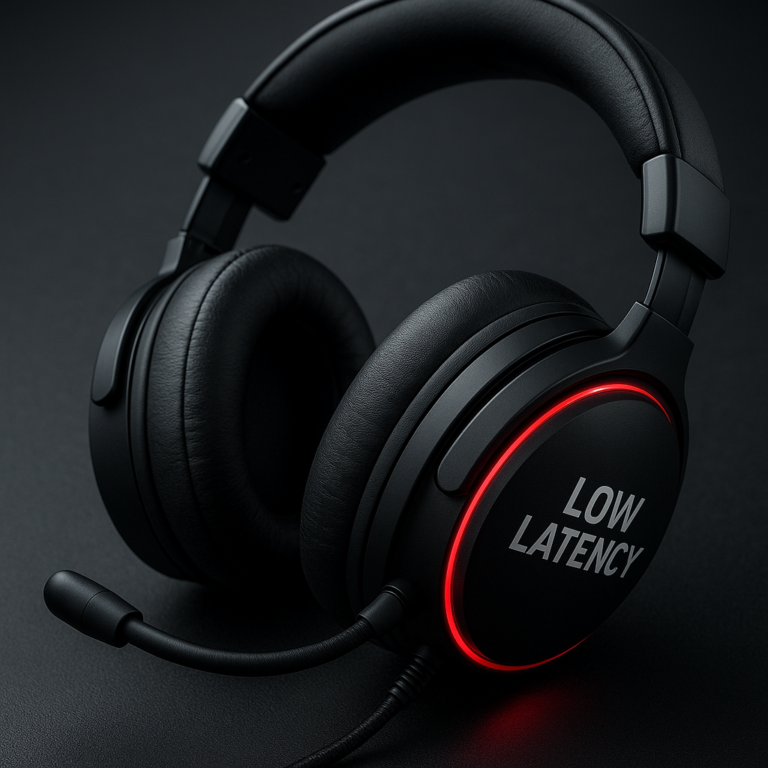
Which headphone features are essential for gamers and audiophiles looking for an immersive experience? Prioritize accurate imaging, balanced sound, all-day comfort, a low-latency connection, and—if you chat—a clear microphone. The right mix matters more than a flashy “7.1” label or a giant driver-size number.
We’ve heard impressive headsets make footsteps sound like they’re coming from everywhere except the right direction. Then a well-fitted pair of ordinary stereo headphones suddenly makes a game’s audio click into place. That’s the lesson: great immersion comes from sound you can trust, a fit you can forget, and features that match how you play and listen.
Key Takeaways
- Choose accurate imaging and natural tuning for clearer positional cues, dialogue, and music.
- Prioritize comfort and fit—headband pressure, ear-cup depth, and pad material matter during long sessions.
- Use wired or 2.4 GHz wireless for competitive gaming; Bluetooth is often more convenient for everyday listening.
- Pick open-back headphones for an airy presentation in quiet rooms; choose closed-back for isolation and less sound leakage.
- Treat surround sound, EQ, and driver specifications as tools—not guarantees. Test them with your games and music.
- Check microphone quality, device compatibility, and replaceable parts before buying. A great-sounding headset that won’t connect to your console is just a very comfortable paperweight.
Table of Contents
- ⚡️ Quick Tips and Facts: What Makes Headphones Immersive?
- 🎧 How Gaming Headphones and Audiophile Headphones Have Converged
- 🔍 Essential Headphone Features for Gaming and Audiophile Listening
- 1. Accurate sound quality, tuning, and frequency response
- 2. Surround sound, spatial audio, and positional imaging
- 3. Low latency and reliable wired or wireless connections
- 4. A clear microphone for gaming, calls, and streaming
- 5. Comfort, fit, and long-session ergonomics
- 6. Noise isolation, active noise cancellation, and open-back design
- 7. Build quality, replaceable parts, and durability
- 8. Battery life, charging, and wireless range
- 9. Device compatibility and multi-platform support
- 10. EQ, companion apps, and sound customization
- 11. Impedance, sensitivity, and headphone amp requirements
- 12. Controls, connectivity, and everyday usability
- 🎮 Gaming Headset or Audiophile Headphones: Which Should You Choose?
- Headphones with a detachable microphone versus a dedicated gaming headset
- Open-back versus closed-back headphones for games and music
- Wired versus wireless headphones for gaming and critical listening
- 🎙️ What to Look for in a Gaming Headphone with a Microphone
- Microphone pickup patterns, noise reduction, and voice clarity
- Boom mic, built-in mic, or standalone microphone
- 📡 Wireless Gaming Headphones with Low Latency and Clear Microphones
- 2.4 GHz USB dongle, Bluetooth, and dual-wireless connections
- Wireless audio codecs, latency, and connection stability
- 💸 Affordable Gaming Headphones with a Microphone for PC and Consoles
- Features worth prioritizing on a budget
- Trade-offs to watch for inexpensive gaming headsets
- ✨ Premium Gaming Headphones for Immersive, High-Fidelity Sound
- When premium drivers, planar magnetic designs, or DACs make sense
- Logitech G, SteelSeries, Audeze, Sennheiser, and other standout brands
- 📊 How to Compare Gaming Headphones with Microphones
- Soundstage, imaging, bass, and treble compared
- Microphone quality, comfort, and software compared
- Wired and wireless specifications explained
- 🧭 How to Choose the Right Headphones for Gaming and Audiophile Listening
- Choosing headphones for FPS, story games, music, and streaming
- Matching headphones to PC, PlayStation, Xbox, Switch, and mobile
- Setting a realistic budget and prioritizing essential features
- 🛠️ Setup, EQ, Spatial Audio, and Microphone Tips
- Getting the best sound from Windows, consoles, and phones
- Tuning EQ without muddying footsteps or music
- Improving mic placement and voice quality
- Safe listening levels and hearing care
- 🧽 Headphone Care, Repairs, and Long-Term Reliability
- ✅ Conclusion: The Features That Matter Most
- 🔗 Recommended Links
- ❓ FAQ
- Are gaming headphones good for listening to music?
- Do audiophile headphones work well for competitive gaming?
- Is surround sound or stereo better for gaming?
- Are open-back headphones better for immersive gaming?
- Do wireless headphones have too much latency for gaming?
- Can I use Bluetooth headphones for console gaming?
- Do I need a DAC or headphone amplifier?
- What microphone features matter most for gaming and streaming?
- 📚 Reference Links
Table of Contents
- ⚡️ Quick Tips and Facts: What Makes Headphones Immersive?
- 🎧 How Gaming Headphones and Audiophile Headphones Have Converged
- 🔍 Essential Headphone Features for Gaming and Audiophile Listening
- 1. Accurate sound quality, tuning, and frequency response
- 2. Surround sound, spatial audio, and positional imaging
- 3. Low latency and reliable wired or wireless connections
- 4. A clear microphone for gaming, calls, and streaming
- 5. Comfort, fit, and long-session ergonomics
- 6. Noise isolation, active noise cancellation, and open-back design
- 7. Build quality, replaceable parts, and durability
- 8. Battery life, charging, and wireless range
- 9. Device compatibility and multi-platform support
- 10. EQ, companion apps, and sound customization
- 11. Impedance, sensitivity, and headphone amp requirements
- 12. Controls, connectivity, and everyday usability
- 🎮 Gaming Headset or Audiophile Headphones: Which Should You Choose?
- Headphones with a detachable microphone versus a dedicated gaming headset
- Open-back versus closed-back headphones for games and music
- Wired versus wireless headphones for gaming and critical listening
- 🎙️ What to Look for in a Gaming Headphone with a Microphone
- Microphone pickup patterns, noise reduction, and voice clarity
- Boom mic, built-in mic, or standalone microphone
- 📡 Wireless Gaming Headphones with Low Latency and Clear Microphones
- 2.4 GHz USB dongle, Bluetooth, and dual-wireless connections
- Wireless audio codecs, latency, and connection stability
- 💸 Affordable Gaming Headphones with a Microphone for PC and Consoles
- Features worth prioritizing on a budget
- Trade-offs to watch for inexpensive gaming headsets
- ✨ Premium Gaming Headphones for Immersive, High-Fidelity Sound
- When premium drivers, planar magnetic designs, or DACs make sense
- Logitech G, SteelSeries, Audeze, Sennheiser, and other standout brands
- 📊 How to Compare Gaming Headphones with Microphones
- Soundstage, imaging, bass, and treble compared
- Microphone quality, comfort, and software compared
- Wired and wireless specifications explained
- 🧭 How to Choose the Right Headphones for Gaming and Audiophile Listening
- Choosing headphones for FPS, story games, music, and streaming
- Matching headphones to PC, PlayStation, Xbox, Switch, and mobile
- Setting a realistic budget and prioritizing essential features
- 🛠️ Setup, EQ, Spatial Audio, and Microphone Tips
- Getting the best sound from Windows, consoles, and phones
- Tuning EQ without muddying footsteps or music
- Improving mic placement and voice quality
- Safe listening levels and hearing care
- 🧽 Headphone Care, Repairs, and Long-Term Reliability
- ✅ Conclusion: The Features That Matter Most
- 🔗 Recommended Links
- ❓ FAQ
- Are gaming headphones good for listening to music?
- Do audiophile headphones work well for competitive gaming?
- Is surround sound or stereo better for gaming?
- Are open-back headphones better for immersive gaming?
- Do wireless headphones have too much latency for gaming?
- Can I use Bluetooth headphones for console gaming?
- Do I need a DAC or headphone amplifier?
- What microphone features matter most for gaming and streaming?
- 📚 Reference Links
⚡️ Quick Tips and Facts: What Makes Headphones Immersive?
If you’re comparing gaming headsets, studio headphones, or audiophile headphones, our best headphones guide is a handy companion. The short version: immersive sound isn’t one magic feature. It’s the combination of accurate imaging, satisfying tuning, a comfortable fit, and a connection that suits how and where you play.
| Feature | Why it matters | What to check |
|---|---|---|
| Imaging | Helps you judge where sounds come from | Listen for clear left/right and front/back placement |
| Tuning | Shapes footsteps, dialogue, bass, and music | Aim for detail without harsh treble or bomy bass |
| Comfort | Keeps the session enjoyable after the first match | Check clamp force, pad depth, weight, and heat |
| Connection | Affects latency, reliability, and convenience | Wired or 2.4 GHz is generally safer for competitive play |
| Microphone | Makes team chat and streaming easier | Look for intelligible voice pickup, mute, and monitoring |
| Isolation | Determines how much outside noise gets in or sound leaks out | Closed-back for privacy; open-back for airflow and spaciousness |
| Compatibility | Prevents an expensive “why won’t this work?” moment | Verify your PC, console, controller, and phone connections |
Fast recommendations:
- ✅ Competitive FPS: prioritize accurate imaging, low latency, comfort, and a reliable mic.
- ✅ Single-player games and music: look for natural tuning, spacious presentation, and comfortable pads.
- ✅ Noisy room or shared space: closed-back headphones usually make more sense.
- ✅ Quiet room and long listening: open-back models can feel less sealed-in, but they leak sound.
- ❌ Don’t assume “7.1” automatically means more accurate positioning. Virtual surround processing can help some listeners and confuse others.
- ❌ Don’t shop by driver size alone. A 50 mm driver isn’t automatically better than a well-designed 40 mm one.
One question tends to divide gamers and audiophiles: does an expensive headset actually improve your ability to locate an opponent, or does careful tuning matter more? We’ll untangle that below.
🎧 How Gaming Headphones and Audiophile Headphones Have Converged
The old stereotype was simple: gaming headsets had microphones and flashing lights; audiophile headphones had no mic, no wireless, and an intimidatingly serious name. That gap has narrowed. Products such as the Audeze Maxwell, SteelSeries Arctis Nova Pro Wireless, and Logitech G PRO X 2 LIGHTSPEED combine gaming conveniences with sound-focused features.
For a broader browse through listening styles, see our Bluetooth headphones and headphone accessories categories.
| Traditional gaming headset priority | Traditional audiophile headphone priority | What a modern hybrid can offer |
|---|---|---|
| Boom mic and chat controls | Sound detail and natural tonality | Detachable or retractable mic with capable drivers |
| USB or console compatibility | Wired analog or DAC/amp use | USB, 3.5 mm, and wireless options |
| Positional cues and game presets | Separation and faithful reproduction | Spatial processing plus stereo listening |
| Convenience and durable gaming features | Comfort and repairability | Replaceable pads, EQ, and multi-device support |
There’s a trade-off, though. A headset designed around software features may depend on an app for its best sound, while a simpler wired headphone can be easier to use across devices. The best choice isn’t the one with the longest feature list; it’s the one whose features you’ll actually use.
🔍 Essential Headphone Features for Gaming and Audiophile Listening
We assess headphones by how they work together, not by one impressive spec printed on the box. A mic won’t rescue a painful fit. Huge bass won’t help if it buries dialogue. And surround processing won’t turn a poor stereo mix into a reliable radar system.
1. Accurate sound quality, tuning, and frequency response
Sound quality is more useful than a single frequency-response range. Specs often say “20 Hz–20 kHz,” but that only tells you a claimed range, not how evenly or accurately the headphone reproduces it. The Audio Engineering Society publishes research and standards related to audio engineering; in practical listening, we recommend judging tonal balance, detail, distortion, and consistency together.
- Bass: Adds impact to explosions and weight to music. Too much can mask footsteps, bass guitar, and lower dialogue.
- Midrange: Carries vocals, dialogue, guitar, piano, and many important game cues.
- Treble: Adds crispness and detail. Excessive treble can make gunfire and “S” sounds tiring.
- Dynamics: The contrast between quiet and loud sounds helps a soundtrack feel alive.
- Distortion: Unwanted roughness becomes more noticeable at higher levels or during bass-heavy passages.
A useful starting point is a balanced or mildly warm signature. Competitive players may prefer clearer upper mids and treble, while listeners who enjoy electronic, hip-hop, or cinematic soundtracks may want fuller bass. Neither preference is a moral failing. Your ears are not being graded.
The first video’s perspective, linked at #featured-video, makes a similar distinction between soundstage, imaging, comfort, build, and bass definition. It highlights the Audio-Technica ATH-M50x, Sennheiser HD 660S2, Beyerdynamic DT 990 PRO, and Sennheiser HD 600. Treat its rankings as one listening perspective, not a universal leaderboard: music taste, fit, source, and personal treble sensitivity can change the result.
2. Surround sound, spatial audio, and positional imaging
Imaging is the perceived location of a sound. Soundstage is the perceived size and space around it. A headphone can have a broad presentation but vague placement, or a smaller presentation with impressively precise imaging.
| Term | What it describes | Practical takeaway |
|---|---|---|
| Stereo | Two-channel left/right playback | Often excellent when the game’s mix and headphone imaging are good |
| Virtual surround | Processing that simulates directional channels over headphones | Can add spaciousness; may sound unnatural or reduce clarity |
| Spatial audio | A broad term for processing that positions sound in 3D space | Results depend on the game, platform, and implementation |
| Head tracking | Adjusts the sound field as you move your head | Useful for some media; not essential for most gaming |
Technologies such as Dolby Atmos for Headphones and DTS Headphone:X can make supported content feel more enveloping. But if footsteps become smeared or distant, switch back to stereo. Compare modes using the same game and scene, not a vague memory of how they sounded yesterday.
3. Low latency and reliable wired or wireless connections
Latency is the delay between an action and the sound reaching your ears. For casual play, small delays may go unnoticed; rhythm games, competitive shooters, and music monitoring make them easier to detect.
- 3.5 mm wired: simple, low-latency, and broadly compatible, though the device’s headphone output affects performance.
- USB wired: may include a built-in DAC, software controls, and virtual audio features.
- 2.4 GHz wireless: usually the safer wireless choice for gaming because it uses a dedicated receiver.
- Bluetooth: convenient for phones and everyday listening, but latency and codec support vary.
For a wireless headset, check the manufacturer’s supported platforms and whether the dongle occupies a USB-A or USB-C port. A headset that works beautifully on PC may have different chat or audio behavior on a console.
4. A clear microphone for gaming, calls, and streaming
A good gaming mic should make your voice understandable, not merely loud. Look for:
- A boom mic that can be positioned close to the corner of your mouth.
- A reliable mute control, preferably easy to find by touch.
- Low handling and cable noise.
- Consistent voice pickup when you turn your head.
- Sidetone, which lets you hear your own voice and avoid shouting.
For streaming or voice work, a separate USB microphone can outperform most headset mics. For a quick multiplayer session, a decent boom mic is usually the more practical tool. Logitech’s guide to gaming headset microphones also emphasizes mic quality, comfort, sound, and connectivity; those are manufacturer recommendations, so compare them with independent recordings and your own use.
5. Comfort, fit, and long-session ergonomics
Comfort is a performance feature. If the headband creates a hotspot or the pads press on your ears, your attention will leave the game long before the battery does.
Check:
- Weight and balance: lighter is often easier over long sessions, but good weight distribution matters too.
- Clamp force: too tight can cause pressure; too loose can compromise the seal.
- Ear-cup depth: ears should not press against the driver or inner fabric.
- Pad material: velour tends to breathe; leatherette often isolates better but can feel warmer.
- Glasses compatibility: thick pads and manageable clamping pressure can reduce pressure at the temples.
- Adjustability: a wide headband range helps different head sizes and hairstyles.
We’ve found that comfort can be hard to judge from a spec sheet. If possible, test the headset for at least 20–30 minutes and move your head as you would during actual play. A quick showroom try-on is like testing a chair by sitting on the very edge: technically a test, not a convincing one.
6. Noise isolation, active noise cancellation, and open-back design
Closed-back headphones physically reduce some outside sound and keep more audio from leaking out. Open-back headphones allow air and sound to pass through perforated ear cups, often creating a more open presentation but offering little isolation.
| Design | Strengths | Limitations | Good fit for |
|---|---|---|---|
| Closed-back | Better isolation, less sound leakage, often stronger bass response | Can feel warmer or more enclosed | Shared rooms, travel, recording, noisy homes |
| Open-back | Airier presentation, natural-feling space, often cooler pads | Leaks sound and lets room noise in | Quiet rooms, home listening, critical listening |
| Active noise cancellation (ANC) | Reduces certain steady background noises electronically | Can affect sound or add pressure for some listeners | Travel, commuting, noisy environments |
ANC is not the same as passive isolation, and neither makes a noisy room silent. For open-back listening, keep the room quiet and remember that everyone nearby may hear your game soundtrack.
7. Build quality, replaceable parts, and durability
A headset’s long-term value depends on its weakest parts: hinges, yokes, headband joints, cable strain relief, batteries, and ear pads. Look for replaceable cushions and cables, accessible firmware support, and clear warranty information.
The first video praises the repair-friendly logic of replaceable cables and earcups. We agree: worn pads shouldn’t automatically turn a working headphone into electronic landfill. Check official spare-part availability for brands such as Sennheiser, Beyerdynamic, and SteelSeries.
8. Battery life, charging, and wireless range
Battery claims are usually measured under specified conditions, and RGB, ANC, microphone use, volume, and wireless mode can affect real-world runtime. Logitech lists 20+ hours for the G321 LIGHTSPEED in its product information, while the Logitech G headset guide describes several wireless models with different feature sets. Treat a maker’s battery figure as a test-condition claim, not a promise for every setup.
Before buying, check:
- Whether the headset can play while charging.
- Whether wired mode works when the battery is depleted.
- How battery status is shown.
- Whether a replaceable or hot-swappable battery is included.
- Whether the charging connector is USB-C or a less convenient format.
- Whether your seat is within reliable dongle range.
A spare charge cable nearby is boring in the same way a spare umbrella is boring: until it suddenly becomes the most interesting object in the room.
9. Device compatibility and multi-platform support
Compatibility can mean basic playback, full chat support, app features, surround processing, and simultaneous device connections. Those are not always the same thing.
| Platform | Common connection options | Check before buying |
|---|---|---|
| PC | USB, 3.5 mm, 2.4 GHz, Bluetooth | Software, microphone input, and spatial-audio support |
| PlayStation | USB, compatible wireless dongle, controller 3.5 mm | Console-specific support and chat mix |
| Xbox | Controller 3.5 mm, Xbox-compatible wireless | Xbox certification and wireless protocol |
| Nintendo Switch | 3.5 mm, USB, Bluetooth audio | Mic chat may depend on game/app setup |
| Phone/tablet | Bluetooth, USB-C, 3.5 mm adapter | Codec support, mic behavior, and dongle compatibility |
The Logitech ASTRO A50 X includes a base station and PLAYSYNC device-switching feature, which may appeal to multi-console households. Verify the exact console model and connection layout before treating “multi-platform” as “every feature works everywhere.”
10. EQ, companion apps, and sound customization
Equalization (EQ) lets you adjust frequency bands to suit your taste or game. Useful software may also include mic monitoring, noise reduction, surround processing, profiles, and firmware updates.
Good software should make adjustment easier, not turn basic playback into a scavenger hunt. Try changes in small steps:
- Save or note the default EQ.
- Change one band or feature at a time.
- Use familiar dialogue, music, and game audio.
- Match playback loudness before comparing presets.
- Keep a profile that sounds natural for music and another for games if needed.
Headsets from Logitech G, SteelSeries, and Razer offer software features across selected models. Check whether the features you care about work on your platform; companion apps are often PC-first.
11. Impedance, sensitivity, and headphone amp requirements
Impedance, measured in ohms, and sensitivity both affect how easily a headphone reaches a given loudness. Neither number alone tells you whether a model will sound good or be easy to drive in your setup.
- A 3.5 mm headphone with moderate impedance and good sensitivity is often straightforward to use with a controller or laptop.
- Some high-impedance or low-sensitivity models benefit from a stronger headphone output.
- USB headsets have their own digital-to-analog conversion and amplification path.
- A DAC changes digital audio into analog signal; an amplifier supplies the drive needed by the headphones.
The first video points out that the 300-ohm Sennheiser HD 660S2 and 250-ohm Beyerdynamic DT 990 PRO may benefit from amplification. That is useful guidance, not a blanket rule: source output, exact headphone version, listening level, and sensitivity all matter. If your current device plays loudly and cleanly, adding an amp may bring little practical improvement.
12. Controls, connectivity, and everyday usability
The best feature is the one you can use without opening a manual mid-match. Prioritize:
- A clearly placed volume wheel or buttons.
- An easy-to-reach mute switch.
- A dependable game/chat balance control, if you need it.
- A detachable cable or microphone where useful.
- Multipoint or simultaneous connections if you switch between devices.
- A reliable way to check battery status.
Before buying, picture a real session: Can you mute quickly? Can you hear a phone call without disconnecting from the game? Can you replace the cable? These mundane questions are where a feature-rich headset either earns its keep or becomes a very expensive headband.
🎮 Gaming Headset or Audiophile Headphones: Which Should You Choose?
There’s no universal winner. A gaming headset is often more convenient out of the box; a conventional headphone may offer a broader range of sound signatures, designs, and replaceable parts. Some models comfortably occupy both camps.
Headphones with a detachable microphone versus a dedicated gaming headset
| Option | Advantages | Drawbacks |
|---|---|---|
| Dedicated gaming headset | Mic, controls, and device connection designed to work together | Sound and app features can vary considerably |
| Audiophile headphone plus attachable mic | Broad headphone choice; mic can be upgraded or removed | May require an extra adapter, cable, or interface |
| Headphone plus USB desktop mic | Often best for desk-based voice quality | Takes desk space and is less portable |
A detachable mic such as the one used with the Audeze Maxwell keeps the headset flexible for music listening. If you primarily play on the couch, a built-in or boom mic is more convenient than a desktop microphone with a stand, cable, and a secret desire to knock over your drink.
Open-back versus closed-back headphones for games and music
Choose open-back if your room is quiet and you value an airy presentation. Choose closed-back if you need isolation, privacy, or fewer distractions.
The first video emphasizes that open-back models can provide a wider-feling soundstage and more precise imaging, while acknowledging that they leak sound. That’s a useful tendency, not a guarantee. A well-tuned closed-back headphone can image accurately, and an open-back model can still sound poor if its tuning or fit doesn’t suit you.
Wired versus wireless headphones for gaming and critical listening
| Connection | Best for | Watch out for |
|---|---|---|
| 3.5 mm wired | Low fuss, broad device support, predictable latency | Controller or laptop output may limit volume/features |
| USB wired | PC features, built-in audio processing | Compatibility can vary across consoles |
| 2.4 GHz wireless | Competitive play without a cable across the room | Dongle availability, battery, and platform support |
| Bluetooth | Phones, travel, casual listening | Latency, codec compatibility, and microphone-mode compromises |
For timing-sensitive play, wired or a dedicated 2.4 GHz connection is usually the safer bet. For listening on the move, browse our Bluetooth headphones and earphones.
🎙️ What to Look for in a Gaming Headphone with a Microphone
A headset microphone doesn’t need studio polish to do its job. It does need to keep your words clear through keyboard noise, game audio, and the occasional enthusiastic victory yell.
Microphone pickup patterns, noise reduction, and voice clarity
A boom mic placed close to your mouth generally captures more voice relative to room sound. Noise reduction can help, but aggressive processing may make voices sound clipped or robotic. We suggest recording a short sample with your normal speaking volume and checking:
- Are consonants clear?
- Does the mic distort when you laugh or raise your voice?
- Does it pick up keyboard clicks and fan noise?
- Does the sound change when you turn your head?
- Is the mute status obvious?
The mic’s position often matters as much as its marketing label. Keep it slightly to the side of your mouth to reduce breath blasts, and don’t bury it under a hoodie collar.
Boom mic, built-in mic, or standalone microphone
- Boom mic: usually the best balance for gaming chat and portable streaming.
- Built-in earcup mic: compact and convenient, but often farther from your mouth.
- Standalone USB mic: best potential for desk streaming and recording, but needs space and setup.
- Detachable mic: handy if you use the same headphones for music, travel, and games.
For a headset-specific example, the Logitech G PRO X 2 LIGHTSPEED has a detachable boom microphone. Its official feature claims tell you what it includes; listen to independent mic samples before deciding whether the voice quality suits your stream or team chat.
📡 Wireless Gaming Headphones with Low Latency and Clear Microphones
Wireless can be excellent for gaming when the connection and platform support are right. It can also add battery anxiety, interference, software dependencies, and one more thing to charge. Convenience is real; so are the trade-offs.
2.4 GHz USB dongle, Bluetooth, and dual-wireless connections
2.4 GHz dongles are generally designed for a dedicated low-latency connection. Bluetooth is convenient for phones and tablets. Some headsets support both at once, letting game audio use the dongle while a phone connects over Bluetooth.
When checking a dual-wireless model, confirm:
- Whether both audio streams can play simultaneously.
- Whether the microphone works over both connections.
- Whether call audio changes the game-audio quality.
- Which platform supports each mode.
- Whether the dongle is included and matches your device ports.
Some premium headsets offer base stations or multi-device switching. The ASTRO A50 X is designed around a base station and PLAYSYNC switching; that feature is most useful to players who genuinely alternate between supported systems.
Wireless audio codecs, latency, and connection stability
Bluetooth codec names can be informative, but they don’t guarantee identical latency across phones, headphones, and apps. The Bluetooth SIG explains Bluetooth technology and profiles; for gaming, the practical test is whether lip-sync and controls feel responsive on your actual devices.
For fewer surprises:
- Use the headset’s dedicated gaming dongle for timing-sensitive play.
- Keep the receiver in a clear position rather than behind a metal PC case.
- Update firmware only through the manufacturer’s official software.
- Test mic and chat routing before joining a tournament or stream.
- Keep a wired fallback if the headset supports one.
💸 Affordable Gaming Headphones with a Microphone for PC and Consoles
A sensible budget headset can deliver enjoyable sound and reliable chat. The trick is choosing good fundamentals over decorative extras. Our budget headphones category is a useful place to compare practical options.
Features worth prioritizing on a budget
- Comfortable fit: Pads and clamp force matter more than RGB.
- Clear mic: Make sure teammates can understand you.
- Compatible connection: Check your console and controller setup.
- Decent stereo tuning: A stable, balanced presentation beats a flashy preset you dislike.
- Replaceable or standard cable: Helps when a cable gets snaged.
- Simple controls: Mute and volume should be easy to reach.
Models such as the wired Logitech G432 and HyperX Cloud III are examples of established gaming-headset lines. Exact features and platform behavior can vary by version, so read the official product specifications before choosing.
Trade-offs to watch for inexpensive gaming headsets
At the budget end, compromises may include thin or warm ear pads, a fixed cable, limited EQ, a less natural mic, or plastic hinges. Those are not automatic deal-breakers. A headset with comfortable pads and straightforward stereo can be a better buy than one with more virtual channels but a tiring fit.
Don’t pay extra for a surround feature before testing it. If the headset sounds clearer in stereo, use stereo. The goal is to hear the game, not to win a checkbox competition.
✨ Premium Gaming Headphones for Immersive, High-Fidelity Sound
Premium models can offer more refined sound, better materials, multi-device convenience, stronger software, or specialist driver technology. They cannot make a badly mixed game magically binaural, and they cannot know your preferred bass level. The benefit is a better fit for specific needs, not automatic audio enlightenment.
When premium drivers, planar magnetic designs, or DACs make sense
Planar magnetic headphones use a diaphragm driven across a magnetic array. Some listeners value their detail and transient presentation; results still depend on the full design, tuning, fit, and source. A planar driver is not a universal shortcut to better sound.
Consider a DAC or headphone amplifier if:
- Your headphones are too quiet at your normal listening level.
- You hear hiss, interference, or distortion from the source.
- You need a specific input, output, or hardware control.
- The source cannot comfortably drive the headphones.
- You want a reliable desktop audio setup for both listening and chat.
The Fosi Audio K7 is a desktop DAC/amp example marketed for gaming and hi-fi use. The linked Head-Fi review page is a community-review destination, but its content may require verification access; we won’t invent review scores or specifications not visible on the page.
Logitech G, SteelSeries, Audeze, Sennheiser, and other standout brands
| Brand/model family | Potential appeal | What to verify |
|---|---|---|
| Logitech G PRO X 2 LIGHTSPEED | Wireless gaming features, detachable mic, software support | Platform feature differences and preferred sound signature |
| Logitech ASTRO A50 X | Base-station setup and supported device switching | Your console connections and desk arrangement |
| SteelSeries Arctis Nova Pro Wireless | Multi-source features and app-based customization | Compatibility, comfort, and how you feel about its fit |
| Audeze Maxwell | Gaming-oriented wireless design from a headphone specialist | Weight, fit, mic needs, and supported platform version |
| Sennheiser HD 600 | Open-back, music-focused listening | Sound leakage, lack of built-in gaming mic, and source output |
| Audio-Technica ATH-M50x | Closed-back versatility and portable studio-style use | Fit, tuning preference, and separate microphone needs |
Logitech’s own guide describes features across its G lineup, including LIGHTSPEED wireless, microphones, and surround options. Those claims help identify what the products are designed to do; independent tests and your own listening are better for judging comfort, mic quality, and whether the tuning suits you. The Audeze Maxwell product page is the authoritative source for current model details, while the first video offers a contrasting headphone-focused perspective.
📊 How to Compare Gaming Headphones with Microphones
A useful comparison separates measured or stated specifications from subjective listening impressions. Manufacturer pages are best for compatibility and included features; fit, sound preference, and real microphone quality benefit from hands-on tests and independent recordings.
Soundstage, imaging, bass, and treble compared
| Listening trait | What you may notice | How to test |
|---|---|---|
| Soundstage | Perceived width and depth | Try a live recording or a game with open environments |
| Imaging | How precisely sounds appear positioned | Use repeatable in-game cues at known locations |
| Bass definition | Whether low sounds remain distinct | Compare explosions, bass notes, and kick drum |
| Midrange clarity | Dialogue and vocals remain intelligible | Listen to speech over background audio |
| Treble smoothness | Detail without painful sharpness | Listen at a comfortable level for several minutes |
| Separation | Instruments or game effects remain distinguishable | Use a busy soundtrack or crowded combat scene |
Don’t compare two headsets at dramatically different loudness levels. A slightly louder model can seem more exciting even when it is not more accurate.
Microphone quality, comfort, and software compared
Use a quick checklist rather than relying on a “noise-cancelling mic” label:
- Voice clarity: Can someone understand normal conversation?
- Noise handling: Does the mic suppress keyboard or fan noise without chopping syllables?
- Fit: Does the headband stay comfortable after an hour?
- Software: Are EQ and mic controls available on your platform?
- Serviceability: Can you replace pads, cables, or the microphone?
- Privacy: Does the mic have a visible, reliable mute state?
For microphone comparisons, look for recordings made at similar mic distance and speaking volume. A review sample recorded through different gain settings can make two mics seem more different than they are.
Wired and wireless specifications explained
| Spec or feature | What it can tell you | What it cannot tell you alone |
|---|---|---|
| Frequency response range | Claimed reproduced range | Tonal accuracy or sound quality |
| Driver diameter | Physical driver size | Resolution, bass quality, or imaging |
| Impedance | Electrical load characteristics | Whether an amp is definitely required |
| Sensitivity | Output level for a stated input | Performance across every source |
| Battery life | Manufacturer’s runtime estimate | Your actual runtime at your settings |
| Wireless codec | Supported transmission format | Real-world latency for every device |
| Surround format | Processing options | Whether you’ll prefer it over stereo |
Specs are clues, not verdicts. If a specification seems impressive but doesn’t map to how you listen, it may be brochure glitter.
🧭 How to Choose the Right Headphones for Gaming and Audiophile Listening
Start with your routine, not the product page. Where do you sit? Which devices do you use? How long are your sessions? Do you need to talk, or mostly listen? Those answers quickly narrow the field.
Choosing headphones for FPS, story games, music, and streaming
| Main use | Prioritize | Consider |
|---|---|---|
| Competitive FPS | Accurate imaging, low latency, clear comms | Stereo first; test spatial processing carefully |
| Story-driven games | Comfort, dynamic sound, dialogue clarity | A fuller, cinematic tuning if you enjoy it |
| Music and critical listening | Natural tonal balance, comfort, source compatibility | Open-back headphones in a quiet room |
| Streaming | Reliable mic and monitoring | Headset boom for simplicity or a separate USB mic |
| Shared or noisy room | Isolation and closed-back design | ANC for suitable steady background noise |
| Couch gaming | Wireless range, battery, easy controls | Console-specific connection support |
Matching headphones to PC, PlayStation, Xbox, Switch, and mobile
Before ordering, confirm the exact combination of platform and headset version. A headset may work for audio but not chat, or support its software features only on PC.
- Write down every device you want to use.
- Choose a connection for each one: 3.5 mm, USB, dongle, or Bluetooth.
- Check mic support separately from audio playback.
- Check software availability on your primary computer or console.
- Look for limits on simultaneous connections if you want game audio and phone audio together.
For a standard 3.5 mm headset, check whether your device uses a combined headset jack or separate headphone and mic inputs. A small adapter can solve the problem, but only if you know you need it.
Setting a realistic budget and prioritizing essential features
Prioritize in this order:
- Comfort and fit
- Sound tuning and imaging
- Platform compatibility
- Connection type and latency
- Microphone quality
- Repairability and support
- Extra software, lighting, and premium conveniences
If you’re choosing between a better-fitting headset and one with an extra surround mode, we’d usually take the better fit. You can adjust audio later; you can’t EQ away a headband hotspot.
🛠️ Setup, EQ, Spatial Audio, and Microphone Tips
A well-chosen headset can still sound disappointing if two apps apply surround processing at once or the mic is pointed directly at your breath. A few careful setup steps can fix a surprising amount.
Getting the best sound from Windows, consoles, and phones
- Connect the headset directly to the intended device.
- Set it as the default output and microphone where needed.
- Disable duplicate processing if the game, operating system, and headset app are all adding surround effects.
- Check game/chat balance in the console or headset software.
- Test one familiar game and one familiar music track.
- Update firmware only when needed, following the manufacturer’s instructions.
On Windows, check the output device, spatial-audio setting, and app-specific audio routing. On consoles, use the system’s audio menu and verify microphone input. On phones, check Bluetooth call and media behavior separately. The Dolby Atmos and DTS Headphone:X pages describe their technologies; the actual result depends on supported content and setup.
Tuning EQ without muddying footsteps or music
Make small adjustments rather than carving a dramatic “pro gamer” smile into the EQ.
- If explosions overwhelm everything, reduce bass gradually.
- If dialogue is hard to follow, make a modest midrange adjustment.
- If footsteps sound sharp or fatiguing, reduce the relevant upper-treble region rather than raising all other bands.
- If music sounds thin, compare with EQ disabled before adding bass.
- Keep a neutral preset to return to if experimentation gets messy.
Use the same passage and similar volume for each comparison. A setting that makes one game clearer may make music harsh, which is why multiple profiles can be useful.
Improving mic placement and voice quality
- Position a boom mic near the corner of your mouth.
- Keep it slightly off-axis to reduce breath pops.
- Set mic gain so normal speech is clear without clipping.
- Use noise suppression lightly; listen for chopped consonants.
- Record a short sample before streaming or joining a call.
- Enable sidetone if you tend to speak too loudly while wearing closed-back headphones.
If your headset mic sounds distant, move it closer before assuming the microphone is poor. “Professional broadcasting mode” cannot defy geometry.
Safe listening levels and hearing care
Long listening sessions at high volume can put hearing at risk. The World Health Organization’s safe listening guidance recommends practical steps such as lowering volume, limiting exposure, and taking listening breaks.
- Keep volume at the lowest level that lets you hear comfortably.
- Take breaks during long sessions.
- Avoid turning up the headset to overpower noisy surroundings.
- Consider closed-back isolation or ANC if background noise tempts you to raise the volume.
- If you notice ringing, muffled hearing, or discomfort, stop and seek appropriate medical advice.
A quieter, well-isolating setup often reveals more detail than simply turning everything up. Your ears are the one component you can’t replace from a parts catalogue.
🧽 Headphone Care, Repairs, and Long-Term Reliability
A little care can preserve comfort and sound quality for years:
- Wipe ear pads and headbands with a soft, slightly damp cloth, following the manufacturer’s cleaning guidance.
- Let pads dry fully before storing the headset.
- Avoid yanking cables; pull from the connector.
- Store headphones on a stable stand or in a protective case.
- Keep sweat and moisture away from drivers, ports, and controls.
- Replace worn pads when the seal, comfort, or hygiene declines.
- Check whether batteries, cables, and earpads are available as replacement parts.
Browse headphone accessories for practical add-ons such as cases, stands, replacement cushions, and adapters. And if a cable or pad fails, check the manufacturer’s support page before replacing the whole headset. A modest repair is less dramatic than an upgrade—and sometimes the smarter one.