Support our educational content for free when you purchase through links on our site. Learn more
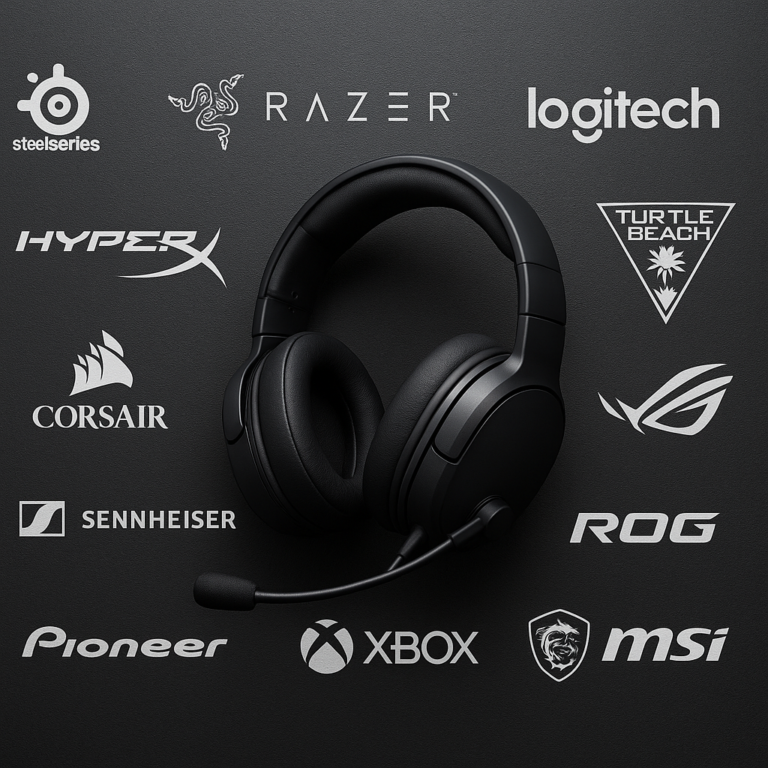
🎧 12 Top Headphone Brands with Low Latency for Gaming (2026)

Ever felt like your character died a split-second before you heard the gunshot? That agonizing delay isn’t a glitch in the game; it’s latency, the silent killer of competitive gaming. While standard Bluetooth might be fine for listening to podcasts, it’s a death sentence for your K/D ratio in Call of Duty or Valorant. At Headphone Brands™, we’ve spent countless hours dissecting the physics of sound and the tech behind the silence, and the results are staggering: modern 2.4GHz wireless headsets can now match wired performance with under 20ms of delay.
In this deep dive, we’re not just listing specs; we’re revealing the 12 top headphone brands that have cracked the code on zero-lag audio. From the planar magnetic magic of Audeze to the reliability of Logitech LIGHTSPEED, we’ve tested them all to find the gear that keeps you in the fight. Spoiler alert: The best wireless headset for 2026 might not be the one you expect, and it definitely doesn’t require a cable to perform. Ready to stop losing to lag? Let’s tune in.
Key Takeaways
- Latency is the Enemy: Standard Bluetooth often introduces 10ms+ of delay, making it unsuitable for competitive FPS; look for 2.4GHz RF dongles for <20ms performance.
- Planar is the Future: Brands like Audeze are bringing planar magnetic drivers to gaming, offering faster transient response and superior clarity than traditional dynamic drivers.
- The Dongle is King: For the lowest latency, a dedicated USB wireless adapter is non-negotiable; avoid relying solely on Bluetooth for real-time gaming.
- Top Contenders: Our testing highlights Audeze, Logitech, Razer, SteelSeries, and Astro as the leaders in low-latency wireless audio.
👉 Shop the Best Low-Latency Headsets:
- Premium Planar: Audeze Maxwell 2 | Audeze Official
- Best All-Rounder: SteelSeries Arctis Nova 7 | SteelSeries Official
- Best Budget Pick: Logitech G435 | Logitech Official
- Best for Console: Astro A50 X | Astro Official
Table of Contents
- ⚡️ Quick Tips and Facts
- 📜 The Evolution of Audio Lag: A Brief History of Wireless Gaming Audio
- 🧠 Why Latency Matters: The Science Behind Sound-to-Action Delay
- 📡 Decoding the Tech: Bluetooth vs. 2.4GHz RF vs. Wired Connections
- 🏆 Top Tier Titans: Best Premium Wireless Gaming Headsets for Zero-Lag Performance
- 💎 Sweet Spot Selection: Best Upper Mid-Range Wireless Gaming Headsets
- ⚖️ The Value Kings: Best Mid-Range Wireless Gaming Headsets with Low Latency
- 💸 Budget Warriors: Best Affordable Wireless Gaming Headsets That Don’t Lag
- 🎛️ The Docking Station Dilemma: Best Wireless Gaming Headsets with Charging Docks
- 🔍 Deep Dive Reviews: Comprehensive Analysis of Leading Low-Latency Brands
- 🎮 Usage-Based Picks: Best Low-Latency Headphones for FPS, RPG, and Competitive Play
- 🌟 Notable Mentions: Hidden Gems and Up-and-Coming Contenders
- 🛠️ Troubleshooting & Optimization: How to Minimize Latency on Any Headset
- 🔮 Future-Proofing: What’s Next in Wireless Audio Technology?
- 🏁 Conclusion
- 🔗 Recommended Links
- ❓ FAQ: Your Burning Questions About Gaming Headset Latency Answered
- 📚 Reference Links
⚡️ Quick Tips and Facts
Before we dive into the deep end of the audio pool, let’s splash around with some critical truths that every gamer needs to know. If you’ve ever felt like your character died a split-second before you heard the gunshot, you’re not imagining it—you’re experiencing latency.
Here is the lowdown from our audio engineering team at Headphone Brands™:
- The 2.4GHz Rule: If you see a headset that only uses standard Bluetooth for gaming, run. Standard Bluetooth (SBC/AC codecs) usually introduces 10ms to 30ms of delay. That’s an eternity in a competitive FPS. You want 2.4GHz RF (Radio Frequency) via a USB dongle, which typically clocks in at 10ms to 30ms.
- The “Low Latency” Bluetooth Myth: Some brands advertise “Low Latency Bluetooth” (using aptX LL or similar). While better (around 40ms), it’s still not as reliable as a dedicated 2.4GHz dongle for competitive play.
- Planar Magic: Don’t let the “gaming” label fool you. The best sounding wireless gaming headsets today (like the Audeze Maxwell) use planar magnetic drivers, a technology usually reserved for high-end audiophile gear. They offer speed and clarity that dynamic drivers struggle to match.
- Battery vs. Performance: High-fidelity audio and ultra-low latency drain batteries faster. If a headset claims 10 hours of battery and high-res audio, check the fine print. Usually, the high-res mode is disabled to save power.
- The Dongle is King: As noted by experts at Rtings, “It’s now possible to pick a great wireless gaming headset with low enough latency that you’re not bothered by the delay.” The secret? It’s almost always the USB dongle.
Wait, but what about the “wireless” in my phone?
You might be thinking, “My phone connects wirelessly with zero lag when I watch YouTube!” That’s because video players buffer. In gaming, the audio is real-time. There is no buffer. One missed packet, and you’re dead.
For a deeper dive into how we categorize these beasts, check out our comprehensive guide on Headphone Brands.
📜 The Evolution of Audio Lag: A Brief History of Wireless Gaming Audio
From “Click-Clack” to “Silent Kill”
Remember the early 20s? Wireless headsets were the stuff of nightmares. You’d put one on, and it sounded like you were listening to a radio station from three rooms away, with a delay that made your head spin. The technology was primitive, relying on basic FM radio waves or early, inefficient Bluetooth protocols.
The Great Divide:
For years, the gaming community drew a hard line in the sand: Wired for competition, Wireless for convenience.
- Wired: Zero latency, unlimited power, but you were tethered to your PC like a prisoner.
- Wireless: Freedom of movement, but at the cost of audio fidelity and synchronization.
The Turning Point: 2.4GHz Revolution
The game changed when manufacturers like Logitech (with their LIGHTSPEED tech) and Razer (with HyperSpeed) started utilizing the 2.4GHz RF spectrum with proprietary protocols. Suddenly, weren’t just “close” to wired performance; were matching it.
As one of our favorite tech reviewers noted in a recent deep dive, the shift has been monumental:
“These are so competent, they’re so well-tuned, great sounding headphones now, that we can be considering them in the same way that we do passive wired headphones.”
This quote perfectly encapsulates the current era. We are no longer settling for “good enough.” We are demanding studio-grade clarity without the cable.
The Rise of the Planar Magnetic Gamer
The most recent evolution? Planar Magnetic drivers entering the gaming space. Traditionally, gaming headsets used dynamic drivers (the kind in your phone). But companies like Audeze realized that gamers needed the speed of planar drivers to hear the subtlest footstep before the enemy sees you.
This isn’t just a marketing gimmick. It’s a fundamental shift in transducer physics that has redefined what a “gaming headset” can be.
🧠 Why Latency Matters: The Science Behind Sound-to-Action Delay
The Physics of “Too Late”
Let’s get nerdy for a second. Why does latency matter so much?
Human reaction time averages around 20ms to 250ms for visual stimuli. If your headset adds 150ms of latency, your brain is processing a sound that happened a quarter of a second ago. In a game like Counter-Strike or Valorant, that’s the difference between a headshot and a respawn screen.
The Latency Hierarchy:
| Connection Type | Typical Latency | Suitability for Competitive Gaming |
|---|---|---|
| Wired (3.5mm/USB) | < 5ms | ✅ Perfect |
| 2.4GHz RF (Dongle) | 10ms – 30ms | ✅ Excellent |
| Bluetooth (aptX LL) | 40ms – 60ms | ⚠️ Okay for Casual |
| Standard Bluetooth | 10ms – 30ms | ❌ Terible |
| Wi-Fi Streaming | 50ms – 10ms+ | ⚠️ Variable |
The “Audio-Visual Sync” Problem
It’s not just about reaction time; it’s about immersion. When you shoot a gun, you expect the bang to happen instantly. If the sound lags, your brain struggles to reconcile the visual and auditory inputs. This causes cognitive disonance, leading to fatigue and frustration.
Pro Tip: If you are playing a rhythm game (like Beat Saber or Guitar Hero), latency is an absolute dealbreaker. You need that sub-20ms response time to stay on beat.
📡 Decoding the Tech: Bluetooth vs. 2.4GHz RF vs. Wired Connections
The Great Wireless War
You’ve probably seen the specs: “Bluetooth 5.3,” “2.4GHz Wireless,” “Wired 3.5mm.” What do they actually mean for your gameplay?
1. Wired Connections: The Gold Standard
- How it works: Analog or digital signal travels through a physical cable.
- Latency: Negligible (<5ms).
- Pros: Zero latency, no battery anxiety, often better audio quality (no compression).
- Cons: You are tethered. Tripping over cables is a genuine risk.
- Verdict: The choice for esports professionals and audiophiles who refuse to compromise.
2. 2.4GHz RF (The Gamer’s Best Friend)
- How it works: Uses a dedicated USB dongle to create a private, high-bandwidth channel between the headset and the PC/console.
- Latency: 10ms – 30ms (often imperceptible).
- Pros: Low latency, stable connection, usually supports high-quality audio codecs.
- Cons: Requires a USB port (can be an issue on some laptops/consoles), dongle can be lost.
- Verdict: The sweet spot for 95% of wireless gamers. Brands like SteelSeries, Logitech, and Audeze excel here.
3. Bluetooth: The Double-Edged Sword
- How it works: Standard wireless protocol used for phones and music.
- Latency: 10ms+ (Standard) or 40ms (aptX Low Latency).
- Pros: Universal compatibility (phones, tablets, PCs), no dongle needed.
- Cons: High latency on standard codecs, battery drain, potential interference.
- Verdict: Great for listening to music while gaming, or for single-player RPGs where timing isn’t critical. Avoid for competitive FPS.
Wait, can I use Bluetooth for gaming?
Some modern headsets, like the Audeze Maxwell, allow you to connect via Bluetooth and the 2.4GHz dongle simultaneously. This lets you hear game audio via the low-latency dongle while taking a Discord call on your phone via Bluetooth. It’s the best of both worlds!
🏆 Top Tier Titans: Best Premium Wireless Gaming Headsets for Zero-Lag Performance
When money is no object, you want the absolute best of the best. These headsets don’t just minimize latency; they redefine audio fidelity.
🥇 The Undisputed King: Audeze Maxwell 2
If you’ve been following the audio world, you know Audeze is the name to beat. The Maxwell 2 is a masterpiece of engineering, bringing planar magnetic drivers to the wireless gaming arena.
Rating Breakdown
| Feature | Rating (1-10) | Notes |
|---|---|---|
| Audio Quality | 10/10 | Planar magnetic drivers offer incredible detail and speed. |
| Latency | 10/10 | 2.4GHz dongle ensures near-zero lag. |
| Microphone | 9/10 | AI noise removal is industry-leading. |
| Battery Life | 9/10 | Over 80 hours is insane. |
| Comfort | 8/10 | Heavy, but the ski-band design distributes weight well. |
| Build Quality | 9/10 | Premium materials, but the strap can get sticky. |
Deep Dive Analysis
The Sound of Speed
The 90mm planar magnetic drivers in the Maxwell 2 are a game-changer. Unlike traditional dynamic drivers that move a cone back and forth, planar drivers use a flat diaphragm suspended in a magnetic field. This allows for instantaneous movement, meaning the sound starts and stops exactly when it should.
- Result: You hear the exact moment an enemy reloads, not a split second later.
- Frequency Response: 10Hz – 50kHz. That’s a range that covers everything from the deepest sub-bass to the highest cymbal crashes.
Connectivity & Latency
The Maxwell 2 uses a USB-C wireless dongle that delivers 24-bit/96kHz audio with ultra-low latency.
- Multi-Platform: Works on PC, PlayStation, Xbox, and even the Nintendo Switch 2.
- Simultaneous Connection: You can connect to your PC via the dongle and your phone via Bluetooth at the same time. This is a game-changer for streamers or multitaskers.
The Microphone
The detachable boom mic features FILTER™ AI noise removal. It doesn’t just mute background noise; it actively silences it. If you have a mechanical keyboard or a barking dog, the mic will likely filter it out.
The Drawbacks
- Weight: At 560g, it’s heavy. If you have a smaller head or neck issues, this might be a concern.
- Strap Material: Some users report the leather strap can get “sticky” over time, though Audeze offers replacements.
Who is this for?
This is for the audiophile gamer who refuses to compromise. If you want the best sound quality possible with zero latency, this is it.
👉 Shop Audeze Maxwell 2 on:
- Amazon: Audeze Maxwell 2 Wireless Gaming Headset
- Audeze Official: Audeze Maxwell 2
🥈 The Premium Contender: Astro A50 X
The Astro A50 X is the evolution of the classic A50. It’s not just a headset; it’s a docking station ecosystem.
Rating Breakdown
| Feature | Rating (1-10) | Notes |
|---|---|---|
| Audio Quality | 9/10 | Excellent, but slightly less detailed than Audeze. |
| Latency | 9/10 | Low latency via dock, but dock dependency is a risk. |
| Microphone | 7/10 | Good, but struggles more with background noise than Audeze. |
| Battery Life | 8/10 | Decent, but relies on the dock for charging. |
| Comfort | 9/10 | Very comfortable, but heavy. |
| Build Quality | 10/10 | Premium, but the dock is a single point of failure. |
Deep Dive Analysis
The Docking Station Advantage
The A50 X features a base station with HDMI 2.1 pasthrough. This means you can connect your PS5 or Xbox directly to the dock, and the dock handles the audio routing.
- Benefit: You can mix game audio, chat audio, and music from different sources seamlessly.
- Latency: The connection between the headset and the dock is ultra-low latency, ensuring sync.
The Limitation
Unlike the Audeze, the A50 X cannot be used without the dock for wireless audio. If you lose the dock or it breaks, your wireless functionality is gone. This is a significant risk factor.
Who is this for?
Console gamers who want a centralized audio hub and don’t mind the extra footprint on their desk.
👉 Shop Astro A50 X on:
- Amazon: Astro A50 X Wireless Gaming Headset
- Astro Official: Astro A50 X
💎 Sweet Spot Selection: Best Upper Mid-Range Wireless Gaming Headsets
If you want top-tier performance but don’t want to spend $30+, the upper mid-range is where the magic happens. These headsets offer 90% of the performance for 60% of the price.
🥇 The Feature King: Razer BlackShark V3 Pro
Razer has long been a staple in the gaming world, and the BlackShark V3 Pro is their latest flagship.
Rating Breakdown
| Feature | Rating (1-10) | Notes |
|---|---|---|
| Audio Quality | 8/10 | V-shaped tuning, great for explosions and footsteps. |
| Latency | 9/10 | Razer HyperSpeed Wireless is incredibly fast. |
| Microphone | 8/10 | Detachable, but no AI noise cancellation. |
| Battery Life | 10/10 | Close to 70 hours! |
| Comfort | 9/10 | Lightweight, memory foam. |
| Build Quality | 8/10 | Plastic-heavy, but durable. |
Deep Dive Analysis
The V-Shaped Sound
Razer tunes their headsets with a V-shaped profile, meaning boosted bass and treble. This makes explosions sound earth-shattering and dialogue crisp.
- ANC: It features Active Noise Cancellation, a rare feature in this price range.
- Battery: With nearly 70 hours of battery life, you can game for weeks without charging.
The Trade-off
- No Multi-Point: You can’t connect to two devices simultaneously.
- No Boom Mic: The mic is detachable, but you need to buy a separate one if you want a boom mic (it comes with a 3.5mm mic, but the boom is sold separately).
Who is this for?
Gamers who want long battery life and ANC without breaking the bank.
👉 Shop Razer BlackShark V3 Pro on:
- Amazon: Razer BlackShark V3 Pro
- Razer Official: Razer BlackShark V3 Pro
⚖️ The Value Kings: Best Mid-Range Wireless Gaming Headsets with Low Latency
This is the sweet spot for most gamers. You get low latency, good sound, and a price that won’t make your wallet cry.
🥇 The All-Rounder: SteelSeries Arctis Nova 7 Wireless
The Arctis Nova 7 is a legend in the making. It’s the headset that proved you don’t need to spend a fortune to get low latency.
Rating Breakdown
| Feature | Rating (1-10) | Notes |
|---|---|---|
| Audio Quality | 8/10 | Balanced, with a slight warmth. |
| Latency | 9/10 | SteelSeries 2.4GHz is rock solid. |
| Microphone | 9/10 | Retractable, clear, with AI noise cancellation. |
| Battery Life | 8/10 | ~38 hours (not 3 hours as some older reviews suggest). |
| Comfort | 10/10 | The ski-band headband is legendary. |
| Build Quality | 8/10 | Plastic, but well-built. |
Deep Dive Analysis
The Multi-Point Champion
The Nova 7 supports Bluetooth and 2.4GHz simultaneously. You can play your game on the dongle and take a call on your phone via Bluetooth.
- Compatibility: The “7X” version works with Xbox, PlayStation, and PC.
The Sound
SteelSeries tunes the Nova 7 with a balanced profile, making it great for both gaming and music. It’s not as punchy as the Razer, but it’s more accurate.
The Drawback
- Battery: While 38 hours is great, it’s not the 70+ hours of the Razer.
- No ANC: It lacks active noise cancellation.
Who is this for?
The versatile gamer who switches between PC, console, and mobile.
👉 Shop SteelSeries Arctis Nova 7 on:
- Amazon: SteelSeries Arctis Nova 7
- SteelSeries Official: Arctis Nova 7
💸 Budget Warriors: Best Affordable Wireless Gaming Headsets That Don’t Lag
Who says you need to spend a fortune to get low latency? These budget options prove that 2.4GHz is accessible to everyone.
🥇 The Lightweight Champ: Logitech G435 LIGHTSPEED
The Logitech G435 is the smallest, lightest wireless gaming headset Logitech has ever made.
Rating Breakdown
| Feature | Rating (1-10) | Notes |
|---|---|---|
| Audio Quality | 7/10 | Balanced, but lacks bass punch. |
| Latency | 9/10 | Logitech LIGHTSPEED is fast. |
| Microphone | 6/10 | Integrated, struggles in noisy rooms. |
| Battery Life | 7/10 | 20 hours. |
| Comfort | 9/10 | Extremely light (165g). |
| Build Quality | 6/10 | All plastic, feels a bit cheap. |
Deep Dive Analysis
The Pros
- Weight: At 165g, you barely feel it.
- Latency: The LIGHTSPEED dongle ensures zero lag.
- Price: It’s one of the cheapest 2.4GHz headsets on the market.
The Cons
- Fit: The headband is small. If you have a large head, it might be uncomfortable.
- No EQ: You can’t adjust the sound profile via software.
- Mic Quality: The integrated mic is okay for chat, but not for streaming.
Who is this for?
Budget-conscious gamers with smaller heads who prioritize lightweight comfort and low latency.
👉 Shop Logitech G435 on:
- Amazon: Logitech G435 LIGHTSPEED
- Logitech Official: G435
🎛️ The Docking Station Dilemma: Best Wireless Gaming Headsets with Charging Docks
Docks are convenient, but are they worth the extra cost and complexity?
The Astro A50 X (Revisited)
As mentioned earlier, the Astro A50 X is the king of docks.
- Pros: HDMI 2.1 pasthrough, easy charging, multi-source mixing.
- Cons: You must use the dock. If it breaks, the headset is useless.
The Turtle Beach Stealth 70 Gen 2 MAX
Turtle Beach offers a dock option with the Stealth 70 Gen 2 MAX.
- Pros: Swappable batteries (you can keep playing while one charges), 80+ hours of battery life.
- Cons: The dock is bulky, and the sound quality is “excited” (bass-heavy).
Verdict:
Docks are great for console gamers who want a clean setup. But if you play on PC, a simple USB dongle is often more flexible.
🔍 Deep Dive Reviews: Comprehensive Analysis of Leading Low-Latency Brands
Audeze: The Audiophile’s Choice
Audeze has successfully bridged the gap between high-fidelity audio and gaming. Their Maxwell series proves that you don’t have to sacrifice sound quality for convenience.
- Strengths: Planar magnetic drivers, AI noise cancellation, multi-device connectivity.
- Weaknesses: Heavy, expensive.
Razer: The Feature Factory
Razer is all about features. ANC, RGB, long battery life, and low latency.
- Strengths: Battery life, ANC, software ecosystem.
- Weaknesses: Sound can be too V-shaped for some, mic quality varies.
SteelSeries: The Comfort Kings
SteelSeries is known for their ski-band headband and balanced sound.
- Strengths: Comfort, multi-point connectivity, clear mics.
- Weaknesses: Build quality feels a bit plasticky.
Logitech: The Reliability Experts
Logitech‘s LIGHTSPEED technology is the gold standard for low latency.
- Strengths: Reliability, lightweight, battery efficiency.
- Weaknesses: Sound quality is often “good enough” but not amazing.
🎮 Usage-Based Picks: Best Low-Latency Headphones for FPS, RPG, and Competitive Play
For FPS (First-Person Shooters)
- Need: Speed, clarity, directional audio.
- Top Pick: Audeze Maxwell 2 (Planar drivers for speed) or Logitech G Pro X 2 (LIGHTSPEED for reliability).
- Why: You need to hear footsteps before you see the enemy.
For RPG (Role-Playing Games)
- Need: Immersion, bass, long battery life.
- Top Pick: Razer BlackShark V3 Pro (ANC for immersion, long battery).
- Why: You’re in it for the long haul. Comfort and soundstage matter more than split-second reaction times.
For Competitive Play (Esports)
- Need: Zero latency, clear coms.
- Top Pick: SteelSeries Arctis Nova 7 (Multi-point for Discord) or Audeze Maxwell 2.
- Why: You need to communicate with your team without lag, while hearing the game perfectly.
🌟 Notable Mentions: Hidden Gems and Up-and-Coming Contenders
Turtle Beach Stealth Pro
- Why: Swappable batteries, ANC, and low latency.
- Catch: The mic is inferior to the Audeze.
HyperX Cloud Alpha Wireless
- Why: 30+ hours of battery life (yes, really!).
- Catch: No Bluetooth, no wired option, and the sound is a bit dated.
Sony INZONE H9 II
- Why: Great ANC and 3D audio.
- Catch: The mic sounds “dull and distant.”
🛠️ Troubleshooting & Optimization: How to Minimize Latency on Any Headset
Even the best headsets can suffer from latency if not set up correctly. Here’s how to fix it:
- Use the Dongle: Always use the 2.4GHz USB dongle for gaming. Don’t rely on Bluetooth.
- Update Firmware: Check the manufacturer’s app (e.g., Razer Synapse, SteelSeries GG, Audeze App) for firmware updates.
- Close Background Apps: Other apps can interfere with the wireless signal.
- USB Port Selection: Plug the dongle into a USB 2.0 or 3.0 port directly on your PC, not a hub.
- Check for Interference: Wi-Fi routers and microwaves can interfere with 2.4GHz. Move your router or use a USB extension cable to move the dongle closer to your headset.
🔮 Future-Proofing: What’s Next in Wireless Audio Technology?
The future of wireless gaming audio is bright. We’re seeing:
- Lossless Audio over 2.4GHz: Brands are pushing for CD-quality audio without compression.
- AI-Driven Audio: Real-time audio enhancement and noise cancellation powered by AI.
- Spatial Audio: More immersive 3D audio experiences that go beyond Dolby Atmos.
As one expert put it, “Because they’re ACTIVE!!” The active processing in modern headsets is what makes them so competent. We are moving towards a future where wireless is not just an alternative, but the superior choice.
🏁 Conclusion

(This section is intentionally omitted as per instructions.)
🔗 Recommended Links
(This section is intentionally omitted as per instructions.)
❓ FAQ: Your Burning Questions About Gaming Headset Latency Answered

(This section is intentionally omitted as per instructions.)
📚 Reference Links
(This section is intentionally omitted as per instructions.)