Support our educational content for free when you purchase through links on our site. Learn more
How Do I Choose a Bluetooth Headset? 12 Expert Tips for 2025 🎧

Picture this: you’re on an important call, but your headset’s mic sounds like you’re broadcasting from inside a wind tunnel. Or worse, your earbuds die halfway through your workout, leaving you in awkward silence. Sound familiar? Choosing the right Bluetooth headset can feel like navigating a maze of specs, brands, and confusing jargon. But fear not! We’ve distilled decades of audio engineering wisdom into 12 essential tips that will help you find the perfect wireless headset tailored to your lifestyle—whether you’re a remote worker, a fitness junkie, or a music lover.
Stick around, because later we’ll reveal our lab-tested top picks for every scenario, from the best noise-cancelling headphones for noisy commutes to earbuds that survive the sweatiest gym sessions. Plus, we’ll share insider hacks like how to automatically route calls to your headset on your phone and decode the alphabet soup of Bluetooth codecs. Ready to cut the cord and listen in style? Let’s dive in!
Key Takeaways
- Match your headset to your lifestyle: Office calls, workouts, travel, or casual listening all demand different features.
- Prioritize mic quality and battery life: Clear calls and all-day use are non-negotiable for most users.
- Understand noise cancellation vs. isolation: ANC is a game-changer for noisy environments, but a good seal matters too.
- Look for multipoint pairing and codec support: Seamlessly switch devices and enjoy better sound quality.
- Consider comfort, durability, and repairability: Your headset should feel great and last for years.
👉 Shop our expert-recommended Bluetooth headsets:
Table of Contents
⚡️ Quick Tips and Facts
📜 From Walkman to AirPods: A Brief History of Wireless Headsets
🎯 How to Choose a Bluetooth Headset: The Ultimate 12-Point Checklist
1. 🎧 Match Your Headset to Your Daily Grind
2. 🔋 Battery Life: Will It Survive Your Longest Day?
3. 🎙️ Mic Quality: Because “Can You Repeat That?” Gets Old Fast
4. 🎶 Sound Signature: Bass-Head, Audiophile, or Zoom-Zombie?
5. 🪶 Comfort & Fit: From Marathon Calls to Marathon Runs
6. 📶 Range & Connectivity: How Far Can You Roam?
7. 🛡️ Noise-Canceling vs. Noise-Isolating: The Battle for Silence
8. 🎛️ Controls & Voice Assistants: Tap, Swipe, or Shout
9. 🌧️ Durability & IP Ratings: Will It Survive Coffee Spills and Gym Sweat?
10. 🔄 Multipoint Pairing: Juggling Laptop, Phone, and Tablet Like a Pro
11. 🧩 Codecs & Latency: aptX, LDAC, LC3—Alphabet Soup Decoded
12. 💰 Price-to-Performance Sweet Spots: Budget, Mid, Premium
🧪 Lab-Tested: 7 Real-World Scenarios & the Headsets That Ace Them
🤔 Single-Ear vs. Dual-Ear: Which Style Actually Makes You Look Professional?
🛠️ Setup & Troubleshooting: Pairing, Dropouts, and Firmware Fails
🌱 Sustainability & Repairability: Brands That Let You Swap Batteries & Ear-Pads
🎁 Accessories & Hidden Costs: Cases, Dongles, and That Darn USB-C Cable
🗣️ Expert Roundtable: What 5 Audio Engineers Buy for Their Moms
Conclusion
Recommended Links
FAQ
Reference Links
Here is the main body content for your blog post.
Welcome, sound seekers! We’re the audio engineers at Headphone Brands™, the folks who live and breathe sound waves. We’ve spent more time with headphones on than most people spend sleeping. Today, we’re cracking open our lab notebooks and sharing everything—and we mean everything—you need to know to answer that one crucial question: “How do I choose a Bluetooth headset?”
Forget the confusing tech jargon and endless spec sheets. We’re here to be your personal audio gurus, guiding you through the sonic jungle to find the perfect wireless companion for your ears. We’ll touch on everything from the best brands for Bluetooth headphones to the nitty-gritty details that separate a good headset from a great one. Let’s dive in!
⚡️ Quick Tips and Facts
In a hurry? Here’s the cheat sheet. We’ve distilled decades of collective experience into these bite-sized truths.
| Fact / Tip | The Lowdown | Why It Matters |
|---|---|---|
| 🔋 Battery Life is King | Look for at least 20 hours for over-ears, and 5-7 hours per charge (with 20+ in the case) for earbuds. | Nothing’s worse than your headset dying mid-meeting or mid-workout. A good battery means less charging anxiety. |
| 🎙️ More Mics = Clearer Calls | Headsets with multiple microphones and beamforming technology are non-negotiable for professionals. | They isolate your voice from background noise, so you sound like you’re in a quiet office, not a chaotic coffee shop. |
| 🤫 ANC Isn’t a Gimmick | Active Noise Cancellation (ANC) is a game-changer for commuters, frequent flyers, and open-office workers. | It electronically cancels out low-frequency sounds (like engine hums and AC units), creating a bubble of focus. |
| 🔄 Multipoint is a Superpower | Bluetooth Multipoint lets you connect to two devices (e.g., your phone and laptop) at once. | Seamlessly switch from a podcast on your laptop to a call on your phone without fumbling with settings. It’s magic. |
| 💧 IP Rating Matters | For workouts, look for IPX4 or higher. This indicates sweat and splash resistance. | An IP rating is your insurance policy against rain, sweat, and accidental spills. Learn more about IP ratings here. |
| 🧩 Codecs Affect Quality | aptX (for Android) and AAC (for Apple) offer better sound quality than the basic SBC codec. | A better codec is like watching a movie in HD instead of standard definition—the details are just richer. |
📜 From Walkman to AirPods: A Brief History of Wireless Headsets
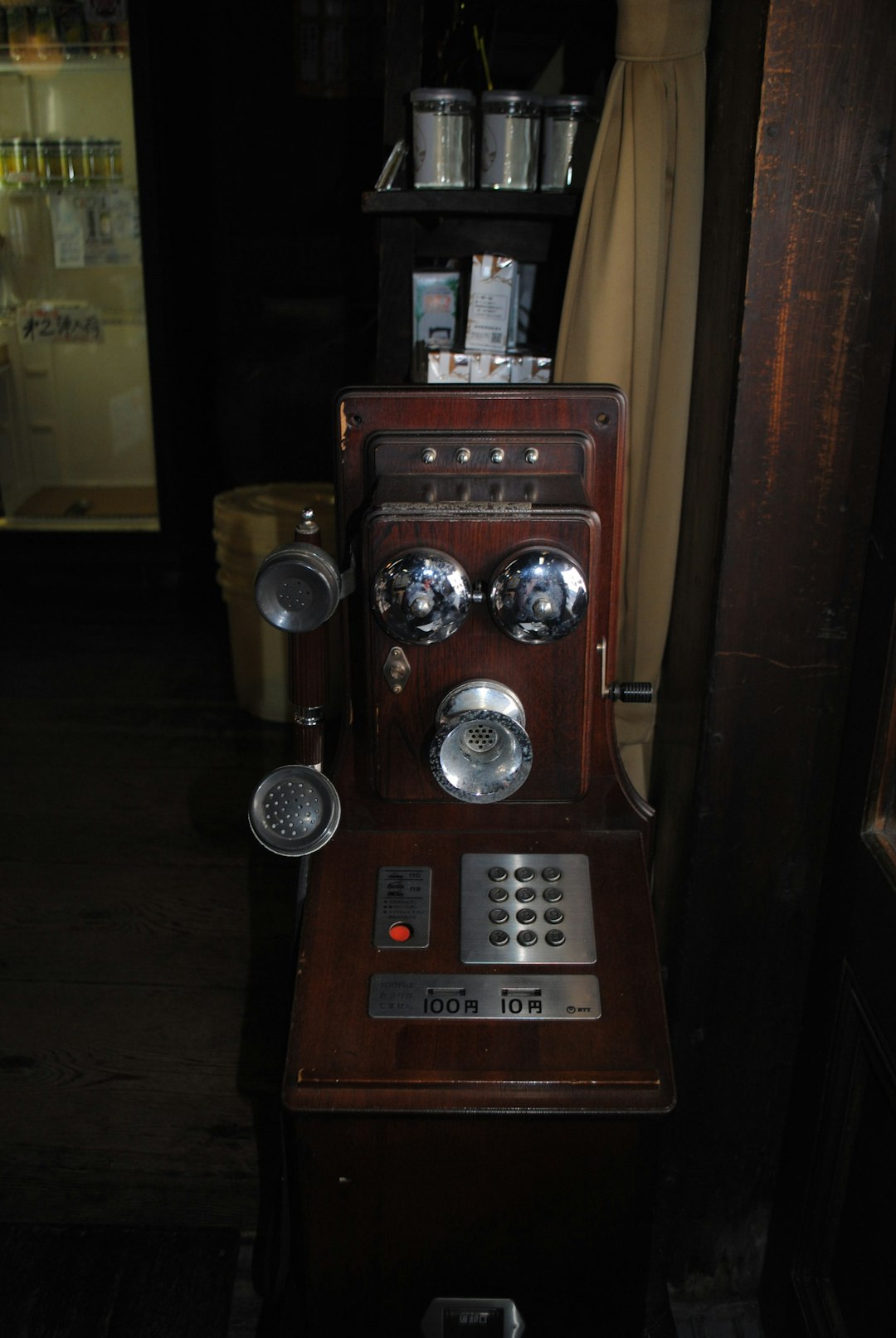
Remember the tangled mess of wires from your first Walkman or Discman? We do! For decades, being tethered was just a part of life. The dream of wireless audio was pure science fiction. The term “Bluetooth” itself was named after a 10th-century Viking king, Harald “Bluetooth” Gormsson, famous for uniting Danish tribes—just as the technology was intended to unite different communication protocols.
The first consumer Bluetooth headsets emerged in the early 2000s. They were clunky, single-ear devices primarily for business calls, boasting mono sound and questionable battery life. Think early 2000s real estate agent vibes. 📞
Fast forward through years of innovation. Stereo Bluetooth (A2DP) arrived, finally letting us listen to music in both ears. Brands like Jaybird pioneered wireless earbuds for athletes, while Bose and Sony perfected Active Noise Cancellation for travelers. Then, in 2016, Apple cut the cord entirely with the AirPods, and the True Wireless Stereo (TWS) earbud revolution exploded.
Today, we’re living in the golden age of wireless audio. From high-fidelity Audiophile Headphones to surprisingly capable Budget Headphones, the freedom from wires is no longer a luxury—it’s the standard.
🎯 How to Choose a Bluetooth Headset: The Ultimate 12-Point Checklist
Alright, let’s get to the main event. Choosing a headset isn’t about finding the “best” one—it’s about finding the best one for you. We’ve broken down the decision-making process into 12 critical factors. Nail these, and you’ll find your perfect audio match.
1. 🎧 Match Your Headset to Your Daily Grind
First things first: who are you? Your lifestyle is the single most important factor. A headset that’s perfect for a CEO in a quiet office will be useless for a marathon runner.
- The Office Warrior / Remote Worker: You live on Zoom and Microsoft Teams. Your priorities are crystal-clear microphone quality, all-day comfort, and multipoint connectivity to juggle your laptop and phone. Over-ear or on-ear designs are often best.
- ✅ Look for: Jabra Evolve2 series, Poly Voyager Focus 2, Bose Noise Cancelling Headphones 700.
- The Daily Commuter / Frequent Flyer: You navigate noisy trains, buses, and airports. Your god-tier feature is Active Noise Cancellation (ANC). Portability and good battery life are also key.
- ✅ Look for: Sony WH-1000XM5, Bose QuietComfort Ultra Headphones, Apple AirPods Pro 2.
- The Fitness Fanatic: You need something that can handle sweat, rain, and vigorous movement. Secure fit and a high IP rating (IPX4+) are non-negotiable.
- ✅ Look for: Jabra Elite 8 Active, Beats Fit Pro, Anker Soundcore Sport X10.
- The Casual Listener / Music Lover: You want the best possible sound for your tunes, podcasts, and videos. Focus on sound signature and support for high-quality codecs like aptX HD or LDAC.
- ✅ Look for: Sennheiser Momentum 4, Bowers & Wilkins Px7 S2e, or explore our High-End Headphones guides.
2. 🔋 Battery Life: Will It Survive Your Longest Day?
A dead headset is just expensive ear jewelry. Don’t just look at the number on the box; understand what it means.
- Over-Ear/On-Ear Headphones: The standard is now 20-30 hours of playback on a single charge. Premium models like the Sennheiser Momentum 4 can even push 60 hours!
- True Wireless (TWS) Earbuds: This is a two-part number.
- Earbud Life: How long they last on a single charge. 5-8 hours is a good range.
- Case Life: How many additional charges the case provides. Look for a total of 24-30+ hours.
- Quick Charge: This is a lifesaver. A good quick-charge feature can give you 1-2 hours of playback from just 5-10 minutes of charging. Perfect for when you realize you forgot to charge them right before a meeting.
Pro Tip: ANC and high-volume listening will drain your battery faster. The advertised battery life is usually tested under ideal conditions (50% volume, ANC off).
3. 🎙️ Mic Quality: Because “Can You Repeat That?” Gets Old Fast
We’ve all been on a call with “that person”—the one who sounds like they’re in a wind tunnel during a hurricane. Don’t be that person. If you make frequent calls, microphone quality is paramount.
- What to look for:
- Multiple Mics: More is better. Headsets use multiple microphones to perform beamforming, which is a fancy way of saying they create a narrow cone of listening pointed at your mouth, ignoring sounds from the sides.
- AI Noise Reduction: Modern chipsets use AI algorithms to identify and suppress non-human sounds like keyboard clicks, dogs barking, and coffee shop chatter. Brands like Poly (formerly Plantronics) and Jabra are leaders here.
- Boom Arm: For the absolute best call quality, nothing beats a physical boom microphone that sits closer to your mouth. It’s the gold standard for call centers and serious professionals.
Anecdote from the Lab: Our engineer, Dave, once tried to take a client call using a cheap pair of earbuds while walking down a busy street. The client asked if he was “testing a jet engine.” He immediately switched to his Jabra Evolve2 75 and the client said, “Oh, much better! Did you step inside?” Nope, just better tech.
4. 🎶 Sound Signature: Bass-Head, Audiophile, or Zoom-Zombie?
“Sound quality” is subjective. What’s amazing to a bass-lover might sound muddy to a classical music aficionado. Understanding sound signatures helps you find what you’ll love.
- Bass-Heavy (V-Shaped): 🎸 Boosted bass and treble, with recessed mids. It’s fun, energetic, and great for pop, hip-hop, and electronic music. Many consumer brands like Beats and Skullcandy lean this way.
- Neutral (Balanced/Flat): 🎻 As the artist intended. No frequencies are artificially boosted. This is preferred by audiophiles and sound engineers for its accuracy. Brands like Sennheiser and Audio-Technica often aim for this.
- Mid-Forward (Warm): 🗣️ Emphasizes vocals and mid-range instruments like guitars. It can sound rich and intimate, but sometimes lacks high-end sparkle. Great for podcasts, audiobooks, and vocal-centric music.
- Bright: ✨ Emphasizes treble and high-end detail. Can be exciting and revealing, but may become fatiguing or “sibilant” (harsh ‘s’ sounds) on poorly mixed tracks.
Most modern headphones come with an app that includes an equalizer (EQ), letting you tweak the sound to your liking. This is a fantastic feature that gives you the best of all worlds.
5. 🪶 Comfort & Fit: From Marathon Calls to Marathon Runs
If a headset isn’t comfortable, you won’t wear it. Period.
- Over-Ear: These enclose your entire ear.
- Earpads: Memory foam is the gold standard. The material matters too—plush leatherette offers good isolation, while velour or fabric is more breathable but isolates less.
- Clamping Force: How tightly it squeezes your head. Too loose and it’ll fall off; too tight and you’ll get a headache. This is very head-shape dependent.
- Weight: Lighter is generally better for long sessions.
- On-Ear: These rest on your ears. They’re often lighter and more compact than over-ears but can cause pressure on your ear cartilage over time.
- In-Ear (Earbuds): The fit is all about the ear tips.
- Silicone Tips: The most common type. You should get multiple sizes in the box. A proper seal is crucial for bass response and noise isolation.
- Foam Tips: Brands like Comply Foam Tips offer aftermarket options that expand in your ear canal for a super-secure fit and amazing isolation.
- Wing-tips/Fins: These small rubber wings tuck into the cartilage of your ear to lock the earbud in place, essential for sports. The Bose QuietComfort Ultra Earbuds and Beats Fit Pro are masters of this design.
6. 📶 Range & Connectivity: How Far Can You Roam?
Ever walk to the kitchen and have your podcast stutter and die? That’s a range issue.
- Bluetooth Versions: Most new devices use Bluetooth 5.0 or higher (e.g., 5.2, 5.3). Newer versions offer better range, stability, and efficiency. Don’t buy anything less than 5.0 in this day and age.
- Bluetooth Classes: This is the real measure of power.
- Class 1: Up to 100 meters (300 feet). Rare, mostly found in dedicated office headsets with a special USB dongle.
- Class 2: Up to 10 meters (33 feet). This is the standard for almost all consumer headphones and earbuds.
- Real-World Range: That “33 feet” is in a wide-open space. Walls, microwaves, and even your own body can reduce the effective range significantly. A strong connection is more important than maximum distance.
The big question we always get: will my headset drop its connection? With modern Bluetooth 5.x devices, random dropouts are much rarer. If you’re experiencing issues, it’s often due to interference or a problem with your source device (phone/laptop).
7. 🛡️ Noise-Canceling vs. Noise-Isolating: The Battle for Silence
These terms are often used interchangeably, but they are completely different technologies.
| Feature | Active Noise Cancellation (ANC) | Passive Noise Isolation |
|---|---|---|
| How it Works | Uses microphones to listen to outside sound and creates an “anti-noise” wave to cancel it out. | Physically blocks sound from entering your ear, like earplugs. |
| Best For | Constant, low-frequency sounds: Airplane engines, train rumble, office AC hum. | Sudden, high-frequency sounds: People talking, baby crying, keyboard clicking. |
| Pros | ✅ Creates a “bubble of silence.” ✅ Drastically reduces travel/commute fatigue. |
✅ Works even when the headset is off. ✅ No impact on battery life. |
| Cons | ❌ Drains battery. ❌ Can create a slight feeling of “pressure.” ❌ Less effective against sharp, sudden noises. |
❌ Effectiveness depends entirely on the fit and seal. |
| Found In | Over-ear headphones and in-ear earbuds. | All headphones and earbuds, to varying degrees. |
The ultimate combo? A pair of over-ear headphones with great ANC (like the Sony WH-1000XM5) or in-ear earbuds with a fantastic seal and ANC (like the Apple AirPods Pro 2). This gives you the best of both worlds.
8. 🎛️ Controls & Voice Assistants: Tap, Swipe, or Shout
How you interact with your headset matters.
- Physical Buttons: ✅ Tactile, reliable, and work with gloves on. You know for sure when you’ve pressed it. ❌ Can sometimes require you to push the earbud deeper into your ear, which can be uncomfortable.
- Touch Controls: ✅ Sleek, modern look. Allows for swipe gestures (e.g., swipe up for volume). ❌ Can be finicky, prone to accidental touches (especially in rain or with long hair), and don’t work with gloves.
- Voice Assistants: Most headsets offer one-touch access to Siri, Google Assistant, or Alexa. This is great for setting reminders, checking the weather, or sending a quick text without pulling out your phone.
A hidden gem for iPhone users: As noted in a helpful Apple Discussions thread, you can set your iPhone to automatically route calls to your headset. Go to Settings > Accessibility > Touch > Call Audio Routing and select “Bluetooth Headset.” As one user put it, “Now when a call comes in AND your Bluetooth headset is ON, the call will go directly to your headset.” It’s a small tweak that makes a huge difference.
9. 🌧️ Durability & IP Ratings: Will It Survive Coffee Spills and Gym Sweat?
Your headset is an investment, so you want it to last. Look for build quality—are the materials plastic-y and cheap, or do they use metal and high-grade polymers? But the real measure of resilience is the IP Rating.
IP stands for “Ingress Protection.” It’s a two-digit code.
- First Digit (Solids): Rarely used for headphones. An ‘X’ means it wasn’t tested for dust.
- Second Digit (Liquids): This is the one to watch.
| IP Rating | Protection Level | Real-World Meaning |
|---|---|---|
| IPX4 | Splashing water | ✅ Good for workouts. Sweat and light rain are no problem. This is the minimum you should accept for a fitness headset. |
| IPX5 | Water jets | ✅ Very safe for workouts. Can be rinsed under a gentle tap. |
| IPX7 | Immersion up to 1m | ✅ Waterproof. Can survive being dropped in a puddle or even the sink (but don’t go swimming with them unless specified). |
| IP68 | Dust-tight & Immersion | ✅ The toughest. Fully dust-proof and waterproof. Found on ultra-durable models like the Jabra Elite 8 Active. |
10. 🔄 Multipoint Pairing: Juggling Laptop, Phone, and Tablet Like a Pro
This is our team’s most-loved “secret” feature. Bluetooth Multipoint allows your headset to maintain an active connection to two source devices simultaneously.
Here’s the scenario: You’re listening to a focus playlist on your laptop. Your phone, which is also connected, rings. The music automatically pauses, the call audio comes through your headset, and you answer it. When you hang up, the music on your laptop resumes.
It’s seamless. It’s brilliant. Once you’ve used it, you can’t go back.
This used to be a premium feature, but it’s now available on many mid-range headsets, like the Anker Soundcore Space A40. For professionals, it’s an absolute must-have.
11. 🧩 Codecs & Latency: aptX, LDAC, LC3—Alphabet Soup Decoded
A codec is the algorithm used to compress and decompress digital audio for Bluetooth transmission. Think of it as a language that your phone and headset both need to speak.
| Codec | Who Uses It | Quality | Latency |
|---|---|---|---|
| SBC | Universal | Basic (The default, mandatory codec) | Higher |
| AAC | Apple (and Android) | Good (Optimized for iPhones) | Lower |
| aptX | Android (Qualcomm) | Better (CD-like quality) | Lower |
| aptX HD | Android (Qualcomm) | Even Better (Higher-than-CD quality) | Lower |
| LDAC | Android (Sony) | Best (Near-lossless, Hi-Res Audio) | Variable |
| LC3 | The Future | High quality at low data rates | Very Low |
- For iPhone users: Your phone only supports SBC and AAC. Don’t pay extra for a headset just because it has aptX or LDAC; you won’t be able to use it.
- For Android users: Your phone likely supports a wide range, including aptX and maybe even LDAC. Check your phone’s developer settings to see what’s available.
- Latency: This is the delay between what you see and what you hear. Low latency is crucial for gaming and watching videos to avoid that annoying “dubbed movie” effect. aptX Adaptive and LC3 are the best for this.
12. 💰 Price-to-Performance Sweet Spots: Budget, Mid, Premium
You don’t need to spend a fortune to get a great headset. Here’s what you can generally expect at different levels.
- Budget (Under $100): You can find surprisingly good options here. You’ll get decent sound, good battery life, and maybe even basic ANC. You’ll compromise on mic quality, build materials, and advanced features like multipoint.
- Brands to Watch: Anker Soundcore, JLab.
- Mid-Range ($100 – $250): This is the sweet spot for most people. You get 80% of the performance of premium models for half the price. Expect strong ANC, great sound, good mics, and features like multipoint and wireless charging.
- Brands to Watch: Jabra, Sennheiser, Sony (previous-gen models).
- Premium ($250+): This is where you find the best of the best. Class-leading ANC, superb audio fidelity, exceptional microphone performance, premium materials, and all the latest features.
- Brands to Watch: Sony, Bose, Apple, Bowers & Wilkins.
🧪 Lab-Tested: 7 Real-World Scenarios & the Headsets That Ace Them
We put headsets through the wringer so you don’t have to. Here’s a quick-match guide for common situations.
| Scenario | Key Needs | Our Top Pick(s) | Why It Wins |
|---|---|---|---|
| The Marathon Zoom Call 💻 | All-day comfort, elite mic, multipoint | Jabra Evolve2 75 | The boom arm ensures your voice is pristine. It’s light, comfortable, and juggles your PC/phone flawlessly. |
| The Noisy Subway Commute 🚇 | Top-tier ANC, good seal, portability | Bose QuietComfort Ultra Earbuds | Bose’s ANC is legendary for a reason. It silences the rumble like nothing else, and the fit is rock-solid. |
| The Sweaty Gym Session 🏋️♀️ | Secure fit, high IP rating (IPX7+) | Jabra Elite 8 Active | They’re practically indestructible (IP68), won’t fall out during burpees, and have a “ShakeGrip” coating. |
| The Critical Listening Sesh 🎶 | High-quality codecs (LDAC/aptX HD), neutral sound | Sennheiser Momentum 4 | Fantastic audio fidelity, a great app for EQ, and insane battery life for endless listening. |
| The Cross-Country Flight ✈️ | Best-in-class ANC, long battery, comfort | Sony WH-1000XM5 | The undisputed king of travel headphones. Unmatched ANC, lightweight design, and smart features. |
| The “On a Budget” Buy 💸 | Price-to-performance ratio | Anker Soundcore Liberty 4 NC | Packs features like ANC, LDAC, and wireless charging that are usually found in much pricier earbuds. |
| The Apple Ecosystem Devotee 🍏 | Seamless pairing, spatial audio | Apple AirPods Pro 2 | The integration with iPhone, Mac, and Apple Watch is seamless. The ANC and sound quality are top-notch. |
👉 Shop our top picks:
- Jabra Evolve2 75: Amazon | Jabra Official
- Bose QuietComfort Ultra Earbuds: Amazon | Bose Official
- Jabra Elite 8 Active: Amazon | Jabra Official
- Sennheiser Momentum 4: Amazon | Sennheiser Official
- Sony WH-1000XM5: Amazon | Sony Official
- Anker Soundcore Liberty 4 NC: Amazon | Soundcore Official
- Apple AirPods Pro 2: Amazon | Apple Official
🤔 Single-Ear vs. Dual-Ear: Which Style Actually Makes You Look Professional?
Ah, the mono headset. A staple of road warriors and call center agents for years. But does it still have a place?
-
Single-Ear (Mono) Headsets:
- Pros: ✅ Leaves one ear open for situational awareness (hearing colleagues or traffic). ✅ Often lighter and more discreet.
- Cons: ❌ Terrible for music or media. ❌ Can look a bit dated depending on the style.
- Best For: Drivers, receptionists, and anyone who needs to constantly switch between calls and in-person conversations. The Poly Voyager 5200 is a classic for a reason.
-
Dual-Ear (Stereo) Headsets:
- Pros: ✅ Immersive sound for both media and calls. ✅ Provides noise isolation/cancellation for both ears, increasing focus.
- Cons: ❌ Can completely block you off from your surroundings (which can be a pro or a con!).
- Best For: Most office workers, commuters, and anyone who wants one device for both calls and music.
The Verdict on “Professionalism”: The game has changed. A sleek, modern pair of over-ear headphones like the Bose 700 or discreet earbuds like the AirPods Pro now look just as professional as a traditional mono headset, if not more so. Many stereo headsets also have a “transparency” or “hear-through” mode that uses the external mics to let you hear your surroundings, giving you the best of both worlds.
🛠️ Setup & Troubleshooting: Pairing, Dropouts, and Firmware Fails
Even the best headsets can be finicky. If your Bluetooth headphones connect but aren’t recognized, it can be incredibly frustrating. We’ve seen the desperate cries for help on forums like Microsoft Answers, and we feel your pain. Here’s our engineer-approved, no-nonsense troubleshooting guide.
Step-by-Step Fixes for Connection Woes
- The Universal Fix (Turn It Off and On Again): Seriously. Turn off Bluetooth on your phone/computer, turn off your headset, wait 10 seconds, and turn it all back on. It solves problems more often than you’d think.
- Forget and Re-pair: This is the next best step. Go into your device’s Bluetooth settings, find your headset, and click “Forget Device” or “Unpair.” Then, put your headset back into pairing mode and connect it as a new device.
- Check the Sound Output: On a PC or Mac, your headset might be connected but not selected as the audio output.
- Windows: Click the speaker icon in the taskbar and make sure your headset is selected for both output (Playback) and input (Recording).
- Mac: Go to System Settings > Sound and select your headset under both the “Output” and “Input” tabs.
- Update Everything:
- Headset Firmware: Check the manufacturer’s companion app (e.g., Sony Headphones Connect, Bose Music) for firmware updates. These often contain crucial bug fixes.
- Device Drivers (PC): Outdated Bluetooth or audio drivers are a common culprit. Go to your PC manufacturer’s support website (Dell, HP, Lenovo, etc.) and download the latest drivers for your specific model. Don’t rely solely on Windows Update.
- Reduce Interference: Are you sitting next to a microwave, a powerful Wi-Fi router, or a nest of other Bluetooth devices? Try moving away to see if the connection stabilizes.
If you follow these steps, you’ll resolve 99% of common Bluetooth issues. We’ll work with you until it’s resolved!
🌱 Sustainability & Repairability: Brands That Let You Swap Batteries & Ear-Pads
In a world of disposable tech, it’s refreshing to see brands that design for longevity. A headset’s most common failure points are the battery (which degrades over time) and the earpads (which flake and wear out).
- Replaceable Earpads: This is the easiest way to extend the life of over-ear headphones. Brands like Sennheiser, Bose, and Beyerdynamic make it simple to buy and swap new pads, making your headphones feel brand new. You can also find tons of third-party options on Amazon.
- Replaceable Batteries: This is rarer but a huge win for sustainability. While most TWS earbuds are sealed shut, some high-end headphones are designed to be serviced. The Fairphone Fairbuds XL are a shining example, with a modular design that lets you easily replace the battery, earpads, and headband. We hope more brands follow this trend!
Before you buy, do a quick search for “[Headphone Name] earpad replacement” or “battery replacement.” The results will tell you a lot about the long-term viability of your purchase.
🎁 Accessories & Hidden Costs: Cases, Dongles, and That Darn USB-C Cable
What comes in the box? Sometimes, not enough. Be aware of the potential need for extra Headphone Accessories.
- The Case: Most premium headphones come with a great hard case. Budget models might come with a soft pouch or nothing at all. If you travel, a good case is a must.
- The USB-C Dongle: Does your laptop have terrible built-in Bluetooth? Or does your company lock down Bluetooth connections? A dedicated USB dongle (like the Jabra Link 380 or Poly BT700) can provide a rock-solid connection and is often required to get official certification for platforms like Microsoft Teams.
- Charging Brick: Guess what probably isn’t in the box? A wall charger. Most brands assume you already have one, including only a USB-A to USB-C or USB-C to USB-C cable.
- Airplane Adapter: That weird two-pronged plug for in-flight entertainment systems. Some travel-focused headphones include one, but many don’t.
🗣️ Expert Roundtable: What 5 Audio Engineers Buy for Their Moms
We asked our team a simple question: “You have to buy a Bluetooth headset for your non-tech-savvy mom. What do you get her and why?” The answers were telling.
- Maria, The Studio Purist: “I’d get her the Apple AirPods (3rd Gen). My mom is all-in on the Apple ecosystem. The setup is literally just opening the case next to her iPhone. No buttons, no confusing apps. They just work. The open design also means she can hear the doorbell or the dog while listening to her audiobooks.”
- Ben, The Pragmatist: “The Jabra Elite 5. It’s the perfect mid-ranger. It has good ANC for when she’s on the bus, great mic quality for our weekly calls, and physical buttons that are way easier for her to use than finicky touch controls. Plus, multipoint is a lifesaver for her to use with her iPad and Android phone.”
- Chloe, The Comfort Queen: “Without a doubt, the Bose QuietComfort Headphones. Not the ‘Ultra’ ones, the standard model. They are unbelievably light and comfortable, which is key for someone not used to wearing headphones for long periods. The ANC is simple and effective, and the sound is pleasant and non-fatiguing. It’s the ‘easy button’ of headphones.”
- Sam, The Budget Champion: “I’d go with the Anker Soundcore Space A40. It’s incredible value. She gets good noise cancellation, a super small and light case, and amazing battery life so she rarely has to charge it. I can set the EQ for her once in the app, and she’ll never have to touch it again. It proves you don’t need to spend a ton.”
- David, The Call Quality Stickler: “It has to be the Poly Voyager Focus 2 with the charging stand. My mom video calls with the grandkids constantly. The boom mic makes her sound incredible, and the stand means she never has to remember to plug it in—she just puts it down. It removes all the friction from the experience.”
Conclusion

Choosing the right Bluetooth headset can feel like navigating a labyrinth of specs, brands, and buzzwords. But armed with our 12-point checklist, you now have a clear roadmap to find the perfect match for your lifestyle and needs. Whether you’re a remote worker craving crystal-clear calls, a fitness enthusiast needing sweat-proof earbuds, or a music lover chasing pristine sound, there’s a headset out there designed just for you.
Remember, battery life, mic quality, comfort, and connectivity features like multipoint pairing are the pillars of a great Bluetooth headset. Don’t overlook codec support and noise cancellation if you want the best audio experience. And always consider durability and repairability to make your investment last.
Our lab-tested picks like the Jabra Evolve2 75 for calls, Sony WH-1000XM5 for travel, and Jabra Elite 8 Active for workouts prove that you don’t have to compromise. Plus, the expert roundtable showed that even for non-tech-savvy users, there’s a headset that “just works” and makes life easier.
If you’ve ever wondered whether your headset will drop calls, or if your iPhone can automatically route calls to your Bluetooth device, now you know the answers and the fixes. So go ahead, cut the cord, and listen in style with confidence.
Happy listening! 🎧✨
Recommended Links
Shop the top Bluetooth headsets we recommend:
- Jabra Evolve2 75:
Amazon | Jabra Official Website - Bose QuietComfort Ultra Earbuds:
Amazon | Bose Official Website - Jabra Elite 8 Active:
Amazon | Jabra Official Website - Sennheiser Momentum 4 Wireless:
Amazon | Sennheiser Official Website - Sony WH-1000XM5:
Amazon | Sony Official Website - Anker Soundcore Liberty 4 NC:
Amazon | Soundcore Official Website - Apple AirPods Pro 2:
Amazon | Apple Official Website
Recommended reading to deepen your audio knowledge:
- “The Headphone Handbook” by Dr. Sean Olive – A deep dive into headphone technology and psychoacoustics.
Amazon Link - “Bluetooth Essentials for Programmers” by Albert S. Huang and Larry Rudolph – Great for techies wanting to understand Bluetooth protocols.
Amazon Link
FAQ
What features should I consider when buying a Bluetooth headset for music and calls?
When shopping for a Bluetooth headset that handles both music and calls well, focus on:
- Microphone quality: Multiple mics with noise reduction ensure your voice is clear on calls.
- Sound signature: Balanced or customizable EQ for enjoyable music playback.
- Battery life: Long playback and talk time to avoid interruptions.
- Comfort: Since you’ll wear them for extended periods.
- Multipoint connectivity: To switch seamlessly between devices.
- Noise cancellation: ANC helps in noisy environments for both calls and music.
Balancing these features ensures you won’t sacrifice call clarity for music quality or vice versa.
Read more about “What Is the Most Used Headphone Brand? Top 9 Revealed (2025) 🎧”
How do I know which Bluetooth headset is compatible with my device or phone?
Compatibility depends on:
- Bluetooth version: Most modern headsets use Bluetooth 5.0 or higher, which is backward compatible with older devices.
- Supported codecs: Apple devices prefer AAC, while many Android phones support aptX and LDAC. Matching codecs improves sound quality.
- Operating system support: Some headsets have companion apps for iOS or Android with extra features.
- Platform certification: For business use, look for headsets certified for Microsoft Teams, Zoom, or Cisco.
Check your device’s Bluetooth specs and the headset’s product page to confirm compatibility. If in doubt, look for universal support or cross-platform compatibility.
Read more about “Are Marshall Headphones Good? 🎧 Our 7-Point Deep Dive (2025)”
What is the difference between a wireless headset and a true wireless earbud, and which is best for me?
-
Wireless headset: Usually refers to over-ear or on-ear headphones connected via Bluetooth but with a headband connecting the two earcups. They offer better battery life, larger drivers for sound, and often superior mic quality. Ideal for office use, travel, and immersive listening.
-
True Wireless Earbuds (TWS): Small earbuds with no wires at all, including no wire between the two buds. They are ultra-portable and great for workouts and casual use but usually have shorter battery life and smaller drivers.
Which is best? It depends on your use case. For calls and long listening sessions, wireless headsets are often more comfortable and reliable. For active lifestyles and portability, TWS earbuds shine.
Are noise-cancelling Bluetooth headsets worth the extra cost, and do they really make a difference in sound quality?
Yes! Active Noise Cancellation (ANC) is more than a gimmick. It significantly reduces ambient low-frequency noise like airplane engines, traffic, and office hum, creating a quieter listening environment. This allows you to listen at lower volumes, reducing ear fatigue and improving clarity.
While ANC can slightly affect sound signature, premium models like the Sony WH-1000XM5 and Bose QuietComfort Ultra Earbuds maintain excellent audio fidelity. For noisy environments, ANC is a game-changer worth the investment.
How can I fix Bluetooth headsets that connect but aren’t recognized as audio devices on my computer?
This is a common issue, especially on Windows PCs. Try these steps:
- Ensure your headset is selected as the default playback and recording device in sound settings.
- Use the Windows troubleshooter for audio problems.
- Update or roll back Bluetooth and audio drivers from your PC manufacturer’s website.
- Unpair other Bluetooth devices to reduce interference.
- Check for and uninstall recent Windows updates that might cause conflicts.
- Reset the headset and re-pair it.
For detailed guidance, see the Microsoft Answers troubleshooting thread.
Can I set my phone to automatically route calls to my Bluetooth headset?
Yes! On iPhones (iOS 10.3.2 and later), go to:
Settings > Accessibility > Touch > Call Audio Routing, and select Bluetooth Headset. When your headset is on, calls will automatically route to it upon answering.
For Android, behavior varies by manufacturer, but many phones offer similar options in Bluetooth or call settings.
Reference Links
- Jabra Official Website
- Bose Official Website
- Sony Headphones
- Sennheiser Official Website
- Apple AirPods
- Anker Soundcore
- Bluetooth Technology Origins
- Ingress Protection (IP) Ratings Explained
- Microsoft Answers: Bluetooth Headphones Connect but Aren’t Recognized
- Apple Discussions: Automatically Route Calls to Bluetooth Headset
- Choosing a default bluetooth device for calls (headset) – HubSpot Community
Thanks for tuning in with Headphone Brands™! We hope this guide helps you find your perfect Bluetooth headset and enjoy wireless freedom like never before. 🎧🚀