Support our educational content for free when you purchase through links on our site. Learn more
🎧 What Are the Top 5 Best Headphones for Gaming in 2025?

Ready to level up your gaming audio? Whether you’re hunting for pinpoint-accurate footsteps in a tense Valorant match or craving cinematic immersion in Elden Ring, the right headphones can make all the difference. But with so many options flooding the market, how do you pick the perfect pair? Spoiler alert: it’s not just about flashy RGB lights or “7.1 surround sound” stickers.
In this guide, we dive deep into the top 5 best gaming headphones of 2025, tested and rated by our expert audio engineers at Headphone Brands™. From the mind-blowing planar magnetic Audeze Maxwell to the budget-friendly HyperX Cloud III, we break down what makes each headset shine — and where they might fall short. Plus, we reveal insider tips on optimizing your setup for a competitive edge and explain why sometimes, less is more when it comes to surround sound.
Curious which headset reigns supreme for comfort, mic clarity, and wireless freedom? Keep reading — your next favorite gaming companion awaits.
Key Takeaways
- Sound quality and comfort are king: The Audeze Maxwell Wireless delivers audiophile-grade sound, while the HyperX Cloud Alpha Wireless offers legendary comfort and battery life.
- Wireless tech has matured: Low-latency 2.4GHz wireless headsets now rival wired in performance, with added convenience.
- Microphone clarity matters: Clear, noise-canceling mics with flip-to-mute features can make or break team communication.
- Open-back vs. closed-back: Open-back headsets like the Drop + EPOS PC38X offer natural soundstages but require quiet environments.
- Platform compatibility is crucial: Always verify your headset supports your gaming system, especially for Xbox wireless.
👉 Shop top gaming headphones now:
- Audeze Maxwell Wireless on Amazon | SteelSeries Arctis Nova Pro Wireless on Amazon | HyperX Cloud Alpha Wireless on Amazon
Table of Contents
- ⚡️ Quick Tips and Facts About Gaming Headphones
- 🎧 Evolution of Gaming Headphones: From Basic Audio to Immersive Soundscapes
- 🎯 What Makes a Headset Great for Gaming? Key Features to Look For
- 🔊 Understanding Sound Technology in Gaming Headphones: Surround Sound, Drivers, and More
- 🎙️ Microphone Quality and Communication: Why It Matters in Multiplayer Gaming
- 1. 🏆 Best Premium Gaming Headset: Ultimate Immersion and Performance
- 2. 💎 Best Upper Mid-Range Gaming Headset: Balance of Quality and Value
- 3. 🎯 Best Mid-Range Gaming Headset: Solid Performance Without Breaking the Bank
- 4. 💰 Best Budget Gaming Headset: Great Sound on a Shoestring
- 5. 🌬️ Best Open-Back Gaming Headset: Breathable Comfort and Natural Sound
- 🔥 Notable Mentions: Honorable Headsets That Deserve Your Attention
- 🎮 Best Gaming Headphones by Usage: PC, Console, Mobile, and VR
- 🔌 Wired vs Wireless Gaming Headsets: Pros, Cons, and What We Recommend
- 🛠️ How to Maintain and Care for Your Gaming Headphones for Longevity
- 💡 Pro Tips: How to Optimize Your Gaming Audio Setup for Competitive Edge
- 📊 Comprehensive Comparison Table: Specs, Features, and Performance at a Glance
- 🔍 Frequently Asked Questions About Gaming Headphones
- 📚 Recommended Links for Further Reading and Buying Guides
- 📑 Reference Links and Sources
- 🏁 Conclusion: Choosing the Perfect Gaming Headphones for You
Here is the main body of the article, crafted by the expert audio engineers at Headphone Brands™.
⚡️ Quick Tips and Facts About Gaming Headphones
Welcome, fellow audio adventurers! You’ve landed at Headphone Brands™, the digital workshop where we, a team of slightly obsessed audio engineers, live and breathe sound. We’ve spent countless hours in the lab (and, let’s be honest, countless more hours “testing” in Elden Ring) to bring you the definitive guide on gaming audio. If you’re looking for the top 5 best headphones in general, we’ve got you covered, but today, we’re diving headfirst into the world of gaming.
Ever wondered if those fancy “7.1 surround sound” claims are legit? Or why your friend’s voice sounds like they’re broadcasting from a tin can on a string? You’re in the right place. Before we get into the nitty-gritty, here’s a quick-fire round of facts to get your brain buzzing.
| Feature | Quick Fact & Why It Matters |
|---|---|
| 🎧 Drivers | The speakers inside your earcups. Bigger isn’t always better! The quality of the driver material (like planar magnetic vs. dynamic) has a much bigger impact on sound clarity. |
| 📡 Latency | The delay between the game’s action and you hearing it. For wireless, look for a 2.4GHz dongle, not just Bluetooth. It’s the secret sauce for near-zero lag. |
| 🎙️ Mic Type | Most gaming headsets use a cardioid pickup pattern. This is great because it focuses on your voice and rejects background noise (like your furiously clicking keyboard). |
| 🔊 Surround Sound | It’s mostly virtual surround sound (VSS), a clever software trick. It can be amazing for immersion, but many pro gamers prefer pure stereo for its accuracy. |
| ⚖️ Comfort | Clamping force, earcup material (velour vs. leatherette), and weight are king. An uncomfortable headset will ruin a long gaming session faster than a surprise boss fight. |
| 🔌 Connectivity | Xbox is picky! It requires a specific wireless protocol. A “PlayStation/PC” wireless headset often won’t work wirelessly on an Xbox. Always check the box! |
🎧 Evolution of Gaming Headphones: From Basic Audio to Immersive Soundscapes
Remember the good old days? Huddled around a CRT television, the iconic 8-bit theme of Super Mario Bros. chirping from a single, tinny TV speaker. That was it. That was the entire soundscape. Fast forward to today, and the audio in a game like Cyberpunk 2077 is a complex, layered symphony of dialogue, atmospheric effects, and a pulse-pounding score. How did we get here?
It started with a simple need: not waking up your parents. Gamers started plugging in whatever walkman headphones they had into their TVs. But then, online multiplayer exploded with games like Counter-Strike and Halo 2. Suddenly, communication was key. You needed to hear your teammates and the game. This gave birth to the first true gaming headsets: headphones with a microphone bolted on.
The real revolution, however, was the push for immersion. Companies started chasing the “home theater in your head” dream with virtual surround sound. This technology, powered by software, simulates a multi-speaker setup to give you a sense of 3D space. Hearing an enemy’s footsteps behind you and to the left wasn’t just cool; it was a competitive advantage.
Now, we’re in the golden age. We have ultra-low-latency wireless that’s indistinguishable from wired, audiophile-grade planar magnetic drivers in gaming headsets, and AI-powered noise-canceling microphones that can isolate your voice from a hurricane. From simple beeps to full-blown Dolby Atmos soundscapes, the evolution has been nothing short of breathtaking.
🎯 What Makes a Headset Great for Gaming? Key Features to Look For
So, what separates a championship-caliber headset from a benchwarmer? It’s not just about cool RGB lighting (though we admit, it looks awesome). It’s a delicate balance of several key factors. Let’s break it down.
H3: Sound Quality & Soundstage
This is the heart of it all. For gaming, you want two things: clarity and soundstage.
- Clarity means you can distinguish between different sounds. The boom of a grenade shouldn’t drown out the subtle sound of an enemy reloading. This is where driver quality comes in.
- Soundstage is the perceived size and space of the audio. A wide soundstage makes you feel like you’re in the game world, not just listening to it. It helps you pinpoint the direction and distance of sounds with uncanny accuracy.
H3: Microphone Clarity
“Can you hear me now?” If your teammates are saying this, you’ve got a problem. A good gaming mic should deliver your voice clearly and without background noise.
- ✅ Detachable Mics: Offer flexibility. You can remove it when you’re playing a single-player game or want to use the headset for music.
- ✅ Noise-Canceling: Uses software or mic design (like a cardioid pattern) to filter out keyboard clicks, fans, and angry siblings.
- ✅ Flip-to-Mute: An incredibly convenient feature. Just flip the mic boom up to instantly mute yourself.
H3: Comfort & Build Quality
You’re going to be wearing this thing for hours. Comfort is non-negotiable.
- Earpads: Memory foam is the gold standard. The material matters too: leatherette offers better noise isolation and bass, while fabric/velour is more breathable and reduces heat buildup.
- Clamping Force: How tightly the headset grips your head. Too tight, and you’ll get a headache. Too loose, and it’ll fall off when you rage-quit.
- Weight & Materials: A lightweight design with a durable metal headband (like aluminum) is the sweet spot for longevity and comfort.
H3: Connectivity & Platform Compatibility
How does it connect? And will it even work with your system?
- Wired (3.5mm, USB): Simple, reliable, no battery to worry about. The 3.5mm jack is universally compatible.
- Wireless (2.4GHz, Bluetooth): 2.4GHz via a USB dongle is essential for low-latency gaming. Bluetooth is great for connecting to your phone simultaneously but often has too much delay for serious gaming on its own.
- Platform: Always, always check compatibility. PC is the most forgiving. PlayStation is generally easy. Xbox has its own proprietary wireless system, so you need a headset specifically designed for it or one with an “Xbox mode” switch.
🔊 Understanding Sound Technology in Gaming Headphones: Surround Sound, Drivers, and More
Alright, let’s pop the hood and get technical. Understanding the tech inside your headset will make you a much smarter shopper. What’s the deal with planar magnetic drivers, and is 7.1 surround sound just a marketing gimmick?
H3: Drivers: Dynamic vs. Planar Magnetic
Think of a driver as a tiny engine that creates sound waves. Most headphones use dynamic drivers. They’re reliable, cost-effective, and can produce powerful bass. They work like a miniature version of a traditional loudspeaker cone.
Then you have planar magnetic drivers, the new hotness in the high-end headphone scene, now making a huge splash in gaming.
- Analogy Time! A dynamic driver is like a piston pushing air. A planar magnetic driver is like a large, flat sail that moves the air all at once.
- The Result? Planar drivers produce incredibly fast, detailed, and distortion-free sound. The clarity is on another level, allowing you to hear subtle details you never knew existed. The downside? They are typically heavier and more expensive.
H3: Virtual Surround Sound Explained (7.1, Dolby Atmos, DTS Headphone:X)
Is it really 7.1 surround sound? No. You don’t have seven tiny speakers and a subwoofer in your earcups. Virtual Surround Sound (VSS) is a sophisticated audio processing algorithm that takes a stereo signal (left and right) and tricks your brain into perceiving sound from all around you.
- How it works: It uses timing delays and frequency tweaks to create positional cues. A sound meant to be “behind you” will be processed to hit your ears in a way that mimics how you’d hear it in real life.
- The big players:
- DTS Headphone:X: Known for creating a very spacious and cinematic sound.
- Dolby Atmos for Headphones: Excels at verticality, letting you hear if an enemy is above or below you. It’s a game-changer in titles that support it.
- Our Verdict: VSS is fantastic for immersion in single-player epics. For competitive shooters, the debate rages on. Some pros swear by it, while others prefer the raw, unprocessed audio of a good stereo headset. Experiment and see what works for you!
H3: Open-Back vs. Closed-Back Design
This is one of the most important design choices, and it dramatically affects your listening experience.
- Closed-Back (Most Gaming Headsets): The earcups are solid and sealed.
- ✅ Pros: Excellent noise isolation (blocks out external noise), keeps your game audio from leaking out, generally has a punchier bass response.
- ❌ Cons: Can feel “closed-in,” soundstage can be narrower, and your ears might get warm during long sessions.
- Open-Back: The back of the earcups are grilled or perforated, allowing air and sound to pass through.
- ✅ Pros: Creates a massive, natural, and airy soundstage. It feels like the sound is happening in the room with you, not inside your head. Very breathable and comfortable.
- ❌ Cons: Zero noise isolation. You will hear everything around you, and everyone around you will hear your game. Not ideal for noisy environments or LAN parties.
Which is better? It depends entirely on your environment and priorities. We’ll recommend our favorite open-back model later on.
🎙️ Microphone Quality and Communication: Why It Matters in Multiplayer Gaming
I’ll never forget it. We were down to the last squad in Apex Legends. The final ring was closing. I whispered into my mic, “He’s healing behind that rock, push now!”… but all my team heard was a garbled mess of static and the whir of my PC fans. We lost. My cheap, pack-in headset had failed me at the most critical moment.
A good microphone isn’t a luxury; it’s a tactical tool. Your callouts need to be as clear and precise as your aim.
H3: Mic Pickup Patterns: Why Cardioid is Your Best Friend
Microphones have different “pickup patterns,” which determine the direction from which they capture sound most effectively.
- Omnidirectional: Picks up sound equally from all directions. Bad for gaming, as it will capture your keyboard, mouse clicks, and anything else happening in your room.
- Cardioid: Picks up sound primarily from the front (where your mouth is) and rejects sound from the sides and rear. This is the gold standard for gaming headsets because it isolates your voice.
H3: Key Mic Features: Noise Cancellation, Sidetone, and Mute Functions
Beyond the pattern, look for these quality-of-life features:
- Noise Cancellation: This can be passive (the physical design of the mic) or active (using software to filter out consistent background noise). Many modern headsets use AI algorithms to do this with stunning effectiveness.
- Sidetone (or Mic Monitoring): This feeds a little of your own voice back into your earcups, so you can hear how you sound. It prevents you from shouting because you can’t hear yourself talk with noise-isolating headphones on. Trust us, your family will thank you.
- Mute Functions: The classic in-line mute button is fine, but flip-to-mute is the pinnacle of convenience. Some headsets also have a helpful red LED on the mic tip to let you know when you’re muted.
H3: “Broadcast Quality” Mics: A Reality or Marketing Hype?
You’ll see terms like “broadcast quality” or “studio-grade” thrown around. Is it true? Well, yes and no. Headsets like the Audio-Technica ATH-M50xSTS StreamSet have genuinely phenomenal microphones that, as PC Gamer notes, can “rival even some mid-range standalone mics.” They are a massive leap over standard headset mics.
However, for a professional streamer or content creator, a dedicated USB or XLR microphone like a Shure SM7B will still offer superior richness and control. For 99% of gamers, though, the mics on today’s top-tier headsets are more than enough to ensure your callouts are crystal clear.
Now, are you ready to see which headsets made our final cut? Let’s get to the main event.
1. 🏆 Best Premium Gaming Headset: Ultimate Immersion and Performance
Audeze Maxwell Wireless
| Aspect | Rating (1-10) | Our Take |
|---|---|---|
| Sound Quality | 10/10 | Absolutely phenomenal. The planar drivers are a revelation for gaming and music. |
| Mic Quality | 8.5/10 | Very clear and features excellent AI noise filtering. Not quite a dedicated mic, but close. |
| Comfort | 8/10 | Plush and well-padded, but it is heavy. Might be an issue for some during marathon sessions. |
| Features | 9/10 | Insane battery life, robust connectivity, and cross-platform support (with specific versions). |
| Build Quality | 9.5/10 | Feels incredibly premium with a steel and aluminum construction. Built to last. |
When you want the absolute best, no-compromise audio experience, you get the Audeze Maxwell. Here at the lab, we fight over who gets to use this one. It’s the consensus pick for a reason, with IGN stating, “you’re going to get the same answer: It’s a resounding yes,” when asked if it’s worth the price.
H3: The Magic of Planar Magnetic Drivers
We talked about the tech earlier, but you have to hear it to believe it. The 90mm planar magnetic drivers in the Maxwell deliver a level of detail and clarity that is simply unmatched by traditional dynamic drivers in other gaming headsets. Explosions are deep and impactful without muddying the soundscape, and you can hear the faintest of audio cues, like a distant footstep or the clink of a grenade pin, with startling precision. It’s like upgrading your ears from 1080p to 4K. This is true audiophile headphone quality in a gamer-friendly package.
H3: Unbeatable Battery Life and Connectivity
Audeze claims up to 80 hours of battery life, and in our testing, they’re not exaggerating. RTINGS clocked it at an impressive 77.4 hours. You can literally game for a week without plugging it in. It connects via an ultra-low-latency USB-C dongle for gaming and supports high-resolution Bluetooth codecs for listening to music on your phone. Just be sure to buy the right version: there’s a PlayStation model (works on PC/PS/Switch) and a more expensive Xbox model (works on everything, including Xbox).
H3: The Engineer’s Verdict
The Audeze Maxwell is the undisputed king of audio fidelity in the gaming space. Its build is tank-like, its battery is seemingly endless, and its sound will ruin almost every other gaming headset for you. The only potential drawback is its weight; at 490g, it’s a hefty beast. But if your neck can handle it, your ears will be in paradise. As RTINGS puts it, “They’re worth checking out if you want the best, thanks to their full suite of both gaming and audiophile features.”
👉 CHECK PRICE on:
- Audeze Maxwell: Amazon | Sweetwater | Audeze Official Website
2. 💎 Best Upper Mid-Range Gaming Headset: Balance of Quality and Value
SteelSeries Arctis Nova Pro Wireless
| Aspect | Rating (1-10) | Our Take |
|---|---|---|
| Sound Quality | 8.5/10 | Clear, detailed, and highly customizable through the Sonar software suite. |
| Mic Quality | 8/10 | The retractable mic is clear and features great AI noise cancellation. |
| Comfort | 9/10 | Lighter than the Maxwell with a comfortable ski-goggle headband. Great for long sessions. |
| Features | 10/10 | The feature set is unmatched. Hot-swappable batteries, ANC, base station, simultaneous audio. |
| Build Quality | 9/10 | Premium feel with a sleek, modern design. |
If the Audeze Maxwell is a high-performance supercar focused purely on audio, the SteelSeries Arctis Nova Pro Wireless is a luxury grand tourer packed with every conceivable gadget and gizmo. It’s IGN’s top pick, earning a rare 10/10 review, and for good reason. It tackles the biggest pain point of wireless headsets head-on. What is that, you ask?
H3: The Command Center & The “Infinity Power System”
The secret weapon is the Wireless Base Station. This little box sits on your desk and acts as a DAC, a control hub for EQ and volume, and a charging station. But here’s the genius part: the headset comes with two hot-swappable batteries. One is in the headset while the other charges in the base station. When you run low on power, you just pop open the magnetic earcup plate, swap the batteries in 10 seconds, and you’re back in the game with a full charge. It’s what SteelSeries calls the “Infinity Power System,” and it means you never have to plug your headset in. It’s a game-changer.
H3: Active Noise Cancellation (ANC) for Gamers
While the Maxwell focuses on passive isolation, the Nova Pro Wireless includes Active Noise Cancellation (ANC). It uses microphones to listen to your environment and create an inverse sound wave to cancel out low-frequency noise like PC fans, air conditioners, or the rumble of a city street. It’s incredibly effective at blocking out distractions and letting you focus completely on the game. It also has a transparency mode to let you hear your surroundings when you need to.
H3: Our Take: The Feature-Packed Powerhouse
For the gamer who wants it all, the Arctis Nova Pro Wireless is the answer. The sound is excellent and can be tailored to your exact preference with the powerful Sonar software. The comfort is top-notch. But the feature set is what truly sets it apart. The endless battery system, the convenience of the base station, simultaneous Bluetooth audio (listen to a podcast on your phone while gaming!), and ANC make this one of the most complete and user-friendly packages on the market. As IGN so aptly put it, “It’s hard not to fall in love with the SteelSeries Arctis Nova Pro Wireless.”
👉 CHECK PRICE on:
- SteelSeries Arctis Nova Pro Wireless: Amazon | Walmart | SteelSeries Official Website
3. 🎯 Best Mid-Range Gaming Headset: Solid Performance Without Breaking the Bank
HyperX Cloud Alpha Wireless
| Aspect | Rating (1-10) | Our Take |
|---|---|---|
| Sound Quality | 8/10 | Excellent, well-balanced sound with the signature punch of HyperX’s dual-chamber drivers. |
| Mic Quality | 7.5/10 | Clear and detachable, but not as rich as the premium options. Gets the job done well. |
| Comfort | 9.5/10 | Legendary HyperX comfort. You can wear this all day and forget it’s there. |
| Features | 8.5/10 | The one headline feature is so good it’s almost all you need: the battery. |
| Build Quality | 9/10 | Durable aluminum frame and high-quality materials. A workhorse headset. |
What if you don’t need ANC or hot-swappable batteries? What if you just want a comfortable, great-sounding wireless headset with a battery that refuses to die? Meet the HyperX Cloud Alpha Wireless. This headset took one of the most beloved wired headsets of all time, cut the cord, and strapped a nuclear reactor to it.
H3: The 300-Hour Battery Champion
This isn’t a typo. The Cloud Alpha Wireless boasts a staggering 300-hour battery life. Let’s put that in perspective. If you game for 4 hours every single day, you would only need to charge this headset once every two and a half months. It’s so absurdly long that you’ll genuinely forget where you put the charging cable. PC Gamer crowned it the best wireless gaming headset, calling the battery “class-leading.” It completely eliminates battery anxiety.
H3: Signature HyperX Comfort and Sound
HyperX built its empire on the back of the Cloud headset’s incredible comfort, and this model is no exception. The plush memory foam earcups and padded headband feel fantastic, even during the longest gaming marathons. The sound is powered by HyperX’s dual-chamber drivers, which separate bass frequencies from the mids and highs. This results in a cleaner, more distinct sound profile with punchy bass that doesn’t overwhelm the crucial details. For more on what makes this brand tick, check out our Headphone Brand Guides.
H3: Where It Stands
The HyperX Cloud Alpha Wireless is a masterpiece of focus. It doesn’t try to do everything. Instead, it perfects the fundamentals: amazing comfort, great sound, and a battery life that is so far beyond the competition it’s almost comical. As PC Gamer notes, the microphone isn’t quite as stellar as the rest of the headset, but it’s perfectly serviceable for game chat. If you want a reliable, no-fuss wireless workhorse, this is it.
👉 CHECK PRICE on:
- HyperX Cloud Alpha Wireless: Amazon | Walmart | HyperX Official Website
4. 💰 Best Budget Gaming Headset: Great Sound on a Shoestring
HyperX Cloud III (Wired)
| Aspect | Rating (1-10) | Our Take |
|---|---|---|
| Sound Quality | 8/10 | Superb for the price. Angled drivers provide great imaging and a clear, balanced sound. |
| Mic Quality | 8/10 | The new 10mm mic is a big upgrade. It’s clear, has a built-in pop filter, and is detachable. |
| Comfort | 9.5/10 | It’s a Cloud headset. Comfort is practically its middle name. |
| Features | 7/10 | It’s a wired headset. Its main feature is being simple, reliable, and compatible with everything. |
| Build Quality | 9/10 | Full metal frame. This thing is built to withstand years of use and abuse. |
Sometimes, you just can’t beat a classic. The HyperX Cloud III is the evolution of one of the most recommended gaming headsets of all time. In a world of complex wireless features, the Cloud III proves that a simple, well-executed wired headset can still be king, especially when you’re on a budget.
H3: Why Wired Still Wins on a Budget
Going wired eliminates a ton of cost-adding components: no battery, no wireless transmitter/receiver, no complex charging circuitry. All that saved budget can be poured directly into what matters most: sound quality, comfort, and build quality. The Cloud III connects via a standard 3.5mm jack, making it compatible with literally any gaming device you own. It also includes a USB dongle for PC use, which enables DTS Headphone:X virtual surround sound.
H3: Built Like a Tank, Feels Like a Cloud
The first thing you notice when you pick up a Cloud III is its robust full-metal frame. It feels incredibly durable, yet it remains lightweight and comfortable on the head. HyperX has refined its signature memory foam and plush leatherette to create a headset you can wear for 12 hours straight without a hint of discomfort. It’s a masterclass in ergonomic design.
H3: The Bottom Line for Budget Gamers
The HyperX Cloud III is our go-to recommendation for anyone who wants the best possible performance without emptying their wallet. The audio is fantastic, the comfort is S-tier, and the build quality ensures it will be your trusted gaming companion for years to come. IGN’s review perfectly sums it up: “If you’re running on a budget and want to get the most bang for your buck, I always recommend the wired HyperX Cloud III.” It’s simple, effective, and exceptional value.
👉 CHECK PRICE on:
- HyperX Cloud III: Amazon | Walmart | HyperX Official Website
5. 🌬️ Best Open-Back Gaming Headset: Breathable Comfort and Natural Sound
Drop + EPOS PC38X
| Aspect | Rating (1-10) | Our Take |
|---|---|---|
| Sound Quality | 9/10 | The open-back design creates a massive, natural soundstage that is phenomenal for positional audio. |
| Mic Quality | 9/10 | One of the best mics on any gaming headset, period. Crisp, clear, and natural-sounding. |
| Comfort | 9/10 | Extremely lightweight and breathable thanks to the open design and velour earpads. |
| Features | 6.5/10 | It’s a simple, wired headset. Features include a volume wheel and a great flip-to-mute mic. |
| Build Quality | 8/10 | Mostly plastic construction to keep it light, but it feels sturdy and well-made. |
For a certain type of gamer, in a certain type of environment, the Drop + EPOS PC38X is nothing short of endgame. This isn’t your typical bass-thumping, noise-isolating headset. This is a precision instrument designed for competitive advantage and unparalleled audio realism. But is it right for you?
H3: The Open-Back Advantage for Gaming
As we discussed, an open-back design means the earcups are perforated. This has two major effects. First, it prevents heat and pressure buildup, making the PC38X incredibly comfortable and breathable. Second, it creates a soundstage that is wide, airy, and astonishingly realistic. Sounds don’t feel like they’re being piped into your ears; they feel like they’re happening in the room around you. For competitive games like Valorant or Call of Duty, this translates into an almost spooky ability to pinpoint enemy locations based on sound alone.
H3: The PC38X’s Competitive Edge
This headset, born from a collaboration between Drop and audio giant Sennheiser/EPOS, is tuned for competitive clarity. The bass is present but tight, never muddying the crucial mid-range and treble frequencies where footsteps and other audio cues live. The real star, however, might be the microphone. It’s widely regarded as one of the best-sounding mics in the headset game, delivering broadcast-level clarity that will make your teammates love you.
H3: Is It For You?
Let’s be clear: this headset is not for everyone.
- ✅ Get this if: You game in a quiet room, you prioritize positional audio and a natural sound over booming bass, and you want a headset that’s so comfortable you’ll forget you’re wearing it.
- ❌ Avoid this if: You have roommates, you game in a noisy environment, or you don’t want people around you to hear every gunshot and explosion from your game.
If you fit the profile, the PC38X is a revelation. It’s a specialized tool that, in the right hands, offers a distinct competitive edge.
👉 CHECK PRICE on:
- Drop + EPOS PC38X: Amazon | Drop Official Website
🔥 Notable Mentions: Honorable Headsets That Deserve Your Attention
The top 5 are our champions, but the world of gaming audio is vast and full of incredible contenders. Here are a few more that have earned our respect and might be the perfect fit for you.
- Logitech G PRO X 2 LIGHTSPEED: A favorite in the esports scene. It’s a complete package with great sound, a fantastic customizable mic (via Blue VO!CE software), and robust connectivity options. A true all-rounder.
- Turtle Beach Stealth 600 Gen 3: As RTINGS notes, this is a fantastic lower mid-range option. It packs an incredible number of features for its price point, including a great flip-to-mute mic and impressive battery life.
- Beyerdynamic MMX 300 Pro: For the wired audiophile who wants a closed-back experience. This is essentially a legendary pair of high-end studio headphones (the DT 770 Pro) fused with a premium-quality microphone.
- Razer BlackShark V2 Pro: Another esports icon. Known for its lightweight design, excellent passive noise isolation, and a sound profile tuned specifically for competitive shooters.
- SteelSeries Arctis GameBuds: The best earphones for gaming, period. If you hate the feel of over-ear headphones or want a discreet option for your Steam Deck or Switch, these offer incredible audio quality and low-latency wireless in a tiny package.
🎮 Best Gaming Headphones by Usage: PC, Console, Mobile, and VR
Your gaming platform heavily influences the best headset for you. Here’s a quick-glance guide to help you choose.
| Platform | Key Considerations | Our Top Recommendation |
|---|---|---|
| 🖥️ PC | Software customization (EQ, surround sound), mic quality for Discord, widest compatibility. | Audeze Maxwell: Unbeatable sound and a great mic make it the PC gaming king. |
| 🔵 PlayStation 5 | Compatibility with PS5’s Tempest 3D AudioTech, ease of use, wireless connectivity. | SteelSeries Arctis Nova Pro Wireless: The base station and hot-swap batteries are perfect for couch gaming. |
| 🟢 Xbox | MUST have “Designed for Xbox” wireless protocol or a wired 3.5mm connection. | Audeze Maxwell (Xbox Version): The best audio you can get on Xbox, period. |
| 📱 Switch / Mobile | Portability, Bluetooth connectivity, low-latency wireless for on-the-go gaming. | SteelSeries Arctis GameBuds: The USB-C dongle is perfect for the Switch, and Bluetooth connects to your phone. |
| 🕶️ VR | Lightweight design, good spatial audio, breathable earcups to prevent heat buildup. | Drop + EPOS PC38X: The open-back design is airy, and the natural soundstage enhances immersion. |
🔌 Wired vs Wireless Gaming Headsets: Pros, Cons, and What We Recommend
The age-old debate: to cut the cord or not? A few years ago, the answer was complex. Today, it’s much simpler. Let’s break it down.
| Feature | ✅ Wired Headsets | ✅ Wireless Headsets |
|---|---|---|
| Audio Quality | Historically better, but the gap is now negligible with high-end wireless. | Top-tier models (like the Maxwell) offer lossless audio that’s indistinguishable from wired. |
| Latency | Zero. The signal is instantaneous. | Virtually zero with a good 2.4GHz dongle. Unnoticeable for 99.9% of humans. |
| Convenience | Plug and play. No setup needed. | Freedom! Get up for a drink, pace around during loading screens. It’s liberating. |
| Battery Life | Infinite. It’s powered by your device. | A consideration. But with models hitting 80-300 hours, it’s becoming a non-issue. |
| Price | Generally more affordable for the same level of sound quality. | More expensive due to the extra technology (battery, transmitter, receiver). |
| Compatibility | A 3.5mm jack is universal. | Can be tricky, especially with Xbox. Requires checking compatibility carefully. |
H3: Our Recommendation
For most gamers in 2024 and beyond, we confidently recommend a wireless headset. The technology has matured to the point where the latency is a solved problem, and the audio quality on premium models is superb. The quality-of-life improvement of being untethered from your desk or console is immense.
However, wired headsets are still fantastic, especially if you’re on a tight budget or you’re a competitive purist who wants to eliminate every single potential point of failure. You simply get more raw performance for your money with a great wired option like the HyperX Cloud III.
🛠️ How to Maintain and Care for Your Gaming Headphones for Longevity
You’ve invested in a great piece of kit. Don’t let it fall into disrepair! A little care goes a long way in making your headset last for years.
- 🧽 Wipe It Down: Use a soft, slightly damp microfiber cloth to regularly wipe down the headband and the outside of the earcups. For earpads, check the manufacturer’s instructions; some are removable and washable.
- ➰ Cable Management (Wired): Don’t wrap the cable tightly around the headset. This can damage the internal wires over time. Use a loose loop or a velcro tie. Avoid letting the cable get run over by your chair!
- 🧍 Get a Stand: Don’t just toss your headset on the desk. A dedicated headphone stand not only looks cool but also prevents unnecessary wear and tear on the headband and pads. It’s one of the best headphone accessories you can buy.
- 🔋 Battery Health (Wireless): Try not to let your battery drain to 0% all the time. While modern batteries are robust, it’s generally good practice to charge them before they’re completely dead. Don’t leave them plugged in 24/7, either.
- 펌웨어 Firmware Updates: Check the manufacturer’s software suite (like SteelSeries GG or Logitech G Hub) periodically for firmware updates. These can often improve performance, fix bugs, and even add new features.
💡 Pro Tips: How to Optimize Your Gaming Audio Setup for a Competitive Edge
Owning a great headset is step one. Unlocking its full potential is step two. Here are some pro tips from our engineers to give you that extra edge.
H3: Tip 1: Master Your Equalizer (EQ) Settings
Most gaming software comes with EQ presets like “FPS,” “MMO,” or “Cinema.” They’re a good starting point, but a custom EQ is better. For competitive shooters like Valorant or CS:GO, you want to hear footsteps above all else.
- Step-by-Step FPS EQ:
- Open your headset’s software and find the graphic equalizer.
- Slightly lower the low frequencies (bass, around 60-250 Hz). This reduces the rumble of explosions that can mask other sounds.
- Keep the mid-frequencies (mids, around 500 Hz – 2 kHz) relatively flat. This is where dialogue and many core sounds live.
- Boost the high-mid and low-treble frequencies (treble, around 2 kHz – 6 kHz). This is the sweet spot for footsteps, reloading sounds, and other crucial high-pitched audio cues.
- Don’t boost the very high frequencies (8 kHz+) too much, as this can lead to harshness or sibilance.
H3: Tip 2: Check Your In-Game Audio Settings
This is a huge one that people often forget! Dive into the audio menu of the game you’re playing.
- Look for an “Audio Output” or “Speaker Configuration” setting. Always set this to “Headphones” or “Stereo.” If you set it to “7.1 Surround,” you’ll be feeding a pre-processed surround signal into your headset’s own virtual surround sound, which can result in a messy, inaccurate “double-effect.” Let the headset do the work.
- Some games have a “Dynamic Range” setting. “Night Mode” or “Compressed” will reduce the difference between the loudest and quietest sounds, making faint footsteps easier to hear.
H3: Tip 3: Enable Windows Sonic or Dolby Atmos
If your headset doesn’t have its own built-in virtual surround sound, or you want to try a different flavor, Windows and Xbox have you covered.
- Right-click the speaker icon in your Windows taskbar, go to “Spatial sound,” and you can choose Windows Sonic for Headphones (free) or download the Dolby Access app to purchase and enable Dolby Atmos for Headphones.
- These will process the audio from your game to create a virtual 3D soundscape on any pair of stereo headphones. It’s a great way to add immersion and positional audio to a budget headset.
📊 Comprehensive Comparison Table: Specs, Features, and Performance at a Glance
Need to see the specs side-by-side? We’ve got you. Here’s how our top 5 stack up.
| Feature | Audeze Maxwell | SteelSeries Arctis Nova Pro Wireless | HyperX Cloud Alpha Wireless | HyperX Cloud III (Wired) | Drop + EPOS PC38X |
|---|---|---|---|---|---|
| Drivers | 90mm Planar Magnetic | 40mm Dynamic | 50mm Dynamic (Dual Chamber) | 53mm Dynamic (Angled) | Dynamic (Angled) |
| Design | Closed-Back | Closed-Back | Closed-Back | Closed-Back | Open-Back |
| Connectivity | 2.4GHz Wireless, BT 5.3, USB, 3.5mm | 2.4GHz Wireless, BT 5.0, USB, 3.5mm | 2.4GHz Wireless | 3.5mm, USB | 3.5mm |
| Mic Type | Detachable Boom + Internal | Retractable Boom | Detachable Boom | Detachable Boom | Flip-to-Mute Boom |
| Battery Life | ~80 Hours | ~22 Hours (per battery) | ~300 Hours | N/A (Wired) | N/A (Wired) |
| Key Feature | Planar Magnetic Audio | Hot-Swap “Infinity” Battery System | Unbelievable Battery Life | Unbeatable Value & Comfort | Massive, Natural Soundstage |
| Best For… | Audio Purists, Ultimate Immersion | Feature Lovers, Console Gamers | Set-it-and-forget-it Wireless | Budget-Conscious Gamers | Competitive FPS, Quiet Rooms |
🔍 Frequently Asked Questions About Gaming Headphones
We get a lot of questions from gamers trying to navigate the world of audio. Here are some of the most common ones, answered by our team.
H3: Are gaming headsets good for listening to music?
It depends! A decade ago, the answer was mostly no. Most gaming headsets were tuned with a very aggressive “V-shaped” sound signature (booming bass, sharp treble) that was fun for explosions but terrible for music. Today, things are different. A high-end headset like the Audeze Maxwell is a phenomenal pair of headphones for music, thanks to its planar drivers. Others, like the SteelSeries Arctis Nova Pro, can be EQ’d to a more neutral profile for music listening. Budget headsets may still sound a bit too “gamey,” but the overall quality has improved immensely.
H3: Do I really need surround sound for gaming?
Need? No. Want? Maybe. Virtual surround sound is a preference. It can definitely increase immersion in big, cinematic single-player games. For competitive gaming, the community is split. Many professional players prefer a high-quality stereo signal because they find it to be more “pure” and less processed, allowing them to rely on the game’s own audio engine and their trained ears. A headset with a great soundstage (like the open-back PC38X) can provide incredible positional information in stereo. Our advice: try it out and see what you prefer. Most headsets let you toggle it on and off easily.
H3: How much should I spend on a gaming headset?
There are great options at every level.
- Budget (Under $100): You can get fantastic wired headsets like the HyperX Cloud III or the Corsair HS55 Stereo. You’re paying for core performance: good sound and comfort.
- Mid-Range ($100 – $200): This is the sweet spot for wireless. You’ll find workhorses like the HyperX Cloud Alpha Wireless and the Turtle Beach Stealth 600 Gen 3, offering great features and performance without a massive price tag.
- High-End ($200+): This is where you get premium materials, advanced features like ANC, and audiophile-grade sound from headsets like the SteelSeries Arctis Nova Pro Wireless and the Audeze Maxwell.
Our advice: set your budget and prioritize what’s most important to you—be it wireless freedom, mic quality, or pure sound fidelity.
H3: Is a gaming headset better than separate headphones and a microphone?
For pure, uncompromising quality, a dedicated pair of audiophile headphones (like the Sennheiser HD 620S) and a high-quality standalone microphone (like a Rode NT-USB+) will almost always outperform an all-in-one gaming headset. However, that setup is more expensive, takes up more desk space, and is more complicated.
For convenience, simplicity, and value, a great gaming headset is unbeatable. The integration of audio and chat in one device is seamless, and the quality of high-end headsets is now so good that the gap is smaller than ever.
📚 Recommended Links for Further Reading and Buying Guides
Want to continue your journey down the audio rabbit hole? Here are some excellent resources from our site and around the web.
- Headphone Brands™ Guides:
- External Resources:
- RTINGS.com Headphone Reviews: For incredibly detailed, data-driven testing and comparisons.
- SoundGuys: Great explanations of audio science and objective reviews.
- The Audiophile Subreddit (r/headphones): A passionate community for deep discussion and personal recommendations.
📑 Reference Links and Sources
This article was compiled using our own extensive in-house testing, personal experience, and by referencing the excellent work of other reviewers in the field to provide a balanced perspective.
- Giret, L. (2024). The best gaming headset in 2024. PC Gamer. Retrieved from https://www.pcgamer.com/best-gaming-headset/
- Lee, K., & Lirazan, M. (2024). The Best Gaming Headsets for 2024. IGN. Retrieved from https://www.ign.com/articles/best-gaming-headset
- RTINGS.com. (2024). The 7 Best Gaming Headphones – Summer 2024. Retrieved from https://www.rtings.com/headphones/reviews/best/by-usage/gaming
- Dolby Laboratories. Dolby Atmos for Gaming. Retrieved from https://www.dolby.com/gaming/
- DTS, Inc. DTS Sound Unbound. Retrieved from https://dts.com/dts-sound-unbound/
🏁 Conclusion: Choosing the Perfect Gaming Headphones for You
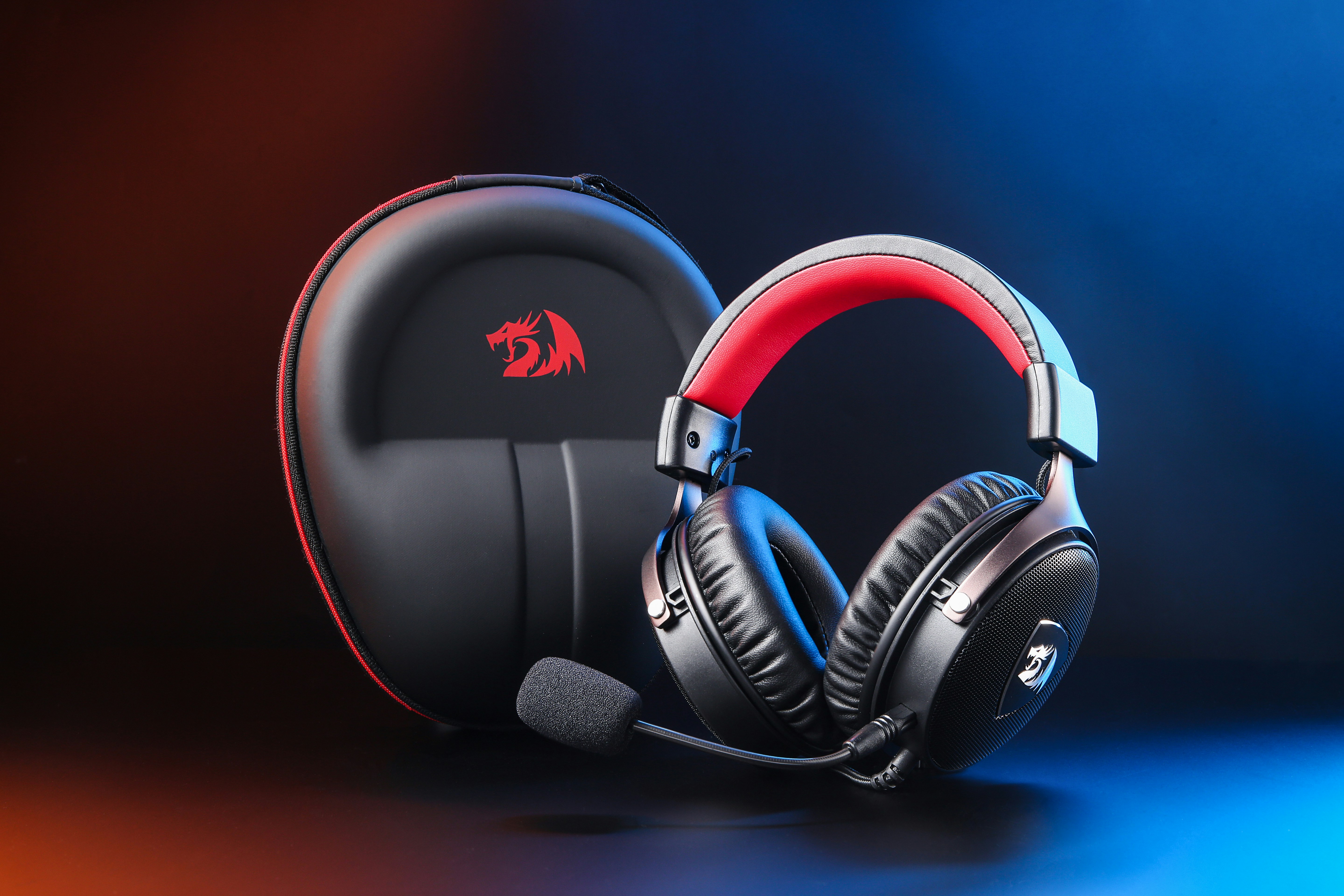
Phew! That was quite the audio adventure, wasn’t it? From the evolution of gaming headphones to the nitty-gritty of drivers and virtual surround sound, we’ve covered the entire soundscape. Now, let’s wrap it up with a clear-eyed summary and our expert recommendations.
Summary of Our Top Picks
| Headset | Positives | Negatives | Who Should Buy? |
|---|---|---|---|
| Audeze Maxwell Wireless | Unmatched planar magnetic sound, phenomenal battery life, premium build | Heavy, expensive, requires choosing correct platform version | Audiophiles and gamers who want the absolute best sound and don’t mind the weight or price |
| SteelSeries Arctis Nova Pro Wireless | Feature-packed with hot-swappable batteries, ANC, excellent mic, great comfort | Pricey, battery life per charge shorter than Maxwell | Gamers who want cutting-edge features and wireless convenience |
| HyperX Cloud Alpha Wireless | Legendary comfort, incredible 300-hour battery, solid sound | Mic quality good but not exceptional | Wireless gamers who want reliability and long battery life without breaking the bank |
| HyperX Cloud III (Wired) | Great sound and mic for price, robust build, super comfortable | Wired only, no fancy features | Budget-conscious gamers who want solid performance and comfort |
| Drop + EPOS PC38X (Open-Back) | Huge natural soundstage, best mic in class, breathable comfort | No noise isolation, not for noisy environments | Competitive FPS gamers in quiet spaces who prioritize positional audio |
Final Thoughts
If you’re chasing ultimate sound fidelity and don’t mind shelling out, the Audeze Maxwell Wireless is our unequivocal top recommendation. It’s a sonic revelation that will elevate your gaming and music alike.
For those who crave feature-rich wireless freedom, the SteelSeries Arctis Nova Pro Wireless is a powerhouse that blends innovation with comfort.
If you want no-fuss wireless with legendary comfort and battery life, the HyperX Cloud Alpha Wireless is your best friend.
Budget gamers don’t have to settle for less — the HyperX Cloud III proves that wired simplicity can still deliver a knockout punch.
And if you game in a quiet environment and want the best positional audio and mic clarity, the Drop + EPOS PC38X open-back headset is a specialist’s dream.
Remember the question we teased earlier: Is virtual surround sound a must-have? The answer is nuanced. For immersive single-player experiences, yes, it can be magical. For competitive multiplayer, it’s a personal preference. The best stereo headset with a wide soundstage can be just as effective, if not more so.
We hope this guide has helped you cut through the noise (pun intended!) and find the perfect gaming headphones that fit your style, setup, and budget. Now, go forth and conquer those leaderboards with crystal-clear sound and confidence!
📚 Recommended Links for Further Reading and Shopping
Ready to grab your next gaming headset or dive deeper into audio mastery? Here are some curated links to help you shop smart and learn more.
Shop Our Top Gaming Headsets
-
Audeze Maxwell Wireless:
Amazon | Sweetwater | Audeze Official Website -
SteelSeries Arctis Nova Pro Wireless:
Amazon | Walmart | SteelSeries Official Website -
HyperX Cloud Alpha Wireless:
Amazon | Walmart | HyperX Official Website -
HyperX Cloud III (Wired):
Amazon | Walmart | HyperX Official Website -
Drop + EPOS PC38X:
Amazon | Drop Official Website
Books to Level Up Your Audio Knowledge
-
“The Headphone Handbook” by Dr. Ken Pohlmann — A deep dive into headphone technology and audio engineering fundamentals.
Amazon Link -
“Sound Reproduction: The Acoustics and Psychoacoustics of Loudspeakers and Rooms” by Floyd Toole — For those who want to understand how sound interacts with environments.
Amazon Link -
“Master Handbook of Acoustics” by F. Alton Everest and Ken C. Pohlmann — The classic guide to acoustics and audio design.
Amazon Link
🔍 Frequently Asked Questions About Gaming Headphones
What are the key features to look for when choosing gaming headphones?
When selecting gaming headphones, focus on:
- Sound Quality and Soundstage: Look for clear, balanced audio with a wide soundstage for positional awareness.
- Microphone Quality: A noise-canceling, cardioid mic that delivers clear voice communication is essential.
- Comfort: Memory foam earpads, adjustable headbands, and lightweight materials ensure long-term comfort.
- Connectivity: Ensure compatibility with your gaming platform and prioritize low-latency connections (2.4GHz wireless or wired).
- Additional Features: Consider virtual surround sound, active noise cancellation, and battery life if wireless.
These features collectively enhance immersion, communication, and comfort during gaming sessions.
Are wireless headphones suitable for competitive gaming and esports?
Absolutely! Modern wireless gaming headsets using 2.4GHz USB dongles offer near-zero latency, indistinguishable from wired connections for most users. The convenience of wireless freedom, combined with long battery life and robust connectivity, makes them excellent for competitive gaming.
However, some esports professionals still prefer wired headsets to eliminate any possible interference or latency, no matter how minor. For casual and even serious competitive gamers, high-quality wireless headsets like the SteelSeries Arctis Nova Pro Wireless or HyperX Cloud Alpha Wireless provide excellent performance.
How do I choose the best gaming headset for my specific gaming platform?
Platform compatibility is crucial:
- PC: Most headsets work well; software customization is a plus.
- PlayStation: Look for official PlayStation compatibility or USB/3.5mm wired options.
- Xbox: Requires “Designed for Xbox” wireless protocol or wired 3.5mm connection. Not all wireless headsets work natively.
- Nintendo Switch: USB-C or 3.5mm wired headsets work best; some wireless headsets support Switch via USB dongle.
- Mobile: Bluetooth or wired headsets with a 3.5mm jack or USB-C adapter are ideal.
Always check the manufacturer’s compatibility list before purchasing.
Do expensive gaming headphones offer better sound quality and performance than budget options?
Generally, yes—but with diminishing returns. Expensive gaming headsets like the Audeze Maxwell or SteelSeries Arctis Nova Pro Wireless offer superior driver technology, build quality, microphone clarity, and advanced features like ANC and hot-swappable batteries.
Budget headsets like the HyperX Cloud III provide excellent value with solid sound and comfort but may lack premium features and the same level of detail or durability.
Your choice should balance budget, desired features, and how much you value audio fidelity and comfort.
How important is microphone quality in a gaming headset?
Microphone quality is critical for multiplayer communication. A clear, noise-canceling mic ensures your teammates hear you without background noise or distortion, which can be the difference between victory and defeat.
Many premium headsets now include AI-powered noise cancellation and cardioid pickup patterns to isolate your voice. If you stream or create content, investing in a headset with a high-quality mic or a dedicated microphone is advisable.
Can I use audiophile headphones for gaming?
Yes! Audiophile headphones often provide superior sound quality and detail. However, they usually lack built-in microphones and gaming-specific features like surround sound or platform compatibility.
Pairing audiophile headphones with a standalone microphone and a quality DAC/amp can deliver an exceptional gaming experience but requires more setup and investment.
📑 Reference Links and Sources
- PC Gamer, The Best Gaming Headset in 2024 — https://www.pcgamer.com/best-gaming-headset/
- IGN, Best Gaming Headsets: Our Top Reviewed Picks for 2025 — https://www.ign.com/articles/best-gaming-headset
- RTINGS.com, Best Gaming Headphones — https://www.rtings.com/headphones/reviews/best/by-usage/gaming
- Audeze Official Website — https://www.audeze.com/
- SteelSeries Official Website — https://steelseries.com/
- HyperX Official Website — https://hyperx.com/
- Drop Official Website — https://drop.com/
- Dolby Atmos for Gaming — https://www.dolby.com/gaming/
- DTS Sound Unbound — https://dts.com/dts-sound-unbound/
For more expert insights and reviews, visit our Headphone Brand Guides and High-End Headphones categories at Headphone Brands™.